

VideoKen AI Video Indexing and Interactive Learning Platform for Education
VideoKen is an AI-driven platform that indexes and segments long videos into chapters, provides automatic transcription, and enables interactive navigation to enhance video learning and content accessibility.
- Best for
- Educational Video Summarization
- Key capability
- AI Video Indexing
Save VideoKen, follow its updates and vote on it — everything stays in your account.
Sign in or create a free account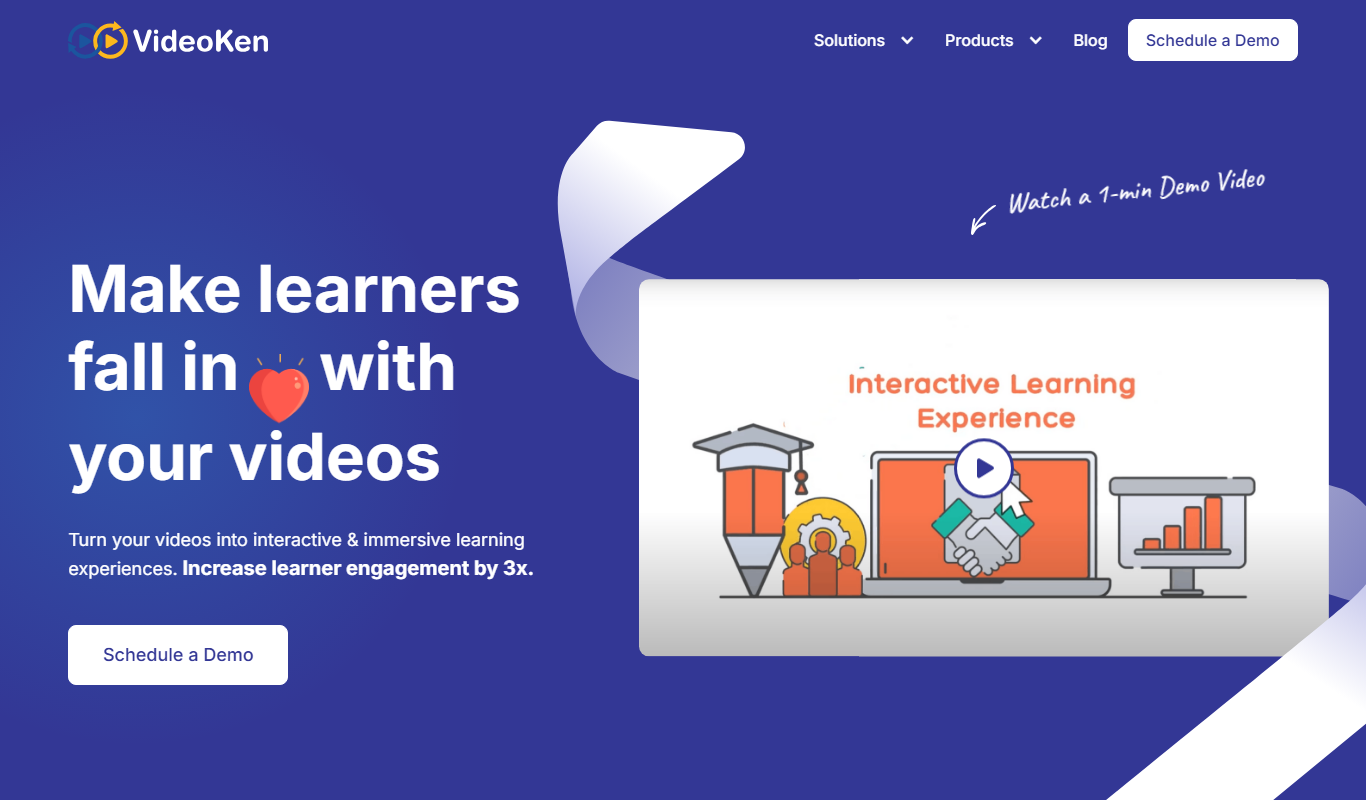
What is VideoKen?
VideoKen is an AI-powered video indexing and interactive learning platform designed to transform long-form videos into easily navigable, searchable, and engaging learning experiences. It uses advanced AI to automatically segment videos into chapters, generate summaries, and enable users to quickly find and jump to relevant content within educational and training videos.
Key features of VideoKen
VideoKen offers AI-driven video indexing, interactive video navigation, automatic transcription, chapter-wise summarization, and keyword-based video search to improve video learning and content accessibility.
AI Video Indexing
Automatically segments videos into meaningful chapters based on content and topics.
Interactive Video Player
Enables clickable navigation through chapters and topics within videos.
Automatic Transcription
Generates accurate speech-to-text transcriptions to support search and accessibility.
Chapter-wise Summaries
Creates concise summaries for each video segment to highlight key points.
Keyword Search Inside Videos
Allows users to search for specific terms and jump directly to relevant video sections.
Pros and cons of VideoKen
Pros
- Transforms long videos into easily navigable chapters
- Improves learner engagement with interactive video features
- Accurate AI-powered transcription and summarization
- Supports keyword search inside videos
- Integrates with LMS platforms
Cons
- Limited language support beyond English
- Free plan has restrictions on video length and features
- Primarily web-based with no dedicated mobile apps
Key use cases for VideoKen
Educational Video Summarization
Automatically generate chapter-wise summaries and highlights from long educational videos to enhance learning efficiency.
Interactive Video Navigation
Enable users to jump to specific topics or concepts within videos through AI-generated indexes and clickable segments.
Video Content Search
Search inside video content by keywords or topics using AI-powered transcription and indexing.
Corporate Training
Improve employee training by providing interactive video modules with easy navigation and content summaries.
Online Course Enhancement
Enhance MOOCs and online courses by integrating VideoKen’s interactive video player to boost engagement and retention.
How VideoKen works
- 1
Upload or Link Video
Users upload their educational or training videos or provide video URLs to the platform.
- 2
AI Processing
VideoKen’s AI analyzes the video to transcribe speech, detect topics, and segment content into chapters.
- 3
Interactive Video Creation
The platform generates an interactive video player with clickable chapters, summaries, and search functionality.
- 4
User Engagement
Viewers can navigate videos efficiently, search for specific content, and learn more effectively.
Who is using VideoKen
VideoKen pricing
Free
$0/month
Basic video indexing and interactive player with limited video length and features.
Pro
$49/month
Extended video length support, advanced analytics, and priority customer support.
Enterprise
Custom pricing
Tailored solutions with API access, bulk processing, and dedicated account management.
Plans and prices are as published by the vendor and can change. Check the official site before you buy. Open the pricing page (opens in a new tab)
Frequently asked questions about VideoKen
You can upload educational, training, corporate, or any long-form videos that benefit from interactive navigation and indexing.
Currently, VideoKen primarily supports English language transcription and indexing.
Yes, VideoKen offers API and integration options to embed interactive videos within popular Learning Management Systems.
Yes, the free plan supports videos up to a certain length; longer videos require a paid subscription.
It depends on your specific needs and how you plan to use the tool. The official website and documentation are the best sources for the latest details.
Yes, it can help with that use case depending on how you configure it and what features are available. You’ll get the best results with clear inputs and a defined goal.
It depends on your specific needs and how you plan to use the tool. The official website and documentation are the best sources for the latest details.
Conclusion
Uploaded videos or video URLs are analyzed to transcribe speech, detect topics and segment the content into chapters. The AI Player then adds auto-generated chapters, phrase clouds, in-video quizzes and calls-to-action, along with captions and searchable transcripts. Analytics track hot topics, drop-off rates and revisit points so learning content can be improved. For event and conference recordings, Videolake builds a searchable video portal and connects with Zoom, YouTube, Vimeo and other video platforms.
Learning and development teams, e-learning providers and conference organizers are the three groups it is built for. Watermarks, geo-restrictions, disabled downloads and SSO integrations help protect learning videos. Access starts with a scheduled demo, and pricing is custom.
Sources
Sign in to review this tool.
Sign In to ReviewNo reviews yet
Be the first to share how this tool worked for you.
Ask about pricing, limits, or how it compares — or answer someone else.
Sign In to AskNo questions yet
Have a question about using or paying for this tool? Be the first to ask.
Featured on TiorAI



Alternative Tools
Explore similar AI tools that might fit your needs

Vidyard
Vidyard is a video platform that helps businesses create, host, and share personalized videos for marketing, sales, and customer engagement with detailed analytics and CRM integrations.
More AI Speech-to-Text tools
Other tools in the same category, for when this one is not quite the fit.

Verbit
Verbit is an AI transcription and captioning platform that uses a hybrid approach combining automated speech recognition with human editors to deliver highly accurate transcripts and captions in multiple languages, suitable for media, education, legal, and corporate use.
Webex
Webex is a Cisco-developed video conferencing and collaboration platform that enables secure online meetings, webinars, screen sharing, and team messaging across multiple devices.

EnglishCentral
EnglishCentral is an online English learning platform that uses video lessons and AI-powered speech recognition to help users improve their English speaking and listening skills through interactive practice and instant feedback.
Vocaroo
Vocaroo is a free online voice recorder that lets you record, share, and download audio clips instantly from your browser without any account or software installation.

Voiceitt
Voiceitt is an AI-driven speech recognition tool designed to understand and translate impaired speech patterns into clear text or voice, helping people with speech disabilities communicate effectively.

Suki AI
Suki is an ambient clinical documentation product for healthcare providers that supports sessions in 80+ languages and produces notes in English.

Noted
Noted is an AI-powered note-taking app that records audio and provides synchronized transcription and note organization, available on iOS and macOS.
LingQ
LingQ is an immersive language learning platform that uses authentic content and integrated vocabulary tools to help users learn multiple languages through reading, listening, and speaking practice.