

From my experience with Deepgram, I found it excels at delivering highly accurate speech-to-text transcription even in noisy or complex audio environments. Its ability to customize models with specific vocabularies makes it particularly well-suited for enterprises and developers needing tailored solutions. However, the platform is primarily API-driven, which may present a learning curve for users seeking a more direct user interface. Overall, if your workflow requires scalable, real-time, and multi-language transcription, Deepgram offers a robust and flexible solution.
Deepgram AI Speech-to-Text Platform for Accurate Audio Transcription
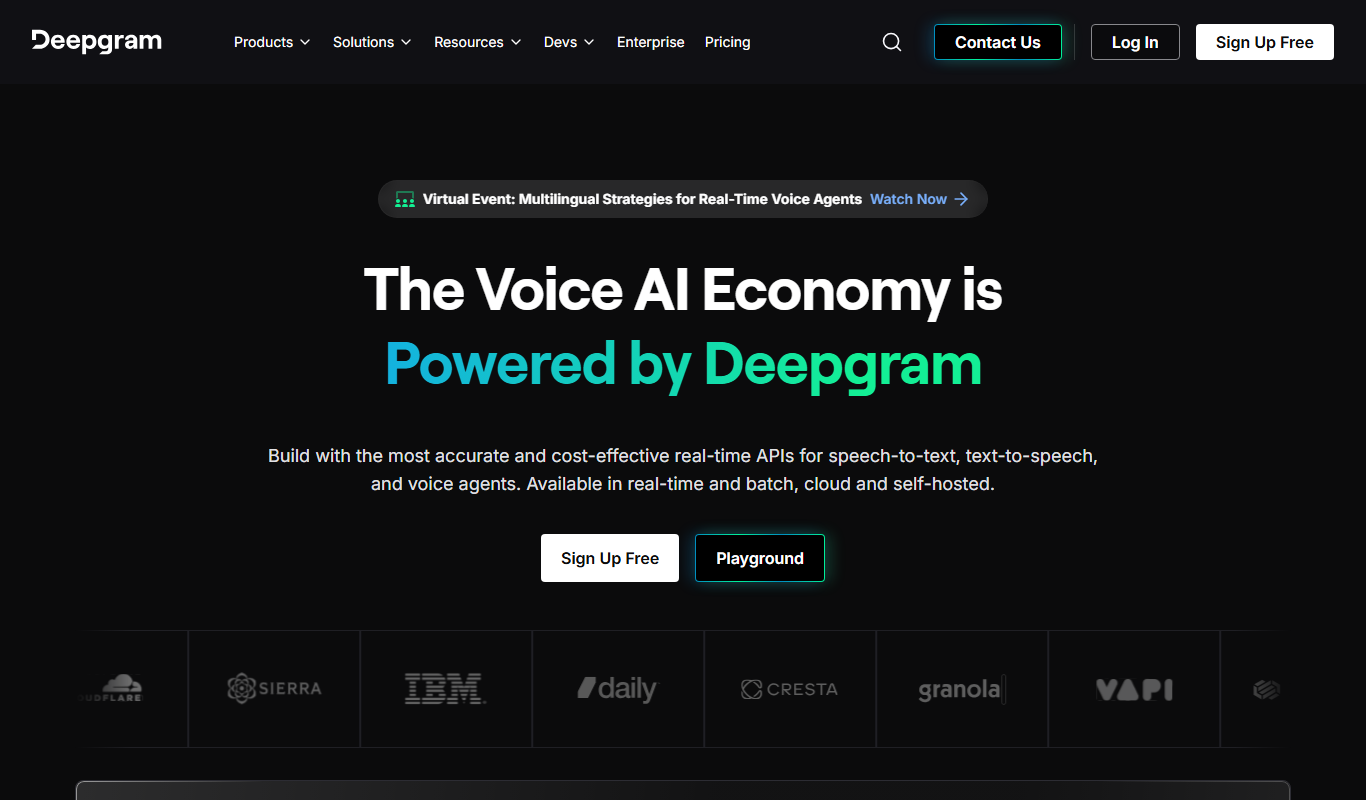
Deepgram is an AI-driven speech-to-text platform providing accurate, customizable, and scalable audio transcription services with real-time streaming and multi-language support.
- Best for
- Call Center Transcription
- Key capability
- Real-Time and Batch Transcription

Do you recommend this tool?
What is Deepgram?
Deepgram is an AI-powered speech recognition platform that converts audio and video into highly accurate text transcriptions. Leveraging deep learning and neural networks, Deepgram offers scalable, customizable speech-to-text solutions designed for enterprises and developers. It supports real-time and batch transcription with advanced noise cancellation and language model adaptation to handle diverse audio environments.
Key features of Deepgram
Deepgram’s main features include real-time and asynchronous transcription, multi-language support, custom vocabulary training, speaker diarization, punctuation and formatting, and an easy-to-integrate API. Its AI models are optimized for noisy audio and specialized industry jargon, making it suitable for call centers, media, and enterprise applications.
Real-Time and Batch Transcription
Supports live streaming transcription and processing of pre-recorded audio files.
Custom Model Training
Allows users to train models with custom vocabularies and acoustic profiles for improved accuracy.
Speaker Diarization
Automatically identifies and separates different speakers in multi-person conversations.
Noise Robustness
Advanced noise cancellation and filtering for transcription in challenging audio environments.
Multi-Language Support
Transcribes audio in multiple languages with high accuracy.
Pros and cons of Deepgram
Pros
- High accuracy in noisy environments
- Flexible API with real-time and batch options
- Customizable models for industry-specific needs
- Supports multiple languages
- Scalable for enterprise use
Cons
- Pricing details are not fully transparent without contacting sales
- Limited direct user interface; primarily API-driven
Key use cases for Deepgram
Call Center Transcription
Automatically transcribe customer service calls to improve quality assurance and training.
Media Captioning
Generate accurate captions and subtitles for videos and podcasts to enhance accessibility.
Meeting Notes Automation
Convert meeting audio into searchable text notes for easier documentation and collaboration.
Voice Analytics
Analyze speech data for sentiment, keywords, and trends to gain business insights.
Real-Time Transcription
Provide live transcription for events, webinars, and broadcasts to engage audiences.
How Deepgram works
-
1
Sign Up
Create an account on Deepgram’s platform to access the dashboard and API keys.
-
2
Upload Audio or Stream
Submit audio files or stream live audio through the API for transcription.
-
3
Customize Models
Optionally train custom models with your own vocabulary and acoustic data.
-
4
Receive Transcripts
Get accurate text transcriptions with timestamps, speaker labels, and confidence scores.
-
5
Integrate and Analyze
Use the transcriptions in your applications or analytics workflows via API.
Who is using Deepgram
Call centers and customer support teams
Media and content creators
Enterprise businesses with large audio data
Developers integrating speech-to-text
Market researchers and analysts
Deepgram pricing
Free
$0 (200 hrs/year)
Limited usage to test transcription capabilities with access to core features.
Growth
Pay-as-you-go from $0.0043/min
Pay-as-you-go or subscription plans tailored for businesses with volume discounts.
Enterprise
Custom pricing
Plans and prices are as published by the vendor and can change. Check the official site before you buy. Open the pricing page (opens in a new tab)
Compare similar tools
How Deepgram lines up against the tools people weigh it against.
 Resemble AI
Deepgram
Resemble AI
Deepgram
Resemble AI vs Deepgram: Voice Cloning, API Access & Pricing
 AssemblyAI
Deepgram
AssemblyAI
Deepgram
Assemblyai vs Deepgram: Enterprise Features & Compliance
Deepgram
 ElevenLabs
Deepgram vs Elevenlabs: Free Plan, Speed & Voice Variety
Deepgram
Whisper AI
Deepgram vs Whisper AI: Voice Cloning, API Access & Pricing
Frequently asked questions about Deepgram
Deepgram supports common audio formats including WAV, MP3, FLAC, and more.
Yes, Deepgram offers real-time streaming transcription via its API.
Yes, users can train custom models with specific vocabularies and acoustic data.
Deepgram supports transcription in several languages including English, Spanish, French, German, Mandarin, and Portuguese.
It depends on your specific needs and how you plan to use the tool. The official website and documentation are the best sources for the latest details.
Yes, it can help with that use case depending on how you configure it and what features are available. You’ll get the best results with clear inputs and a defined goal.
Yes, it can help with that use case depending on how you configure it and what features are available. You’ll get the best results with clear inputs and a defined goal.
Yes, it can help with that use case depending on how you configure it and what features are available. You’ll get the best results with clear inputs and a defined goal.
Sign in to review this tool.
Sign In to ReviewNo reviews yet
Be the first to share how this tool worked for you.
Ask about pricing, limits, or how it compares — or answer someone else.
Sign In to AskNo questions yet
Have a question about using or paying for this tool? Be the first to ask.
Featured on TiorAI



Alternative Tools
Explore similar AI tools that might fit your needs

Free
Otter.ai
Otter.ai is an AI-driven transcription tool that converts speech to text in real time, ideal for meetings, interviews, and lectures with collaborative features and multi-language support.

Free Trial
Sonix
Sonix is an AI transcription software that automatically converts audio and video files into accurate, editable text transcripts supporting multiple languages and offering features like speaker labeling and export options.

Freemium
ChatGPT
ChatGPT is an AI chatbot by OpenAI powered by GPT-4o. It handles writing, coding, research, data analysis, and natural conversation. Free tier available, Plus at $20/month.

Freemium
Claude
Claude is an AI assistant by Anthropic with a 200K token context window built on Constitutional AI for safer responses. Free tier available, Pro at $20/month.

Freemium
Gemini & Gemini Advanced
Gemini and Gemini Advanced are Google’s advanced AI language models designed for conversational AI, content generation, and coding assistance, supporting multiple languages and accessible via web and API.

Freemium
Canva
Canva is an online design platform with Magic Design, Magic Write, and Text to Image AI tools. Offers 1M+ templates for graphics, presentations, and videos. Free plan available, Canva Pro at $15/month.

Freemium
Notion AI
Notion AI is an AI-powered assistant embedded in the Notion workspace that helps users generate, edit, and summarize content to boost productivity and collaboration.

Free
Grammarly
Grammarly is an AI-based writing assistant that provides real-time grammar, spelling, punctuation, style, and tone suggestions to improve written communication across web, desktop, and mobile platforms.

Subscription
Midjourney
Midjourney is an AI image generation tool creating high-quality artwork from text prompts via Discord. Plans start at $10/month. Known for exceptional visual quality with Midjourney V6.

Free
ElevenLabs
ElevenLabs is an AI platform that converts text into natural-sounding speech and allows voice cloning from audio samples, supporting multiple languages and offering an API for integration.

Freemium
Perplexity AI
Perplexity AI is an AI search engine delivering real-time cited answers using GPT-4o and Claude 3.5. Free tier available, Pro at $20/month.

Free
Runway
Runway is a cloud-based AI platform that enables creators and developers to edit videos, generate images from text, and apply advanced AI effects through an intuitive interface and API access.