

VGG Image Annotator - Free Open Source Tool for Image Annotation and Labeling
VGG Image Annotator is a free, browser-based tool for manual image and video annotation supporting multiple shapes and export formats, developed by the University of Oxford.
- Best for
- Dataset Annotation
- Key capability
- Browser-Based and Offline
Save VGG Image Annotator, follow its updates and vote on it — everything stays in your account.
Sign in or create a free account
What is VGG Image Annotator?
The VGG Image Annotator (VIA) is a free, open-source, web-based tool developed by the Visual Geometry Group at the University of Oxford. It enables users to manually annotate images and videos by defining regions of interest and assigning metadata attributes. VIA is lightweight, runs entirely in the browser without requiring installation or internet connection, and supports multiple annotation types including rectangles, circles, polygons, and points.
Key features of VGG Image Annotator
VIA offers a simple interface for creating detailed image annotations with support for various shapes and region attributes. It allows exporting annotations in multiple formats compatible with machine learning frameworks. The tool is highly customizable, supports offline use, and can handle images, videos, and audio files for annotation.
Browser-Based and Offline
Runs fully in the web browser without installation and supports offline annotation.
Multiple Annotation Shapes
Supports rectangles, circles, ellipses, polygons, and points for flexible region marking.
Custom Metadata Fields
Allows users to define custom attributes for each annotation to capture rich information.
Export in Multiple Formats
Annotations can be exported in JSON, CSV, and COCO formats compatible with popular ML tools.
Lightweight and Open Source
Minimal dependencies and open source under BSD license, enabling customization and integration.
Pros and cons of VGG Image Annotator
Pros
- No installation or server setup required
- Supports multiple annotation shapes and metadata
- Open source and free with permissive license
- Works offline in any modern web browser
- Exports in widely used annotation formats
Cons
- User interface is minimalistic and may lack advanced collaboration features
- Limited to manual annotation without AI-assisted labeling
Key use cases for VGG Image Annotator
Dataset Annotation
Create labeled datasets for computer vision and machine learning projects by annotating images with regions and attributes.
Research and Development
Use the tool for academic and industrial research requiring precise image region labeling and metadata collection.
Training AI Models
Generate ground truth annotations to train and validate AI models in object detection, segmentation, and classification.
Image Analysis
Annotate images to analyze visual content for various applications such as medical imaging, autonomous vehicles, and robotics.
How VGG Image Annotator works
- 1
Load Images
Upload images or videos directly into the browser to start annotating without any server dependency.
- 2
Create Annotations
Draw regions using shapes like rectangles, circles, polygons, or points, and assign attributes or labels.
- 3
Manage Metadata
Define and edit metadata fields for annotations to capture detailed information about each region.
- 4
Export Annotations
Save annotations in JSON, CSV, or COCO format for use in AI training or other analysis workflows.
Who is using VGG Image Annotator
VGG Image Annotator pricing
Free
$0
Full access to all features with no cost or usage limits.
Plans and prices are as published by the vendor and can change. Check the official site before you buy. Open the pricing page (opens in a new tab)
Frequently asked questions about VGG Image Annotator
Yes, VIA is completely free and open source under the BSD license.
No, VIA runs entirely in the browser and supports offline use after loading the page.
It supports rectangles, circles, ellipses, polygons, and points.
Yes, VIA supports exporting annotations in JSON, CSV, and COCO formats.
This tool is designed to help users accomplish its core tasks more efficiently. It is typically used by individuals or teams looking to improve productivity and workflow.
Some tools offer a free plan or trial with limited features. Availability can vary, so confirm on the official website.
Yes, it can help with that use case depending on how you configure it and what features are available. You’ll get the best results with clear inputs and a defined goal.
Yes, it can help with that use case depending on how you configure it and what features are available. You’ll get the best results with clear inputs and a defined goal.
Conclusion
Everything happens inside the web browser: VIA needs no installation or server setup, and it supports offline use after the page has loaded. Users load images or videos and draw regions with shapes such as rectangles, polygons or points. Each region can carry custom metadata attributes, and annotations export as JSON, CSV or COCO files for AI training.
Developed by the Visual Geometry Group at the University of Oxford, the tool is free and open source under the BSD license. It is aimed at computer vision researchers and machine learning engineers who create labeled datasets or ground truth annotations to train AI models. Annotation is done manually, and the minimalistic interface may lack advanced collaboration features.
Sources
Sign in to review this tool.
Sign In to ReviewNo reviews yet
Be the first to share how this tool worked for you.
Ask about pricing, limits, or how it compares — or answer someone else.
Sign In to AskNo questions yet
Have a question about using or paying for this tool? Be the first to ask.
Featured on TiorAI



More AI Photography tools
Other tools in the same category, for when this one is not quite the fit.

ON1 Resize AI
ON1 Resize AI is a desktop software that uses AI and fractal interpolation to enlarge images up to 1000% while preserving detail, ideal for photographers and print professionals.
ProCamera
ProCamera is a professional iOS camera app offering manual controls, AI-enhanced low-light photography, RAW capture, and advanced editing tools for mobile photographers.
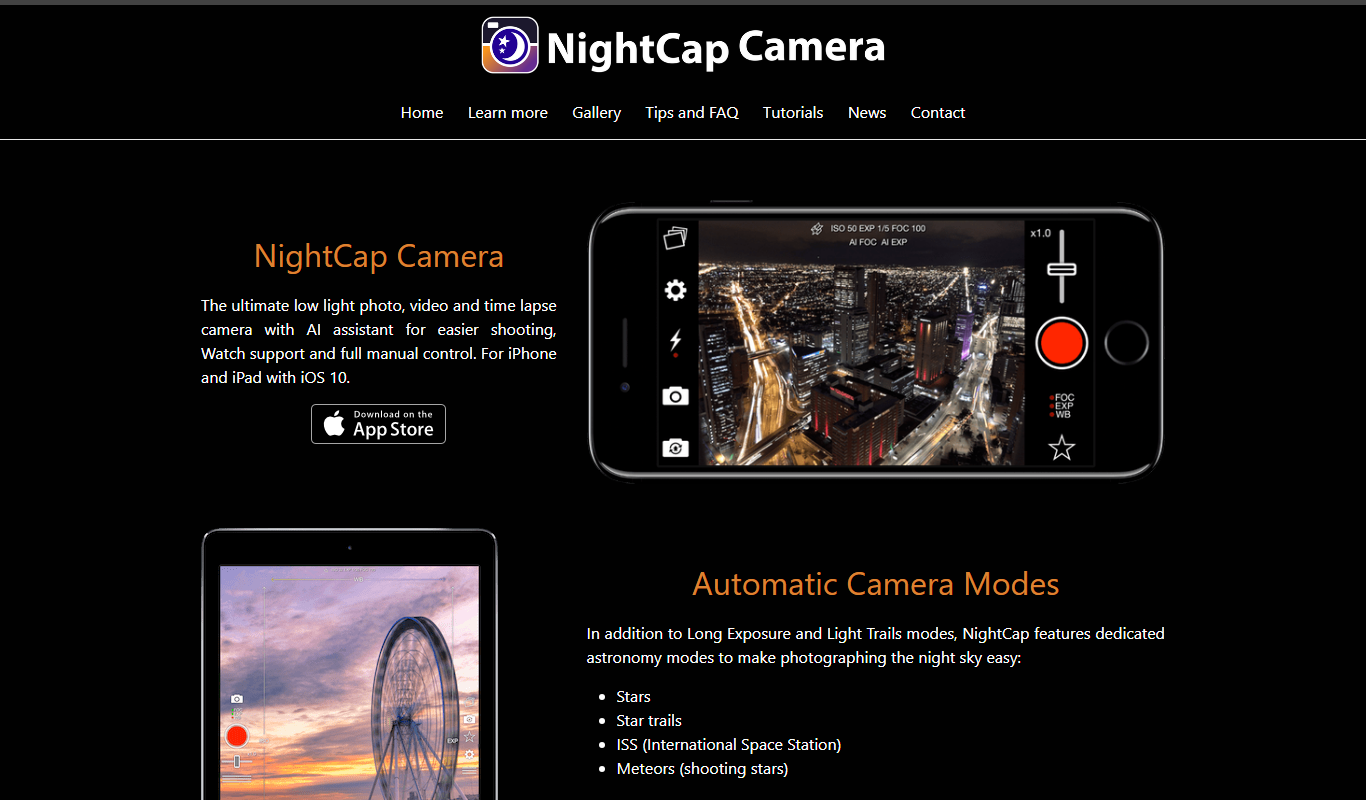
NightCap Camera
NightCap Camera is an iOS app that uses AI to enhance low light and night photography by combining multiple exposures, reducing noise, and enabling astrophotography with long exposure modes.

Halide Mark III
Halide Mark III is an iPhone camera app with manual controls, RAW and ProRAW capture, and computational photography features for photo and video.

Enhance.Pho.to
Enhance.Pho.to is a free web-based AI photo enhancement tool that automatically improves photo quality, removes backgrounds, retouches faces, and restores old images without requiring user registration.

Autotracer
Autotracer is a free web-based tool that automatically converts raster images into vector graphics in formats like SVG and EPS, enabling scalable and editable designs.

Qlone
Qlone is a mobile app that uses your smartphone camera and a printed mat to scan physical objects and create detailed 3D models for use in AR, 3D printing, and design projects.

ImageOptim
ImageOptim is a free MacOS-based image compression tool that reduces image file sizes using lossless and lossy methods to improve web performance without sacrificing quality.