

HEX to HEX Alpha
Convert HEX color values to HEX ALPHA format instantly with our free online converter. Enter your HEX color code and get the accurate HEX ALPHA equivalent - perfect for web design, CSS styling, graphic design, and digital art projects.
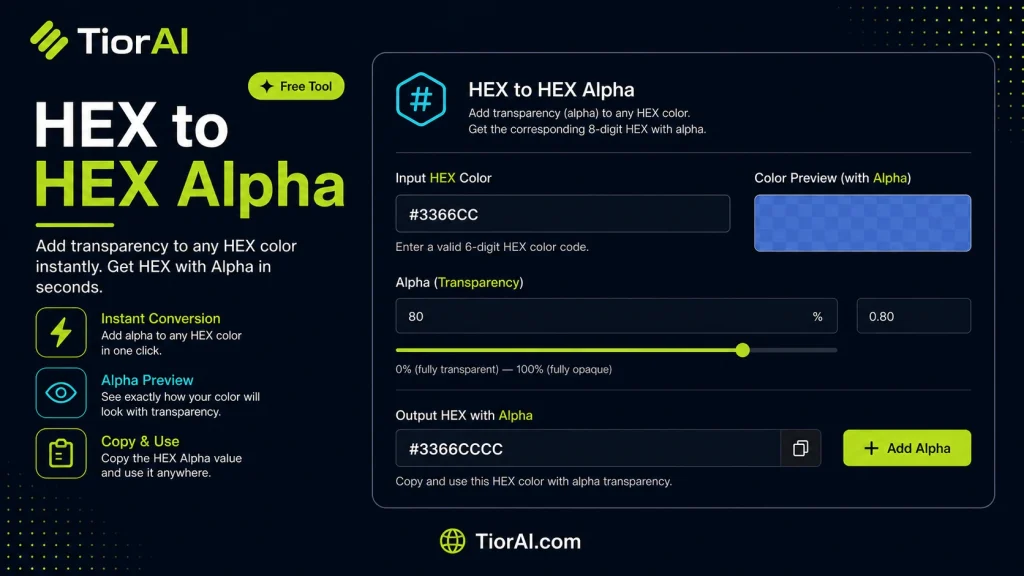
How to use it
- Pick or Enter a Color Use the color picker or enter a color value into the Hex to Hex Alpha. Supports HEX, RGB, HSL, and more.
- Adjust and Preview Fine-tune your color selection and preview results in real time with instant visual feedback.
- Copy Color Values Copy the generated color codes in your preferred format for use in CSS, design tools, or development.
Tip The Hex to Hex Alpha supports accessibility checks — verify contrast ratios meet WCAG standards before shipping.
Understanding Hex and Hex Alpha Color Codes in CSS
In web development, colors are often specified using hexadecimal (hex) notation, a compact way to represent RGB (Red, Green, Blue) color values. A standard hex color code consists of six hexadecimal digits, for example, #RRGGBB, where each pair represents the intensity of red, green, and blue respectively. This format is widely supported across all browsers and CSS specifications.
However, modern web design frequently requires specifying transparency or opacity alongside color. This is where hex alpha codes come into play. Hex alpha extends the traditional 6-digit hex code by adding two extra digits at the end, representing the alpha channel (opacity). The format becomes #RRGGBBAA, where AA is a hexadecimal value from 00 (fully transparent) to FF (fully opaque).
The alpha channel allows developers to control the transparency of colors directly within the hex code, which is useful for layering elements, creating overlays, or subtle visual effects without relying on separate CSS properties like opacity or RGBA functions.
Hex alpha is part of the CSS Color Module Level 4 specification, which modern browsers support increasingly well. Using hex alpha codes simplifies CSS by embedding transparency in the color value itself, making stylesheets cleaner and easier to maintain.
Developers use hex to hex alpha converters to transform standard 6-digit hex colors into 8-digit hex alpha colors by appending the desired opacity value. This is especially helpful when designers provide colors without transparency, but the developer needs to apply a specific alpha level for UI elements.
For example, converting #3498db (a shade of blue) to #3498db80 adds 50% opacity (where 80 in hex equals 128 in decimal, roughly half of 255). This allows the color to appear semi-transparent on the page.
In summary, hex alpha codes are a modern, concise way to specify colors with transparency in CSS, improving control over visual design and layering effects.
What is Hex Alpha in CSS?
Hex alpha color codes extend the traditional 6-digit hexadecimal color notation by adding two extra digits to represent transparency. This 8-digit format, #RRGGBBAA, allows developers to specify both color and opacity in a single value. The alpha channel ranges from 00 (fully transparent) to FF (fully opaque), enabling precise control over element transparency directly within the color code.
This format is part of the CSS Color Module Level 4 specification and is supported by most modern browsers. Using hex alpha codes simplifies CSS by embedding opacity information, which can otherwise require separate properties or RGBA notation.
When to Use a Hex to Hex Alpha Converter
- When you have a standard 6-digit hex color and want to add transparency without switching to RGBA.
- When working on projects that prefer consistent hex color notation across stylesheets.
- When you need to quickly generate an 8-digit hex color with a specific opacity level for backgrounds, borders, or overlays.
- When optimizing CSS for readability and compactness by embedding opacity directly in the color code.
Common Mistakes to Avoid
- Appending the alpha channel incorrectly, such as placing it before the RGB values instead of after.
- Trying to add alpha directly to 3-digit hex colors without expanding them to 6 digits first, which results in invalid codes.
Technical Context
Hex alpha colors are a concise alternative to RGBA or HSLA color functions. While RGBA uses separate parameters for red, green, blue, and alpha, hex alpha combines these into a single string. This can improve stylesheet maintainability and reduce verbosity.
However, developers should be aware of browser support and fallback strategies, especially for older browsers that may not recognize 8-digit hex codes. In such cases, using RGBA or providing fallback colors is recommended.
Overall, hex alpha codes are a practical tool for modern web design, enabling precise control over color transparency with minimal syntax.
Common use cases
- Adding 25% opacity to a blue color
- Converting a red hex color to 75% opacity
Frequently asked questions
Reviews and questions
Whether this tool gave people the answer they needed, and what they asked about it.
Sign in to review this tool.
Sign In to ReviewNo reviews yet
Be the first to say whether this tool gave you what you needed.
Ask how to read the result, or what the tool does with an edge case — or answer someone else.
Sign In to AskNo questions yet
Not sure how to read a result? Be the first to ask.
AI tools related to this topic
Tools from the TiorAI directory that work on the same kind of job.

Code Language Converter
Code Language Converter is an online tool that translates code between 30+ programming languages with AI-powered conversion, with a free plan and a paid PRO plan.

Any Video Converter
Any Video Converter is a multimedia software that converts video files between numerous formats, downloads online videos, and offers basic editing and DVD burning features.

Bank Statement Converter
Bank Statement Converter is an online tool that converts PDF bank statements into Excel and CSV formats, enabling easy data extraction and financial management.

Conversion Blitz
Conversion Blitz is an AI lead generation software suite to find leads, send targeted emails, create a chatbot and more.