

CSS Validator
CSS validation is the process of checking your stylesheet code against official web standards to ensure it is syntactically correct and compliant. The World Wide Web Consortium (W3C) defines these standards through CSS specifications, which evolve over time to include new features and best practices.…
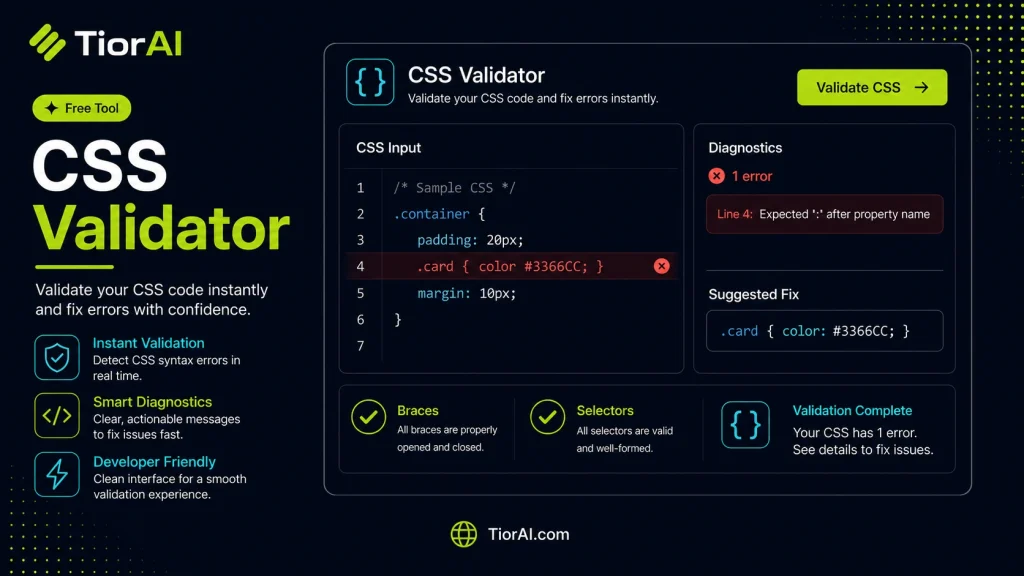
How to use it
- Paste or Enter Your Input Paste your code, text, or data into the input field. The tool supports large inputs without performance issues.
- Process and Analyze Click the action button or let the tool auto-process your input. Results appear in real time with highlighted details.
- Copy or Download the Output Review the results and copy the output to clipboard or download as a file for use in your project.
Tip This tool preserves your input formatting. Check format settings if the output differs from expected.
Understanding CSS Validation
Cascading Style Sheets (CSS) is a stylesheet language used to describe the presentation of HTML documents. It controls layout, colors, fonts, and overall visual appearance of web pages. However, writing CSS that adheres to web standards and is free of syntax errors is crucial for consistent rendering across browsers and devices.
A CSS validator is a tool that checks your CSS code against the official CSS specifications defined by the World Wide Web Consortium (W3C). It identifies syntax errors, deprecated properties, and potential compatibility issues. By validating CSS, developers ensure their stylesheets conform to standards, which improves maintainability, reduces bugs, and enhances cross-browser compatibility.
The CSS specifications have evolved over time, with CSS1, CSS2, CSS2.1, and CSS3 modules defining different features and rules. Validators typically support these versions and highlight usage of properties or values not recognized by the chosen standard. This helps developers avoid using experimental or unsupported CSS that might break in some browsers.
In real projects, developers use CSS validators during development and before deployment. Integrating validation into build processes or continuous integration pipelines helps catch errors early. For example, a developer might run their CSS through a validator after writing new styles to ensure no syntax mistakes or invalid properties were introduced.
Validators also assist in learning CSS by providing immediate feedback on errors and warnings. This is especially useful for beginners who might not be familiar with all CSS rules or browser support nuances.
What is CSS Validation?
CSS validation is the process of checking your stylesheet code against official web standards to ensure it is syntactically correct and compliant. The World Wide Web Consortium (W3C) defines these standards through CSS specifications, which evolve over time to include new features and best practices.
Valid CSS helps ensure that your styles render consistently across different browsers and devices. It also improves maintainability and reduces bugs caused by typos or unsupported properties.
When Should You Use a CSS Validator?
- Before launching a website, to catch syntax errors and ensure standards compliance.
- When debugging styling issues that may be caused by invalid CSS rules.
- During development to maintain clean and error-free stylesheets.
- When updating older CSS code to modern standards and removing deprecated properties.
Common Mistakes to Avoid
- Ignoring warnings about deprecated or non-standard CSS properties, which can lead to inconsistent appearance across browsers.
- Relying solely on validation to guarantee browser compatibility without performing actual cross-browser testing.
Technical Context
The CSS language is defined by a series of specifications maintained by the W3C. These include CSS1, CSS2.1, and modular CSS3 specifications. Validators check your code against these specs to identify errors such as missing semicolons, invalid property names, or incorrect values.
While validation helps catch many issues, it does not replace the need for testing your site in multiple browsers. Some CSS features may be valid but not yet supported everywhere. Validators also do not check for logical errors in design or layout.
Integrating CSS validation into your development workflow, such as through automated build tools or continuous integration, can improve code quality and reduce bugs before deployment.
Common use cases
- Detecting a missing semicolon in CSS
- Identifying unsupported CSS property
Frequently asked questions
Reviews and questions
Whether this tool gave people the answer they needed, and what they asked about it.
Sign in to review this tool.
Sign In to ReviewNo reviews yet
Be the first to say whether this tool gave you what you needed.
Ask how to read the result, or what the tool does with an edge case — or answer someone else.
Sign In to AskNo questions yet
Not sure how to read a result? Be the first to ask.
AI tools related to this topic
Tools from the TiorAI directory that work on the same kind of job.

ChatGPT
ChatGPT is an AI chatbot by OpenAI powered by GPT-4o. It handles writing, coding, research, data analysis, and natural conversation. Free tier available, Plus at $20/month.