

CSS to Sass Converter
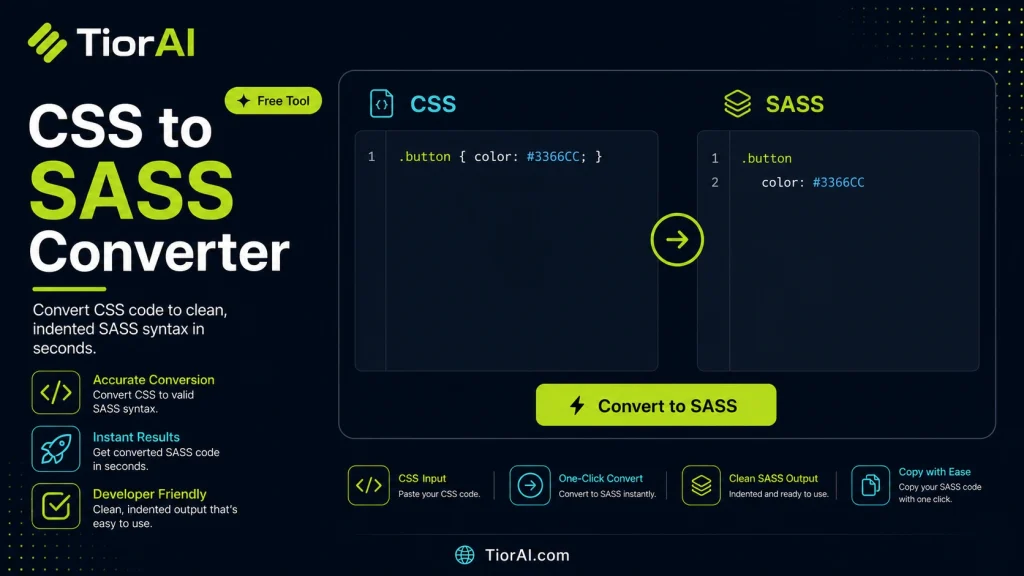
Convert plain CSS to SCSS syntax with nested selectors and extracted variables for repeated values.
How to use it
- Enter Source Value Type or paste the value you want to convert into the Css to Sass Converter. The tool accepts a wide range of input formats.
- Select Target Format Choose your desired output format or unit from the available options. The conversion starts automatically.
- Copy the Result Review the converted output and click copy to use it in your project, document, or workflow.
Tip Keep the Css to Sass Converter open in a browser tab for instant access during development sessions.
Understanding CSS and SASS
CSS (Cascading Style Sheets) is the standard language used to style HTML documents. It defines how elements appear on a webpage, including colors, layouts, fonts, and spacing. While CSS is straightforward and widely supported, it can become repetitive and difficult to maintain in large projects due to its static nature.
SASS (Syntactically Awesome Stylesheets) is a CSS preprocessor that extends CSS with additional features like variables, nesting, mixins, inheritance, and functions. These features enable developers to write more modular, reusable, and maintainable stylesheets. SASS files are compiled into standard CSS before deployment.
Why Convert CSS to SASS?
Many projects start with plain CSS and later require the benefits of SASS for scalability and maintainability. Manually rewriting CSS into SASS syntax can be time-consuming and error-prone, especially for large stylesheets. A CSS to SASS converter automates this process by transforming standard CSS code into SASS syntax, preserving the original styles while enabling the use of SASS features.
How Developers Use SASS in Real Projects
- Variables: Store colors, fonts, or sizes in variables to maintain consistency and simplify updates.
- Nesting: Write CSS selectors in a nested hierarchy that mirrors the HTML structure, improving readability.
- Mixins: Define reusable blocks of styles to avoid repetition.
- Partials and Imports: Split stylesheets into smaller files and combine them, aiding organization.
By converting CSS to SASS, developers can start leveraging these features without rewriting existing styles from scratch, improving workflow efficiency and code quality.
Relevant Standards and Specifications
CSS is governed by the W3C CSS specifications. SASS is a preprocessor language that compiles into CSS, so it must produce valid CSS output conforming to these standards. The conversion process ensures that the resulting SASS code compiles back into the original CSS styles, maintaining compatibility with all browsers.
What is CSS and SASS?
CSS (Cascading Style Sheets) is the foundational language used to style web pages. It controls the visual presentation of HTML elements, including layout, colors, fonts, and spacing. While CSS is simple and effective for small projects, it can become cumbersome to manage as projects grow in size and complexity.
SASS (Syntactically Awesome Stylesheets) is a CSS preprocessor that extends CSS with programming features such as variables, nesting, mixins, and functions. These features help developers write cleaner, more maintainable, and reusable stylesheets.
When to Use a CSS to SASS Converter
- If you have an existing CSS codebase and want to migrate to SASS to improve maintainability.
- When starting to use SASS features but need to preserve legacy CSS styles.
- When your team prefers working with SASS but the project currently uses plain CSS.
- When organizing stylesheets into modular components using SASS partials and imports.
Common Mistakes When Using CSS to SASS Converters
- Expecting the converter to automatically create variables or mixins from repeated values. The tool only converts syntax, so manual refactoring is needed to leverage SASS features fully.
- Assuming the converter optimizes or refactors CSS logic. It simply changes the syntax from CSS to SASS format without altering the underlying styles.
Technical Context
CSS is standardized by the W3C and is supported by all modern browsers. SASS is a preprocessor language that compiles into CSS, ensuring compatibility. The conversion process from CSS to SASS involves changing the syntax to an indentation-based format without braces or semicolons, which improves readability and maintainability.
Developers use SASS to write modular, scalable stylesheets by utilizing variables for consistent values, nesting selectors to mirror HTML structure, and mixins for reusable style blocks. Converting existing CSS to SASS syntax is the first step in adopting these advanced features without rewriting styles from scratch.
Common use cases
- Basic CSS to SASS Conversion
- Nested Selectors Conversion
Frequently asked questions
Reviews and questions
Whether this tool gave people the answer they needed, and what they asked about it.
Sign in to review this tool.
Sign In to ReviewNo reviews yet
Be the first to say whether this tool gave you what you needed.
Ask how to read the result, or what the tool does with an edge case — or answer someone else.
Sign In to AskNo questions yet
Not sure how to read a result? Be the first to ask.
AI tools related to this topic
Tools from the TiorAI directory that work on the same kind of job.

Any Video Converter
Any Video Converter is a multimedia software that converts video files between numerous formats, downloads online videos, and offers basic editing and DVD burning features.

Bank Statement Converter
Bank Statement Converter converts single or multiple PDF bank statements into a single CSV file containing only the transaction data extracted from their tables.

Code Language Converter
Code Language Converter is an online tool that translates code between 30+ programming languages with AI-powered conversion, with a free plan and a paid PRO plan.

HD Photo Converter
HD Photo Converter is an online AI image enhancer that converts low-quality images to high resolution, up to 4x the original size.