

CSS Border Radius Generator
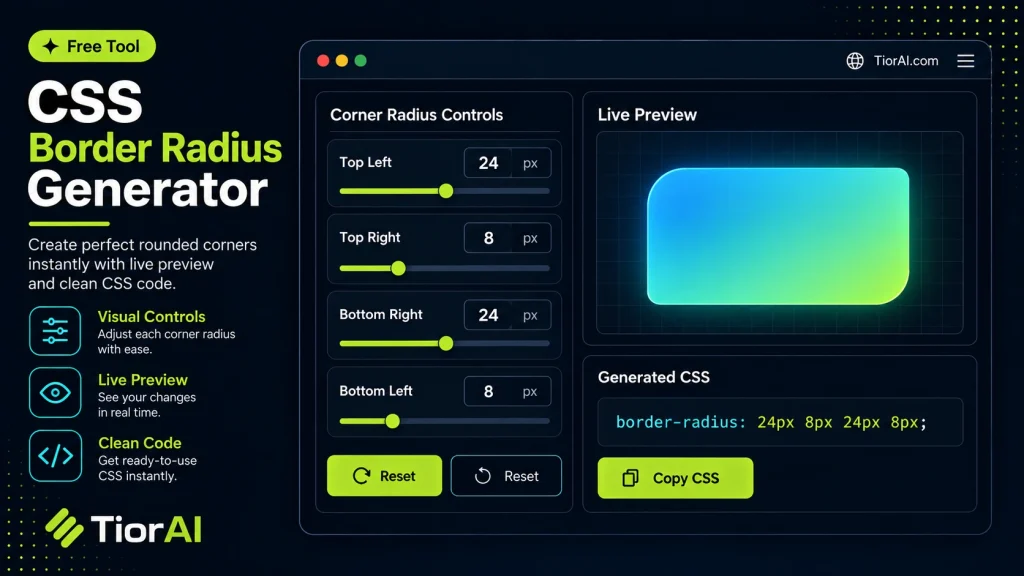
Round each corner independently, watch the live preview, then generate the CSS.
How to use it
- Paste or Enter Your Input Paste your code, text, or data into the input field. The tool supports large inputs without performance issues.
- Process and Analyze Click the action button or let the tool auto-process your input. Results appear in real time with highlighted details.
- Copy or Download the Output Review the results and copy the output to clipboard or download as a file for use in your project.
Tip This tool preserves your input formatting. Check format settings if the output differs from expected.
Understanding CSS Border Radius
The border-radius property in CSS allows developers to create rounded corners on HTML elements. Instead of sharp, right-angled corners, you can specify how much curvature each corner should have, enhancing the visual appeal and user interface design. This property accepts length values (like pixels or ems) or percentages to define the radius of the curve.
Using border-radius is essential when designing buttons, cards, images, or containers that require softer edges for a modern look. It also helps in creating shapes like circles or ellipses by setting equal horizontal and vertical radii.
Commonly, developers write the border-radius values manually, but this can be tedious when dealing with complex shapes or different radii for each corner. A CSS border radius generator automates this by letting users visually adjust the corners and instantly see the corresponding CSS code. This tool simplifies experimentation and ensures precise values without guesswork.
In practice, you might use a border radius generator when designing UI components that need consistent rounded corners or when you want to create unique shapes that require different radius values on each corner. It also helps beginners understand how the property affects element appearance by providing immediate visual feedback.
What is CSS Border Radius?
The border-radius property in CSS is used to create rounded corners on HTML elements. Instead of sharp edges, you can define how curved each corner should be, improving the design and user experience of web interfaces. This property accepts values in pixels, ems, or percentages, allowing precise control over the curvature.
When to Use a Border Radius Generator
- Designing buttons, cards, or containers that require smooth, consistent rounded corners.
- Creating circular or elliptical shapes by setting equal horizontal and vertical radii.
- Experimenting with different corner radii visually before writing CSS code.
- Generating cross-browser compatible CSS for complex border-radius values.
Common Mistakes to Avoid
- Using border-radius values that are too large, which can distort the element or cause corners to overlap.
- Assuming a single radius value applies uniformly without specifying individual corner values when different rounding is needed.
Understanding how border-radius works and using a generator tool can save time and reduce errors. It provides immediate visual feedback and accurate CSS code, making it easier to create polished, modern web designs.
Frequently asked questions
border-radius code that you can copy and paste into your stylesheet.border-radius to 50% on a square element, you can create a perfect circle. The generator helps visualize and generate the exact CSS needed.border-radius property is widely supported across modern browsers. The generated code should work consistently, but very old browsers might require vendor prefixes or fallback styles.border-radius property. The generator lets you customize each corner separately.px), ems (em), rems (rem), or percentages (%). Percentages are useful for relative rounding, especially for circles or ellipses.Reviews and questions
Whether this tool gave people the answer they needed, and what they asked about it.
Sign in to review this tool.
Sign In to ReviewNo reviews yet
Be the first to say whether this tool gave you what you needed.
Ask how to read the result, or what the tool does with an edge case — or answer someone else.
Sign In to AskNo questions yet
Not sure how to read a result? Be the first to ask.
AI tools related to this topic
Tools from the TiorAI directory that work on the same kind of job.

ChatGPT
ChatGPT is an AI chatbot by OpenAI powered by GPT-4o. It handles writing, coding, research, data analysis, and natural conversation. Free tier available, Plus at $20/month.