

CSS Gradient Generator
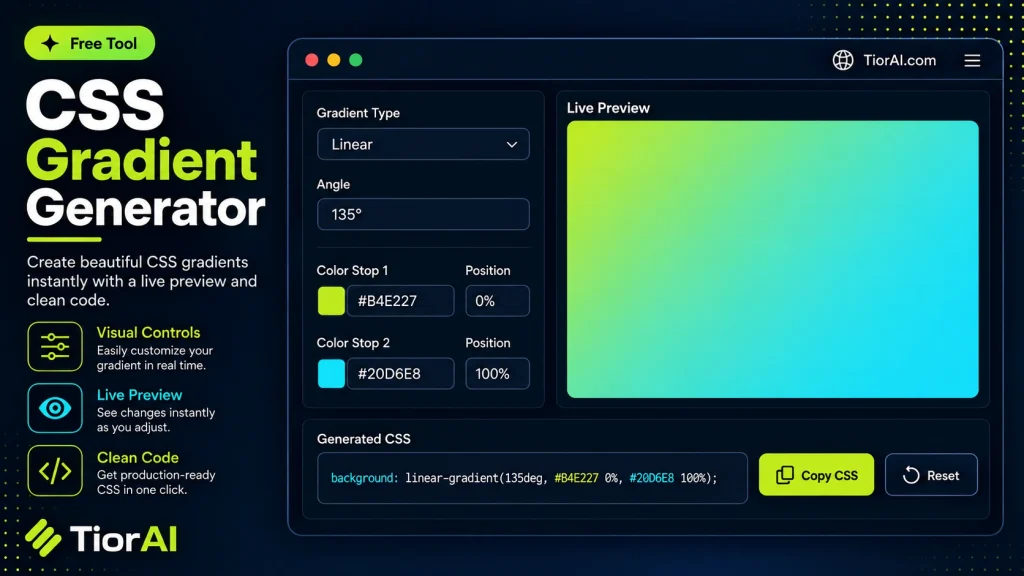
Build a linear, radial, or conic gradient with a live preview, then generate the CSS.
How to use it
- Paste or Enter Your Input Paste your code, text, or data into the input field. The tool supports large inputs without performance issues.
- Process and Analyze Click the action button or let the tool auto-process your input. Results appear in real time with highlighted details.
- Copy or Download the Output Review the results and copy the output to clipboard or download as a file for use in your project.
Tip Keyboard shortcut: Ctrl+V to paste input, then Ctrl+C to copy output - saves time in repetitive workflows.
Understanding CSS Gradients
CSS gradients are a way to display smooth transitions between two or more colors directly in web design without using images. Instead of relying on static graphics, gradients are generated dynamically by the browser using CSS code. This approach reduces page load times and allows for easy customization and scalability.
How CSS gradients work: They use the background-image property with functions like linear-gradient() or radial-gradient() to define the direction, shape, and colors of the gradient. The browser then renders a smooth color blend based on these parameters.
Why use CSS gradients? Gradients enhance visual appeal by adding depth and dimension to backgrounds, buttons, or other UI elements. They are flexible, resolution-independent, and easy to modify by adjusting color stops or angles.
Common use cases include:
- Creating subtle background effects for sections or entire pages
- Designing buttons with hover states that transition colors
- Adding overlays or highlights without extra image assets
- Generating complex color blends for modern, flat, or material design styles
What Are CSS Gradients?
CSS gradients allow web designers to create smooth transitions between colors directly in the browser using CSS code. Unlike static images, gradients are generated dynamically, which means they scale well and reduce page load times. They are defined using functions like linear-gradient() and radial-gradient(), which specify the direction, shape, and colors involved.
When to Use a CSS Gradient Generator
A CSS Gradient Generator is useful when you want to quickly create and customize gradients without manually writing CSS code. It is ideal for:
- Adding scalable background effects without image files
- Designing buttons or UI elements with smooth color transitions
- Prototyping gradient color schemes visually before coding
- Ensuring correct syntax for complex multi-color gradients
Common Mistakes to Avoid
- Using too many colors or abrupt stops that create harsh transitions
- Not providing fallback colors for browsers that lack gradient support
- Mixing up linear and radial gradient syntax, causing unexpected results
- Failing to test gradients across devices and screen sizes
Understanding how CSS gradients work and using a generator tool can streamline your workflow and help you create visually appealing designs with ease.
Frequently asked questions
Reviews and questions
Whether this tool gave people the answer they needed, and what they asked about it.
Sign in to review this tool.
Sign In to ReviewNo reviews yet
Be the first to say whether this tool gave you what you needed.
Ask how to read the result, or what the tool does with an edge case — or answer someone else.
Sign In to AskNo questions yet
Not sure how to read a result? Be the first to ask.
AI tools related to this topic
Tools from the TiorAI directory that work on the same kind of job.

ChatGPT
ChatGPT is an AI chatbot by OpenAI powered by GPT-4o. It handles writing, coding, research, data analysis, and natural conversation. Free tier available, Plus at $20/month.