

Python Formatter
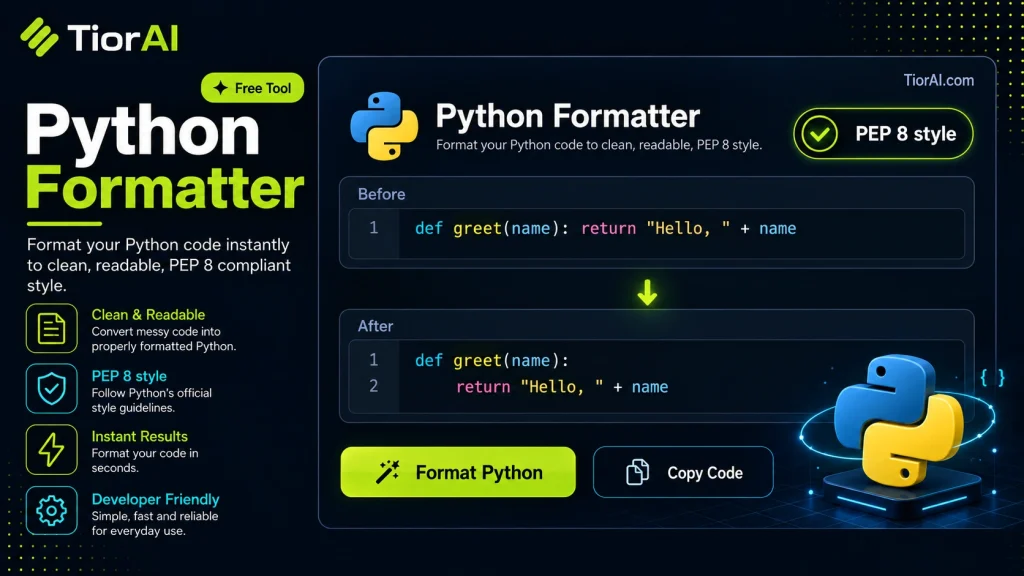
Normalize Python indentation, trim trailing whitespace, and ensure blank lines between functions and classes.
How to use it
- Paste or Enter Your Input Paste your code, text, or data into the input field. The tool supports large inputs without performance issues.
- Process and Analyze Click the action button or let the tool auto-process your input. Results appear in real time with highlighted details.
- Copy or Download the Output Review the results and copy the output to clipboard or download as a file for use in your project.
Tip This tool preserves your input formatting. Check format settings if the output differs from expected.
Understanding Python Code Formatting
Python is a widely used programming language known for its readability and simplicity. However, maintaining consistent code style across different developers and projects can be challenging. This is where Python code formatting comes into play. A Python formatter is a tool that automatically adjusts the layout and style of Python source code to conform to a set of predefined rules or style guides.
Why formatting matters: Python uses indentation to define code blocks, so consistent indentation is critical. Beyond indentation, formatting includes aspects like line length, spacing around operators, blank lines, and import ordering. Proper formatting improves code readability, reduces errors, and facilitates collaboration.
Relevant standards: The most widely accepted style guide for Python is PEP 8 (Python Enhancement Proposal 8), which defines conventions for code layout, naming, and more. Many formatters aim to enforce PEP 8 compliance automatically.
How formatters work: Python formatters parse the source code into an abstract syntax tree (AST) or token stream, analyze the structure, and then rewrite the code according to formatting rules. This process preserves the original logic while improving style consistency. Some formatters allow customization of rules to fit team preferences.
Use in real projects: Developers integrate Python formatters into their workflow to save time and avoid manual style corrections. Formatters can be run manually before commits, integrated into code editors for real-time formatting, or included in continuous integration pipelines to enforce style standards automatically.
Popular Python formatters include black, autopep8, and yapf. Each has different philosophies: for example, Black is opinionated and enforces a uniform style with minimal configuration, while autopep8 focuses on fixing PEP 8 violations.
What is Python Code Formatting?
Python code formatting refers to the practice of organizing and styling source code according to a consistent set of rules. Because Python uses indentation to define code blocks, maintaining proper formatting is essential not only for readability but also for the code to run correctly. Beyond indentation, formatting covers spacing, line length, blank lines, and other stylistic elements.
The most widely accepted style guide for Python is PEP 8, which outlines conventions for writing clean and readable code. However, manually enforcing these rules can be tedious and error-prone, especially in teams. Python formatters automate this process by parsing the code and rewriting it to comply with style guidelines.
When to Use a Python Formatter
- Before committing code to a shared repository to ensure consistent style across all contributors.
- When onboarding new developers to quickly align code style with the team’s standards.
- During code reviews to minimize style-related feedback and focus on logic and functionality.
- Integrating formatters into continuous integration pipelines to automatically enforce style compliance.
- Refactoring legacy Python code to improve readability and maintainability.
Common Mistakes When Using Python Formatters
- Expecting the formatter to fix syntax or logical errors, which it cannot do.
- Not configuring the formatter to match the project’s style guide, resulting in inconsistent formatting.
- Running the formatter on incomplete or syntactically invalid code, which can cause errors or unexpected formatting results.
Technical Context
Python formatters typically work by parsing the source code into an abstract syntax tree (AST) or token stream. This allows them to understand the code structure and apply formatting rules without changing the program’s behavior. Popular formatters like black are opinionated and enforce a uniform style with minimal configuration, while others like autopep8 focus on fixing PEP 8 violations and offer more customization.
Integrating a formatter into your development workflow can be done via command-line tools, editor plugins, or automated scripts in CI/CD pipelines. This ensures that code style remains consistent regardless of who writes the code or where it is edited.
Common use cases
- Formatting inconsistent indentation and spacing
- Reformatting long lines to comply with line length limits
Frequently asked questions
Reviews and questions
Whether this tool gave people the answer they needed, and what they asked about it.
Sign in to review this tool.
Sign In to ReviewNo reviews yet
Be the first to say whether this tool gave you what you needed.
Ask how to read the result, or what the tool does with an edge case — or answer someone else.
Sign In to AskNo questions yet
Not sure how to read a result? Be the first to ask.
AI tools related to this topic
Tools from the TiorAI directory that work on the same kind of job.

ChatGPT
ChatGPT is an AI chatbot by OpenAI powered by GPT-4o. It handles writing, coding, research, data analysis, and natural conversation. Free tier available, Plus at $20/month.