

File Mime Type Checker
Shows the browser-reported MIME type, file extension, size, and a simple signature guess for common file formats.
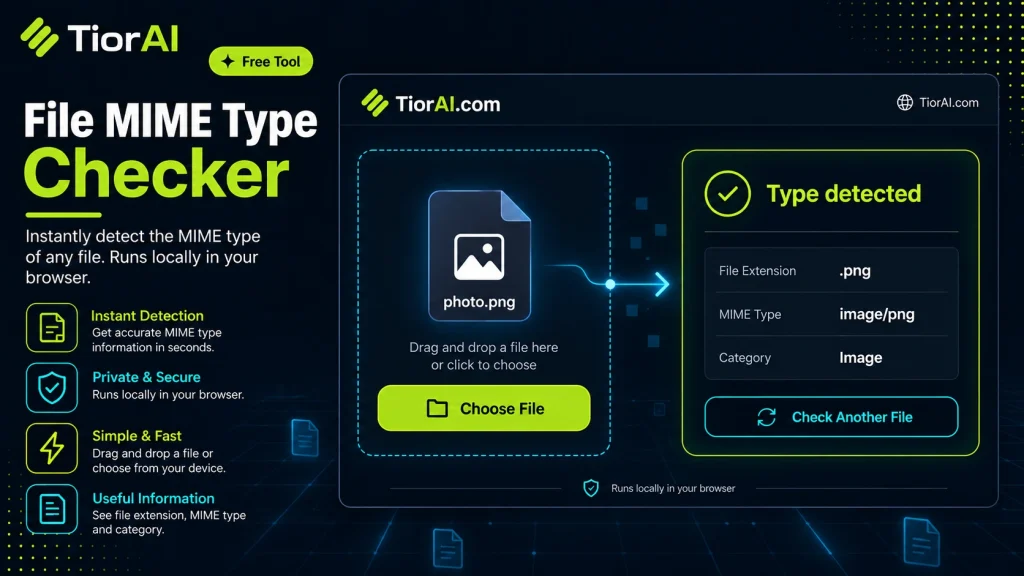
File Mime Type Checker
How to use it
- Paste Your Input Paste your code or data into the File Mime Type Checker. The tool accepts standard input formats and validates your entry.
- Process and Transform Click the action button to process your input. Results are generated instantly with proper formatting.
- Export the Output Copy the processed output to your clipboard or download it for use in your development workflow.
Tip The File Mime Type Checker validates your input on the fly, catching syntax errors before they become bugs in production.
Understanding MIME Types and Their Role in File Handling
MIME stands for Multipurpose Internet Mail Extensions. Originally developed to specify the format of email content, MIME types have become a universal standard for identifying the nature and format of files transmitted over the internet and used in various applications. Each MIME type consists of a type/subtype format, such as image/png or application/pdf, which tells software how to handle or display the file.
For developers, correctly identifying a file’s MIME type is crucial for security, compatibility, and user experience. For example, a web server uses MIME types to inform browsers how to process files—whether to display an image inline, download a document, or execute a script. Similarly, APIs and backend services validate MIME types to prevent malicious file uploads or to route files to appropriate processing modules.
How MIME Types Are Determined
- File Extension Mapping: The simplest method involves mapping file extensions (like .jpg or .html) to MIME types. However, this can be unreliable since extensions can be changed or missing.
- File Signature (Magic Numbers): More robust MIME type detection inspects the actual binary content of the file, looking for characteristic byte patterns known as magic numbers. This approach reduces spoofing risks and improves accuracy.
Standards and Specifications
The official list of MIME types is maintained by the Internet Assigned Numbers Authority (IANA) and documented in RFC 6838. Developers often refer to this registry to ensure compliance and interoperability.
Use in Real Projects
- Web applications validate uploaded files to prevent harmful content disguised with incorrect extensions.
- Content delivery networks (CDNs) serve files with correct MIME headers to ensure browsers render them properly.
- Mobile apps use MIME types to decide which internal viewer or external app to launch for a given file.
What Is a MIME Type and Why Does It Matter?
MIME types are standardized identifiers used to describe the format of files and data transmitted over the internet. They follow a type/subtype format, such as text/html or application/json, and inform software how to process or display the content. For developers, understanding MIME types is essential for handling files correctly, ensuring security, and providing a smooth user experience.
When Should You Use a File MIME Type Checker?
- Validating File Uploads: When users upload files, checking the MIME type helps confirm the file is of an expected format and not maliciously disguised.
- Serving Files on the Web: Before sending files to browsers, verifying MIME types ensures the correct Content-Type header is set, so browsers render or download files properly.
- Debugging and Testing: Developers can use MIME type checkers to verify that files generated or processed by their applications have the correct format.
- API Integrations: When working with APIs that require specific file types, checking MIME types helps avoid errors and ensures compatibility.
Common Mistakes When Working with MIME Types
- Relying Only on File Extensions: Extensions can be changed or missing, so depending solely on them can lead to incorrect MIME type assumptions.
- Confusing MIME Type with Encoding: MIME types describe file format, not character encoding or compression, which are separate concerns.
- Assuming Perfect Accuracy: No detection method is foolproof; combining extension checks with content analysis improves reliability.
Technical Context and Standards
The official MIME type registry is maintained by IANA and documented in RFC 6838. Developers often use libraries or tools that reference this registry to map file signatures or extensions to MIME types. Content-based detection inspects magic numbers—unique byte sequences at the start of files—to identify formats more reliably than extension-based methods.
In summary, MIME types are a fundamental part of modern file handling and web communication. Using a MIME type checker helps developers verify file formats accurately, enhancing security and interoperability across applications.
Common use cases
- Checking MIME Type of a PNG Image
- Verifying MIME Type of a PDF Document
- Detecting MIME Type of a Renamed Executable
Frequently asked questions
Reviews and questions
Whether this tool gave people the answer they needed, and what they asked about it.
Sign in to review this tool.
Sign In to ReviewNo reviews yet
Be the first to say whether this tool gave you what you needed.
Ask how to read the result, or what the tool does with an edge case — or answer someone else.
Sign In to AskNo questions yet
Not sure how to read a result? Be the first to ask.