

Code Compare Online Tool
Find the difference between two code snippets. Paste or load your code, click Compare, and see changes highlighted side by side. Fast, private & unlimited.
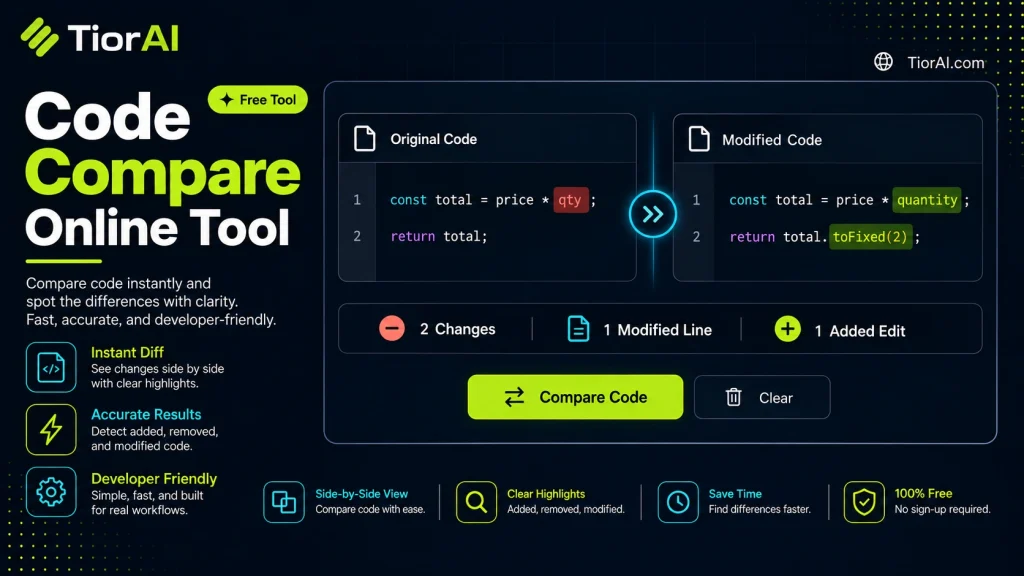
How to use it
- Paste Your Input Paste your code or data into the Code Compare Online Tool. The tool accepts standard input formats and validates your entry.
- Process and Transform Click the action button to process your input. Results are generated instantly with proper formatting.
- Export the Output Copy the processed output to your clipboard or download it for use in your development workflow.
Tip The Code Compare Online Tool runs entirely in your browser — your code never leaves your device, keeping it private and secure.
Understanding Code Comparison
Code comparison is the process of analyzing two or more pieces of source code to identify differences and similarities. This is essential in software development for tasks such as reviewing changes, merging code branches, debugging, and ensuring consistency across versions. The fundamental problem code comparison solves is detecting what has changed between two code files or snippets, which can be challenging due to the complexity of programming languages and the volume of code.
How Code Comparison Works
At its core, code comparison tools perform a line-by-line or token-by-token analysis of the input files. They highlight additions, deletions, and modifications, often using color coding or side-by-side views to make differences clear. More advanced tools parse the syntax of programming languages to provide semantic comparisons, which can ignore irrelevant changes like whitespace or comments.
Standards and Formats
Diffformat: A widely used standard for representing differences between files, often used in version control systems like Git.Unified Diff: A compact diff format that shows changes with context lines, making it easier to understand modifications.Patch files: These use diff formats to apply changes from one version of code to another.
Use in Real Projects
Developers use code comparison tools to:
- Review code changes before merging branches in version control.
- Identify bugs introduced by recent edits.
- Understand differences between library versions or configuration files.
- Collaborate by sharing and discussing code modifications.
Online code comparison tools provide a convenient, platform-independent way to perform these tasks without installing software. They support multiple programming languages and formats, making them versatile for general developer use.
What is Code Comparison?
Code comparison is a fundamental technique in software development used to identify differences between two or more pieces of source code. It helps developers track changes, review updates, and merge code efficiently. By comparing code, developers can pinpoint exactly what has been added, removed, or modified, which is essential for debugging and collaboration.
When to Use an Online Code Comparison Tool
- When reviewing changes before committing code to a version control system.
- When verifying differences between configuration files or deployment scripts.
- When checking code snippets shared in documentation or forums for accuracy.
Common Mistakes to Avoid
- Comparing minified or obfuscated code, which makes it difficult to understand the differences.
- Overlooking whitespace or formatting changes that can affect code behavior, especially in languages like Python.
Technical Context
Code comparison tools typically use diff algorithms to analyze text differences. These algorithms compare files line-by-line or token-by-token and generate outputs in standard formats like unified diff. Advanced tools may parse code syntax to provide semantic comparisons, ignoring irrelevant changes such as whitespace or comments. Online tools offer the advantage of accessibility without installation and support multiple programming languages with syntax highlighting.
Common use cases
- Comparing two JavaScript functions
- Detecting whitespace differences in Python code
Frequently asked questions
Reviews and questions
Whether this tool gave people the answer they needed, and what they asked about it.
Sign in to review this tool.
Sign In to ReviewNo reviews yet
Be the first to say whether this tool gave you what you needed.
Ask how to read the result, or what the tool does with an edge case — or answer someone else.
Sign In to AskNo questions yet
Not sure how to read a result? Be the first to ask.
AI tools related to this topic
Tools from the TiorAI directory that work on the same kind of job.

Code to Flow: Visualize your code
Code to Flow is a web tool that automatically converts source code into flowcharts, helping developers visualize and understand code logic easily.