

Barcode Generator
Generate barcodes in multiple formats including Code 128, EAN-13, UPC-A, and QR with our free barcode generator. Download high-resolution barcode images for products, labels, and inventory management.
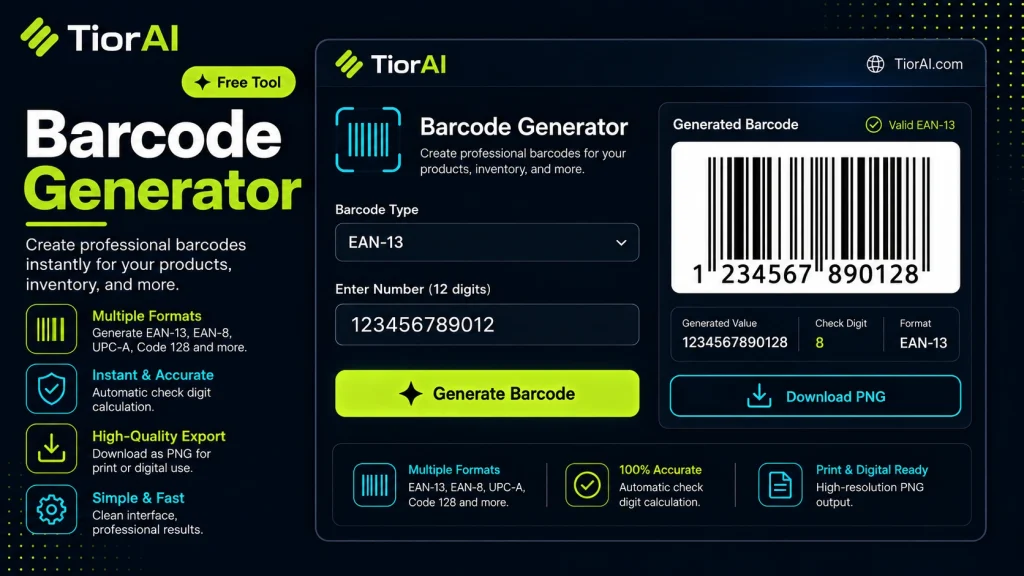
How to use it
- Configure Settings Set your preferences and parameters in the Barcode Generator. Customize the output to match your specific requirements.
- Generate Output Click generate to create your result. The tool processes your settings and produces output instantly.
- Copy or Download Review the generated output, then copy it to your clipboard or download it for immediate use.
Tip Use the Barcode Generator to quickly prototype ideas before investing time in manual creation.
Understanding Barcodes and Their Role in Development
A barcode is a machine-readable representation of data, typically used to encode information such as product identifiers, serial numbers, or other data that needs to be quickly scanned and interpreted. Barcodes solve the problem of manual data entry errors and speed up processes like inventory management, point-of-sale transactions, and asset tracking.
Barcodes come in various formats, broadly categorized into 1D (one-dimensional) and 2D (two-dimensional) types. 1D barcodes, such as UPC, EAN, and Code 128, encode data in the widths and spacing of parallel lines. 2D barcodes, like QR codes and Data Matrix, encode data in patterns of squares or dots, allowing for more data storage in a smaller space.
Developers use barcodes in real projects to automate data capture and improve accuracy. For example, retail systems scan UPC barcodes to retrieve product information instantly. Warehouse management systems use Code 128 barcodes to track inventory movement. QR codes are widely used to link to URLs, store contact info, or trigger app actions.
Several standards govern barcode formats and encoding rules. For instance, the GS1 organization defines standards for UPC and EAN barcodes used globally in retail. The ISO/IEC 15420 standard specifies the EAN/UPC symbology. QR codes follow the ISO/IEC 18004 standard. Understanding these standards is important for interoperability and ensuring scanners can correctly read the codes.
In web development, barcode generators are often implemented as libraries or online tools that convert input data into barcode images (PNG, SVG, etc.) or HTML canvas elements. Developers integrate these generated barcodes into invoices, shipping labels, product packaging, or digital documents. The generated barcode must comply with the chosen symbology’s encoding rules to be scannable by standard barcode readers.
Overall, barcodes are a fundamental technology for bridging physical and digital data, enabling fast, reliable data capture across industries.
What is a Barcode?
A barcode is a visual representation of data that can be scanned and interpreted by machines. It encodes information such as product numbers or URLs in a pattern of lines or squares. Barcodes help automate data entry, reduce errors, and speed up processes like inventory tracking and sales.
When to Use a Barcode Generator
- When you need to create product labels for retail or inventory systems.
- For generating shipping labels with encoded tracking numbers.
- Embedding QR codes in marketing materials to link users to websites or apps.
- Assigning unique identifiers to assets for warehouse or office management.
- Producing barcodes for event tickets or membership cards to enable fast scanning.
Common Mistakes to Avoid
- Entering data that includes unsupported characters or exceeds the capacity of the chosen barcode format, which can make the barcode unreadable.
- Choosing a barcode symbology incompatible with the scanners or systems that will read it, leading to scanning failures.
Technical Context
Barcodes follow specific standards such as GS1 for UPC and EAN codes or ISO/IEC standards for QR codes. These standards define how data is encoded and ensure compatibility with scanners worldwide. Developers often use barcode generator libraries or online tools to produce barcode images in formats like PNG or SVG, which can be embedded into labels, documents, or web pages. Proper encoding and adherence to standards are critical to ensure barcodes are scannable and reliable in real-world applications.
Common use cases
- Generating a UPC-A barcode for a retail product
- Creating a QR code linking to a website URL
Frequently asked questions
Reviews and questions
Whether this tool gave people the answer they needed, and what they asked about it.
Sign in to review this tool.
Sign In to ReviewNo reviews yet
Be the first to say whether this tool gave you what you needed.
Ask how to read the result, or what the tool does with an edge case — or answer someone else.
Sign In to AskNo questions yet
Not sure how to read a result? Be the first to ask.
AI tools related to this topic
Tools from the TiorAI directory that work on the same kind of job.

OC Maker: Create and Animate Your OCs
OC Maker is a free web-based tool that lets users create and animate original characters with customizable features and simple animations, ideal for artists, gamers, and storytellers.

AI Amazon Product Reviews / Manuals
AI Amazon Product Reviews / Manuals is a web tool that uses AI to generate detailed product reviews and manuals from Amazon product data, helping sellers and buyers quickly understand product features and customer feedback.

AI Product Shot
AI Product Shot is a web-based AI tool that generates customizable, high-quality product images for e-commerce businesses, eliminating the need for traditional photography.

Barcodes Inc Generator
Barcodes Inc Generator is a free web-based tool that allows users to create various barcode types such as UPC, Code 39, and QR codes with customizable size and format for labeling and inventory management.