

HSV to HSLA
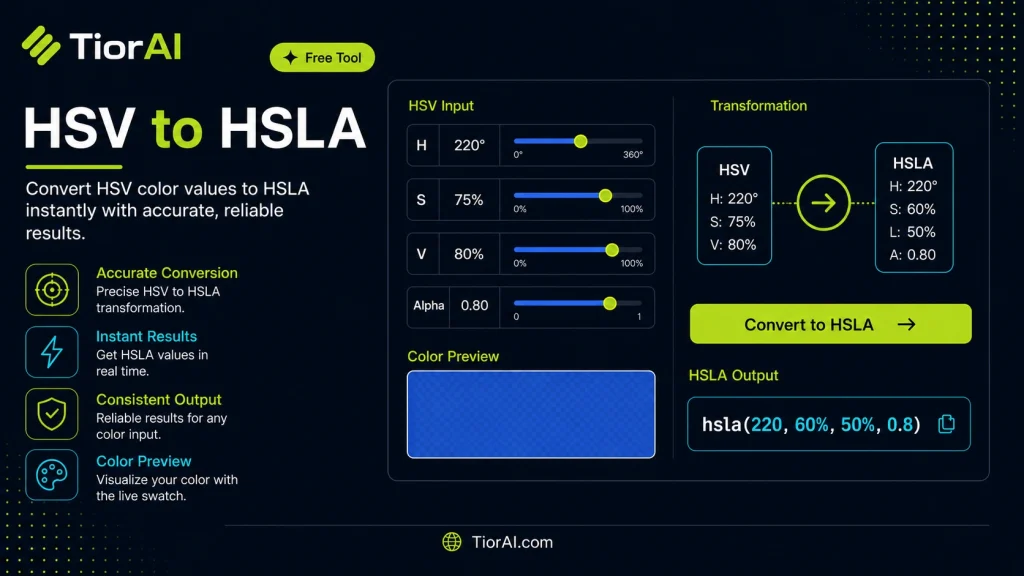
Convert HSV color values to HSLA format instantly with our free online converter. Enter your HSV color code and get the accurate HSLA equivalent - perfect for web design, CSS styling, graphic design, and digital art projects.
How to use it
- Pick or Enter a Color Use the color picker or enter a color value into the Hsv to Hsla. Supports HEX, RGB, HSL, and more.
- Adjust and Preview Fine-tune your color selection and preview results in real time with instant visual feedback.
- Copy Color Values Copy the generated color codes in your preferred format for use in CSS, design tools, or development.
Tip The Hsv to Hsla supports accessibility checks — verify contrast ratios meet WCAG standards before shipping.
Understanding HSV and HSLA Color Models in Web Development
Colors in digital design and web development are often represented using various color models, each serving different purposes and offering unique advantages. Two such models are HSV (Hue, Saturation, Value) and HSLA (Hue, Saturation, Lightness, Alpha). Understanding these models and how to convert between them is essential for developers working with CSS and dynamic color manipulations.
HSV Color Model describes colors in terms of three components: Hue, which represents the color type (measured in degrees from 0 to 360), Saturation, which indicates the intensity or purity of the color (0% to 100%), and Value (also called brightness), which defines the brightness level (0% to 100%). HSV is intuitive for humans because it separates the color’s chromatic content (hue and saturation) from its brightness.
HSLA Color Model is an extension of the HSL (Hue, Saturation, Lightness) model, adding an Alpha channel to control transparency. HSL describes colors with hue, saturation, and lightness, where lightness adjusts the perceived brightness differently than value in HSV. The alpha channel ranges from 0 (fully transparent) to 1 (fully opaque). HSLA is widely supported in CSS and allows developers to specify colors with transparency directly.
Converting from HSV to HSLA involves mathematical transformations because Value and Lightness represent brightness differently. Lightness is the average of the maximum and minimum RGB components, while value corresponds to the maximum RGB component. This difference means a direct mapping is not trivial and requires formulas to convert HSV to RGB first, then RGB to HSL, and finally adding the alpha value.
Developers use these conversions in real projects when they receive color data in HSV format (common in color pickers or image processing) but need to apply colors in CSS, which supports HSLA natively. For example, a dynamic theme generator might allow users to select colors in HSV but output CSS styles in HSLA for transparency control and better browser compatibility.
Standards like CSS Color Module Level 4 define the syntax and semantics of color functions including hsl() and hsla(), ensuring consistent interpretation across browsers. While HSV is not directly supported in CSS, converting HSV to HSLA enables developers to leverage CSS’s native color capabilities while working with HSV-based inputs.
Understanding HSV and HSLA Color Models
Colors in web development are often represented using different models depending on the context and requirements. Two common models are HSV (Hue, Saturation, Value) and HSLA (Hue, Saturation, Lightness, Alpha). While HSV is intuitive for selecting colors based on hue and brightness, HSLA is the format supported natively by CSS for styling web pages.
HSV separates color into hue (the type of color), saturation (color intensity), and value (brightness). This model is popular in color pickers and image editing because it aligns well with how humans perceive and adjust colors. However, CSS does not support HSV directly.
HSLA, on the other hand, extends the HSL model by adding an alpha channel for transparency. HSL defines colors by hue, saturation, and lightness, where lightness adjusts brightness differently than value in HSV. The alpha channel allows specifying opacity, which is essential for layering and visual effects in web design.
When to Use HSV to HSLA Conversion
- If you receive color inputs in HSV format but need to apply them in CSS, converting to HSLA is necessary.
- When adding transparency to colors originally defined in HSV, converting to HSLA allows you to specify the alpha channel.
- Dynamic theming or UI customization tools often use HSV for user-friendly color selection but output HSLA for CSS compatibility.
- Frontend frameworks or JavaScript applications manipulating colors programmatically may convert HSV to HSLA to integrate with CSS stylesheets.
Common Mistakes to Avoid
- Mixing up the value component of HSV with lightness in HSL, which can cause colors to appear too dark or too bright after conversion.
- Forgetting to include the alpha channel when transparency is needed, resulting in fully opaque colors.
Technical Context
Converting HSV to HSLA is not a direct mapping because value and lightness represent brightness differently. The process involves converting HSV to RGB, then RGB to HSL, and finally adding the alpha channel. This ensures accurate color representation and compatibility with CSS standards.
The CSS Color Module Level 4 specification defines the syntax and behavior of color functions like hsl() and hsla(), which are widely supported across modern browsers. Since HSV is not part of CSS, conversion to HSLA is the practical approach for developers.
Common use cases
- Converting a bright red HSV color to HSLA
- Adding transparency to a teal color from HSV
Frequently asked questions
Reviews and questions
Whether this tool gave people the answer they needed, and what they asked about it.
Sign in to review this tool.
Sign In to ReviewNo reviews yet
Be the first to say whether this tool gave you what you needed.
Ask how to read the result, or what the tool does with an edge case — or answer someone else.
Sign In to AskNo questions yet
Not sure how to read a result? Be the first to ask.
AI tools related to this topic
Tools from the TiorAI directory that work on the same kind of job.

Code Language Converter
Code Language Converter is a free web-based tool that translates code snippets between multiple programming languages, helping developers convert syntax quickly and learn language differences.

Any Video Converter
Any Video Converter is a multimedia software that converts video files between numerous formats, downloads online videos, and offers basic editing and DVD burning features.

Bank Statement Converter
Bank Statement Converter is an online tool that converts PDF bank statements into Excel and CSV formats, enabling easy data extraction and financial management.

Conversion Blitz
Conversion Blitz is a web-based landing page builder that helps marketers create optimized pages with drag-and-drop tools and A/B testing to increase conversions.