

HSV to HEX Alpha
Convert HSV color values to HEX ALPHA format instantly with our free online converter. Enter your HSV color code and get the accurate HEX ALPHA equivalent - perfect for web design, CSS styling, graphic design, and digital art projects.
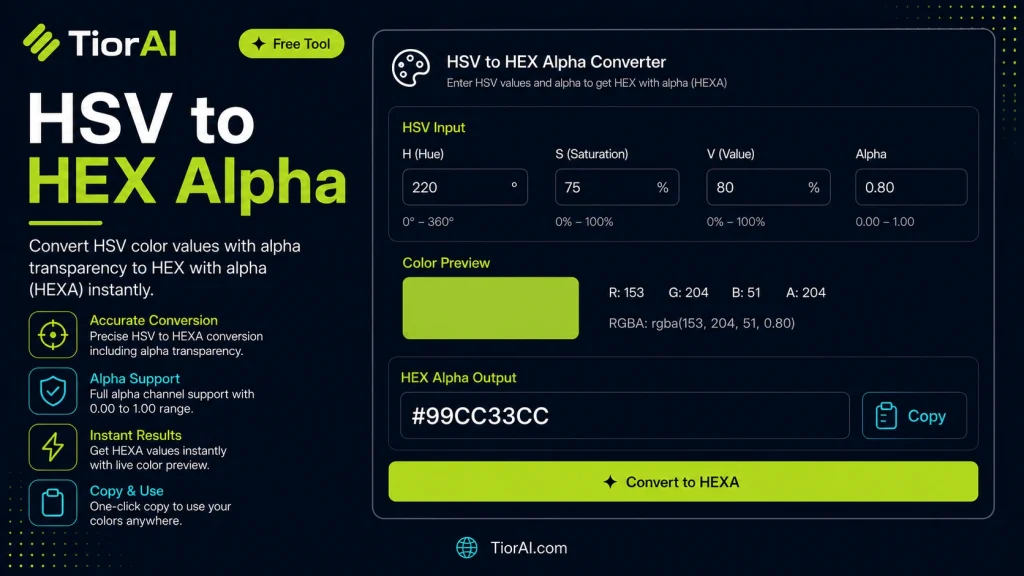
How to use it
- Pick or Enter a Color Use the color picker or enter a color value into the Hsv to Hex Alpha. Supports HEX, RGB, HSL, and more.
- Adjust and Preview Fine-tune your color selection and preview results in real time with instant visual feedback.
- Copy Color Values Copy the generated color codes in your preferred format for use in CSS, design tools, or development.
Tip Use the Hsv to Hex Alpha to extract exact color codes from any design mockup for pixel-perfect implementation.
Understanding HSV and HEX Color Formats with Alpha Transparency
Colors on the web and in digital design are often represented in various formats to suit different needs. Two common formats are HSV (Hue, Saturation, Value) and HEX (hexadecimal color codes). Adding an alpha channel introduces transparency, which is essential for layering and visual effects in modern web design.
HSV Color Model: HSV describes colors in terms of their shade (hue), vibrancy (saturation), and brightness (value). It is intuitive for humans because it separates color properties in a way that aligns with how we perceive and adjust colors. Hue is measured in degrees (0-360), saturation and value are percentages (0-100%).
HEX Color Codes: HEX is a way to represent colors as hexadecimal values, commonly used in CSS. A standard HEX color is a 6-digit code representing red, green, and blue (RGB) components, each ranging from 00 to FF in hex. For example, #FF0000 is pure red.
Alpha Channel: The alpha channel controls opacity, ranging from 0 (fully transparent) to 1 (fully opaque). When included in HEX, it extends the code to 8 digits, where the last two represent alpha in hex (00 to FF). For example, #FF000080 is semi-transparent red.
Why Convert HSV to HEX with Alpha? While HSV is great for selecting and adjusting colors, CSS primarily uses HEX or RGB(A) formats. To apply colors with transparency in CSS, developers often need to convert HSV values (including alpha) into HEX with alpha. This conversion allows precise control over color appearance and opacity in stylesheets.
How Developers Use This Conversion:
- Design tools or scripts output colors in HSV, but CSS requires HEX with alpha for styling.
- Animations or dynamic color changes may be easier to calculate in HSV but must be rendered in HEX.
- Ensuring consistent transparency effects across browsers by using standard HEX alpha codes.
The conversion process involves translating HSV values into RGB, then encoding RGB and alpha into a HEX string. This requires understanding color math and hexadecimal encoding, which is why automated tools are valuable for developers.
Understanding HSV to HEX Alpha Conversion
Colors in digital design are often represented in different formats depending on the context and requirements. The HSV (Hue, Saturation, Value) color model is popular for its intuitive approach to color selection, separating color properties into components that align with human perception. However, CSS primarily uses HEX or RGB color formats, and when transparency is needed, an alpha channel must be included.
Converting HSV colors to HEX with alpha transparency involves translating the HSV values into RGB components, then encoding these along with the alpha value into a hexadecimal string. This 8-digit HEX code is widely supported in modern CSS and allows developers to specify both color and opacity in a single value.
When to Use HSV to HEX Alpha Conversion
- When you have colors defined in HSV from design tools or calculations but need to apply them in CSS with transparency.
- When creating dynamic interfaces where colors change programmatically in HSV but must be rendered as HEX with alpha for styling.
- When converting color palettes from design software that exports HSV values to web-compatible HEX codes including transparency.
Common Mistakes to Avoid
- Inputting HSV values outside their valid ranges, such as hue beyond 0-360 degrees or saturation/value above 100%, which leads to incorrect color output.
- Misinterpreting the alpha value scale by confusing 0-1 float with percentages or 0-255 integers, resulting in wrong transparency levels in the final HEX code.
Understanding these technical details ensures accurate color representation and consistent visual results across browsers and devices. Using automated tools for conversion helps avoid manual calculation errors and speeds up development workflows.
Common use cases
- Converting a semi-transparent blue from HSV to HEX alpha
- Converting a muted green with partial transparency
Frequently asked questions
Reviews and questions
Whether this tool gave people the answer they needed, and what they asked about it.
Sign in to review this tool.
Sign In to ReviewNo reviews yet
Be the first to say whether this tool gave you what you needed.
Ask how to read the result, or what the tool does with an edge case — or answer someone else.
Sign In to AskNo questions yet
Not sure how to read a result? Be the first to ask.
AI tools related to this topic
Tools from the TiorAI directory that work on the same kind of job.

Code Language Converter
Code Language Converter is a free web-based tool that translates code snippets between multiple programming languages, helping developers convert syntax quickly and learn language differences.

Any Video Converter
Any Video Converter is a multimedia software that converts video files between numerous formats, downloads online videos, and offers basic editing and DVD burning features.

Bank Statement Converter
Bank Statement Converter is an online tool that converts PDF bank statements into Excel and CSV formats, enabling easy data extraction and financial management.

Conversion Blitz
Conversion Blitz is a web-based landing page builder that helps marketers create optimized pages with drag-and-drop tools and A/B testing to increase conversions.