

HSL to RGBA
Convert HSL color values to RGBA format instantly with our free online converter. Enter your HSL color code and get the accurate RGBA equivalent - perfect for web design, CSS styling, graphic design, and digital art projects.
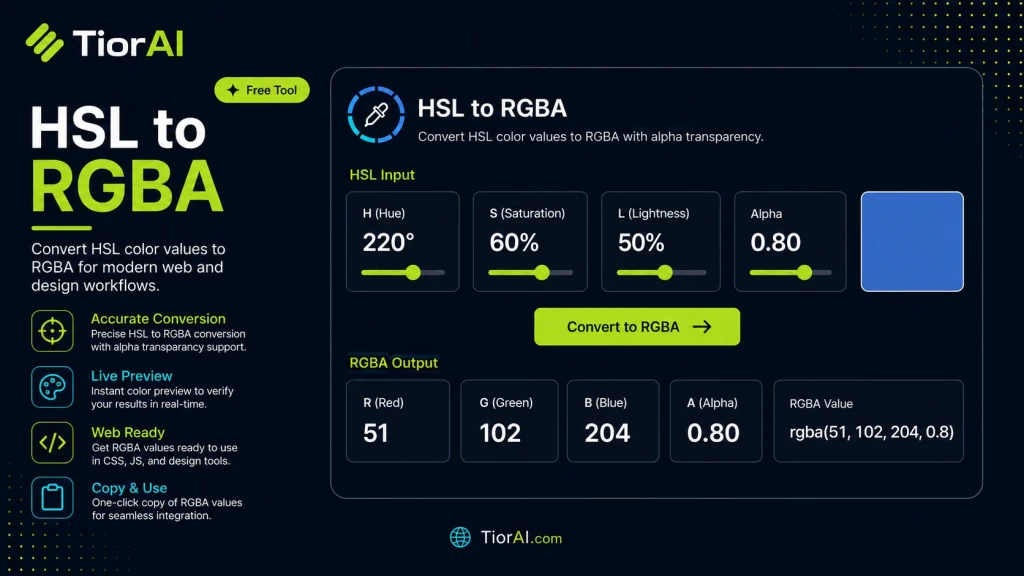
How to use it
- Pick or Enter a Color Use the color picker or enter a color value into the Hsl to Rgba. Supports HEX, RGB, HSL, and more.
- Adjust and Preview Fine-tune your color selection and preview results in real time with instant visual feedback.
- Copy Color Values Copy the generated color codes in your preferred format for use in CSS, design tools, or development.
Tip Use the Hsl to Rgba to extract exact color codes from any design mockup for pixel-perfect implementation.
Understanding HSL and RGBA Color Models in CSS
In web development, colors can be represented in various formats, each with its own advantages and use cases. Two common color models are HSL (Hue, Saturation, Lightness) and RGBA (Red, Green, Blue, Alpha). Understanding these models and how to convert between them is essential for precise color control in CSS.
HSL represents colors based on three components: Hue (the type of color, measured in degrees from 0 to 360 on the color wheel), Saturation (the intensity or purity of the color, from 0% to 100%), and Lightness (the brightness of the color, from 0% black to 100% white). This model is intuitive for humans because it separates color properties in a way that aligns with how we perceive colors.
RGBA extends the RGB color model by adding an Alpha channel, which controls opacity. RGB defines colors by mixing red, green, and blue light in values from 0 to 255. The alpha channel ranges from 0 (fully transparent) to 1 (fully opaque). RGBA is widely supported in CSS and allows for transparent colors, which is useful for layering and visual effects.
Converting HSL to RGBA involves translating the hue, saturation, and lightness values into their equivalent red, green, and blue components, then adding an alpha value. This conversion is necessary because some CSS properties or tools require colors in RGBA format, especially when transparency is involved.
The CSS Color Module Level 3 specification defines both HSL and RGBA color functions, ensuring consistent interpretation across browsers. Developers often use HSL for easier color adjustments (like changing lightness or saturation) and RGBA when they need to specify opacity.
In real projects, converting HSL to RGBA is useful when you want to maintain a color’s hue and saturation but apply transparency, or when integrating with APIs and libraries that accept only RGBA colors. For example, dynamic theming systems might store colors in HSL for flexibility but output RGBA for rendering.
Understanding HSL and RGBA Color Models
Colors in CSS can be represented in multiple formats, with HSL and RGBA being two of the most commonly used. HSL stands for Hue, Saturation, and Lightness, which breaks down color into components that are intuitive to adjust. Hue is the color type, measured in degrees on a 360-degree color wheel. Saturation controls the intensity of the color, and Lightness adjusts how bright or dark the color appears.
RGBA stands for Red, Green, Blue, and Alpha. It builds on the RGB color model by adding an alpha channel that controls transparency. Each of the red, green, and blue components ranges from 0 to 255, while alpha ranges from 0 (fully transparent) to 1 (fully opaque). This model is essential when you want to apply transparency effects in your designs.
When to Use HSL to RGBA Conversion
- When you need to add transparency to a color originally defined in HSL format, since HSL alone does not include opacity.
- When working with CSS properties or JavaScript APIs that require RGBA color values, such as canvas drawing or certain animation libraries.
- When integrating colors into graphics or UI elements that only accept RGBA inputs.
- When animating color opacity smoothly, as RGBA’s alpha channel allows precise control over transparency.
Common Mistakes to Avoid
- Using saturation or lightness values outside the valid 0% to 100% range, which leads to invalid or unexpected colors.
- Omitting the alpha value during conversion, resulting in fully opaque colors when transparency was intended.
- Misunderstanding the hue component as a percentage instead of degrees, causing incorrect color mapping.
Technical Context
The CSS Color Module Level 3 specification defines both HSL and RGBA color functions, ensuring consistent behavior across browsers. While CSS also supports hsla() for HSL colors with alpha, converting to RGBA is often necessary for compatibility with tools or APIs that do not support HSLA. The conversion process involves mathematical formulas that translate hue, saturation, and lightness into red, green, and blue values, then appends the alpha transparency.
In practice, developers use HSL for its intuitive color adjustments and RGBA for precise control over transparency and compatibility. Understanding how and when to convert between these formats helps maintain consistent color rendering and enables advanced styling techniques.
Common use cases
- Converting a semi-transparent blue from HSL to RGBA
- Converting a muted green with partial transparency
Frequently asked questions
hsla() function, which is HSL with an alpha channel, allowing you to specify transparency directly without converting to RGBA.Reviews and questions
Whether this tool gave people the answer they needed, and what they asked about it.
Sign in to review this tool.
Sign In to ReviewNo reviews yet
Be the first to say whether this tool gave you what you needed.
Ask how to read the result, or what the tool does with an edge case — or answer someone else.
Sign In to AskNo questions yet
Not sure how to read a result? Be the first to ask.
AI tools related to this topic
Tools from the TiorAI directory that work on the same kind of job.

Code Language Converter
Code Language Converter is an online tool that translates code between 30+ programming languages with AI-powered conversion, with a free plan and a paid PRO plan.

Any Video Converter
Any Video Converter is a multimedia software that converts video files between numerous formats, downloads online videos, and offers basic editing and DVD burning features.

Bank Statement Converter
Bank Statement Converter is an online tool that converts PDF bank statements into Excel and CSV formats, enabling easy data extraction and financial management.

Conversion Blitz
Conversion Blitz is an AI lead generation software suite to find leads, send targeted emails, create a chatbot and more.