

VanillaVoice free text to speech reader
VanillaVoice is a free text to speech tool that reads any text out loud with a natural human-sounding male, female or child voice.
- Best for
- Video narration
- Key capability
- Several human-sounding voices
Save VanillaVoice, follow its updates and vote on it — everything stays in your account.
Sign in or create a free account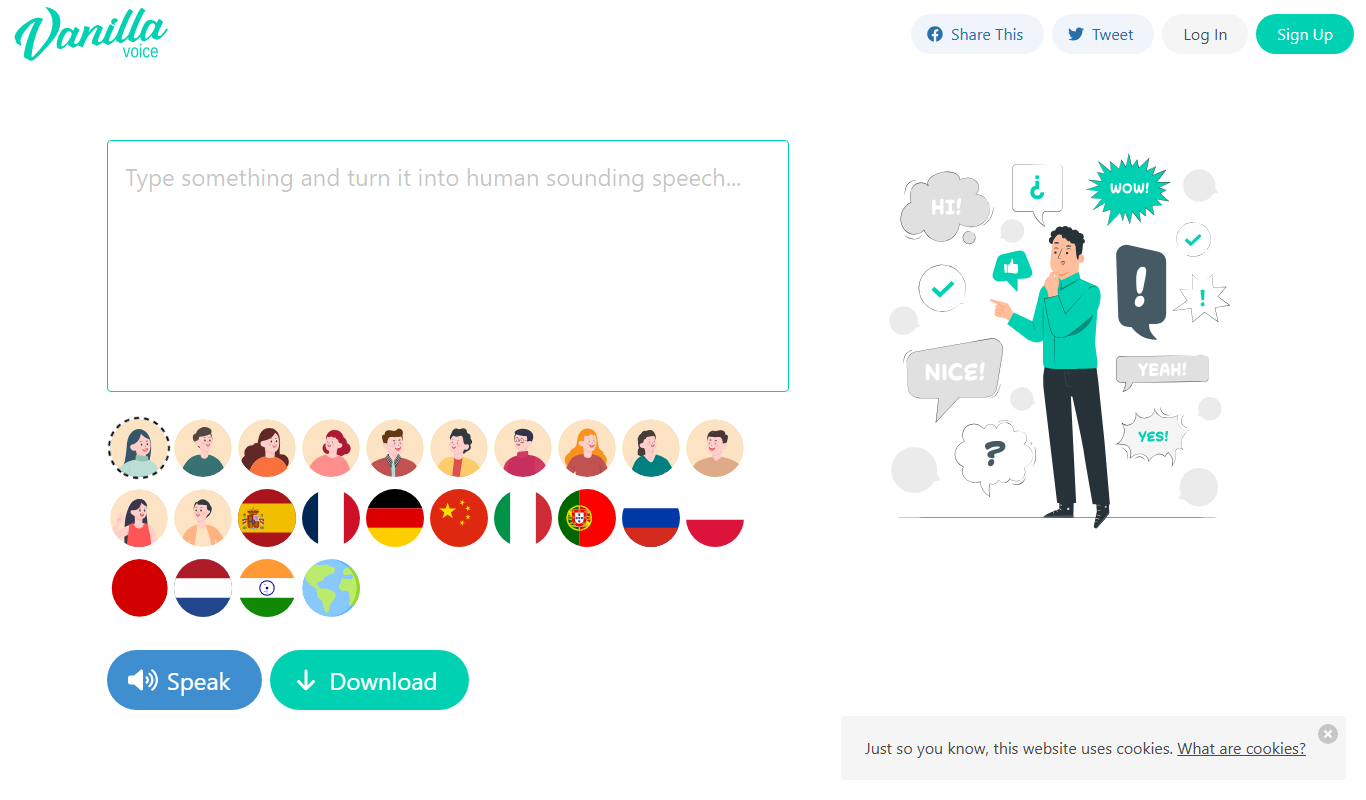
What is VanillaVoice?
VanillaVoice is a free text to speech tool that reads out loud any text with a natural human-sounding voice. Users can select several different voices, including male, female or child voices.
Key features of VanillaVoice
VanillaVoice reads any text out loud with male, female or child voices, uses punctuation and underscore characters for pauses, offers volume and speaking speed controls, and lets users download the audio.
Several human-sounding voices
Select several different voices, including male, female or child, to read text out loud.
Voices by country
Select different voices or forms of the same language for your specific country.
Real-Time Synthesis
Generate speech instantly for interactive applications.
API Access
Easily integrate voice cloning capabilities into your software via RESTful API.
Volume and speed controls
Change the volume and the speaking speed with the volume and speed icons.
Pros and cons of VanillaVoice
Pros
- High-quality voice cloning from minimal audio data
- Easy API integration for developers
- Supports real-time speech synthesis
- Volume and speech rate controls
- Clear pricing tiers including a free plan
Cons
- Limited language support currently
- Free plan has strict usage limits
- Enterprise pricing is not publicly listed
Key use cases for VanillaVoice
Video narration
Narration for professional videos, presentations, explainer videos and video courses.
Customer Support Automation
Create natural-sounding voice agents for automated customer service and interactive voice response systems.
Accessibility
Provide personalized voice options for assistive technologies to help users with speech impairments.
Entertainment
Use AI voice cloning to produce character voices for games, animations, and virtual reality experiences.
Language Learning
Offer learners realistic pronunciation examples and conversational practice with cloned voices.
How VanillaVoice works
- 1
Enter the text
Type the text; punctuation marks and underscore characters add pauses of different lengths.
- 2
Select a voice
Select a male, female or child voice.
- 3
Adjust volume and speed
Use the volume and speed icons to change the volume and the speaking speed.
- 4
Speak or download
Play the speech or download it; create an account or log in to save recordings.
Who is using VanillaVoice
VanillaVoice pricing
Free
$0 per month
Personal use only. All voices included, limited words per recording and shared word limits across free accounts.
Professional
$25.00 per month
Commercial license, no audio watermarking, all voices, volume and speech rate control, up to 500 words per recording and up to 200k processed words per month. Cancel anytime.
Enterprise
Custom pricing
Tailored solutions with dedicated support and SLA for large-scale needs.
Plans and prices are as published by the vendor and can change. Check the official site before you buy. Open the pricing page (opens in a new tab)
Frequently asked questions about VanillaVoice
VanillaVoice can create a voice clone from as little as 10 seconds of clear audio.
Yes, the platform offers commercial licenses and enterprise plans for business applications.
Yes, you can adjust parameters like pitch and emotion to make the speech sound more natural.
Currently, VanillaVoice supports English and Japanese, with plans to add more languages.
It depends on your specific needs and how you plan to use the tool. The official website and documentation are the best sources for the latest details.
Yes, it can help with that use case depending on how you configure it and what features are available. You’ll get the best results with clear inputs and a defined goal.
Yes, it can help with that use case depending on how you configure it and what features are available. You’ll get the best results with clear inputs and a defined goal.
Pricing depends on the plan and included features. For the most accurate and up-to-date details, check the official pricing page.
Conclusion
Text goes in, and a natural, human-sounding voice reads it out loud, with male, female or child voices to choose from. Punctuation shapes the delivery, and one or more underscore characters add pauses of different lengths. Volume and speaking speed are changed with on-page icons, and the result can be played or downloaded.
Narration for professional videos, presentations, explainer videos and video courses is where the site points these voices. Saving recordings requires an account. The free plan is for personal use only, with limited words per recording and word limits shared across free accounts. A paid Professional plan adds a commercial license, no audio watermarking and higher word limits, and orders go through Paddle.com as merchant of record.
Sources
Sign in to review this tool.
Sign In to ReviewNo reviews yet
Be the first to share how this tool worked for you.
Ask about pricing, limits, or how it compares — or answer someone else.
Sign In to AskNo questions yet
Have a question about using or paying for this tool? Be the first to ask.
Featured on TiorAI



More AI Voice Cloning tools
Other tools in the same category, for when this one is not quite the fit.

Dubformer
Dubformer is an AI dubbing studio with phrase-level control in 140+ languages.

revocalize.ai
Revocalize.ai is an AI voice cloning platform that creates realistic synthetic voices from small audio samples, enabling text-to-speech synthesis and custom voice creation for various applications.
VoiceVector
VoiceVector is an AI voice cloning platform that creates realistic synthetic voices from minimal audio samples, enabling natural text-to-speech conversion for various applications.

TransDub
TransDub is an AI platform that clones voices and automatically dubs videos into multiple languages, preserving the original speaker’s voice for seamless localization.

CloneDub
CloneDub is an AI powered, automated dubbing platform that helps podcasts and YouTube channels grow their audience with fast, high quality video dubbing.

Resemble
Resemble AI offers real-time deepfake detection and watermarking for enterprise, alongside voice APIs for text-to-speech and voice cloning.

Voice.ai
Voice.ai is an AI voice platform with a real-time voice changer and voice cloning, plus voice agents, TTS and APIs.

sorisori.ai
sorisori.ai combines AI song covers, text to speech (TTS), image generation and video generation, not only voice cloning.