

HSL to HEX Alpha
Convert HSL color values to HEX ALPHA format instantly with our free online converter. Enter your HSL color code and get the accurate HEX ALPHA equivalent - perfect for web design, CSS styling, graphic design, and digital art projects.
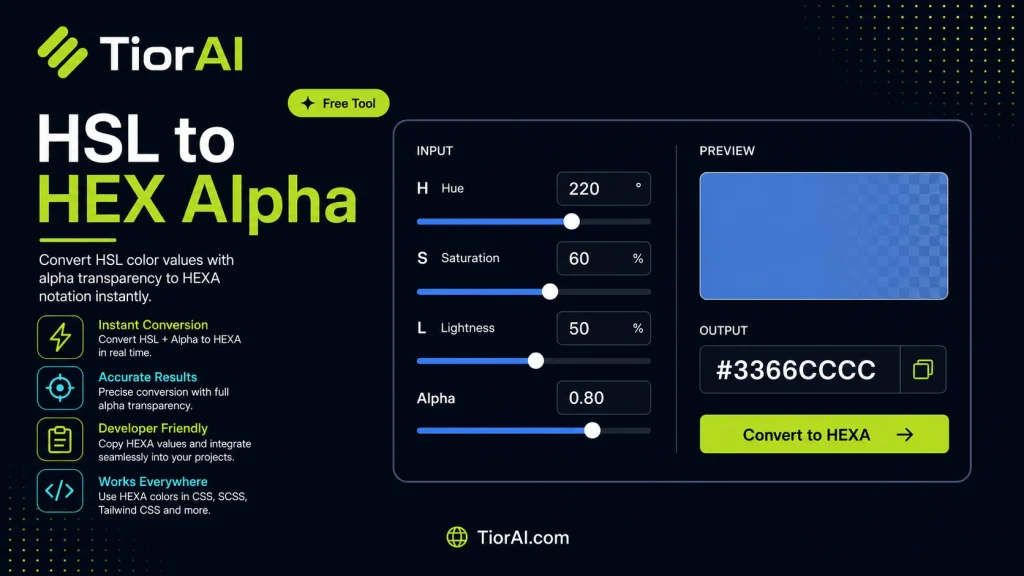
How to use it
- Pick or Enter a Color Use the color picker or enter a color value into the Hsl to Hex Alpha. Supports HEX, RGB, HSL, and more.
- Adjust and Preview Fine-tune your color selection and preview results in real time with instant visual feedback.
- Copy Color Values Copy the generated color codes in your preferred format for use in CSS, design tools, or development.
Tip Use the Hsl to Hex Alpha to extract exact color codes from any design mockup for pixel-perfect implementation.
About HSL to HEX Alpha
HSL (Hue, Saturation, Lightness) and HEX color formats are two common ways to represent colors in web development and design. HSL describes colors based on their hue angle (0-360 degrees), saturation percentage, and lightness percentage, making it intuitive for humans to understand and manipulate colors. HEX, on the other hand, encodes colors as hexadecimal values representing red, green, and blue (RGB) components.
Adding alpha (opacity) to colors allows developers to specify transparency levels, which is essential for layering and visual effects in modern web design. While CSS supports RGBA and HSLA formats natively, HEX with alpha (also called 8-digit HEX) is increasingly supported and preferred for compactness and compatibility.
Why Convert HSL to HEX with Alpha?
Developers often start with HSL values because they are easier to tweak for color adjustments. However, some tools, libraries, or CSS preprocessors require HEX values, especially when working with design systems or theming frameworks that standardize on HEX colors. Including alpha in HEX format (e.g., #RRGGBBAA) allows specifying transparency directly in the color code.
How the Conversion Works
- Convert HSL to RGB: Using the HSL values, calculate the corresponding RGB components. This involves converting the hue angle into a position on the color wheel and adjusting saturation and lightness to get red, green, and blue values between 0 and 255.
- Convert RGB to HEX: Each RGB component is converted to a two-digit hexadecimal number.
- Convert Alpha to HEX: The alpha value, usually between 0 and 1, is scaled to 0-255 and converted to a two-digit hexadecimal number.
- Combine: Concatenate the RGB HEX values with the alpha HEX value to form an 8-digit HEX code.
This process follows CSS Color Module Level 4 specifications, which define 8-digit HEX notation for colors with alpha transparency. This format is supported in modern browsers and CSS preprocessors.
Use in Real Projects
Developers use HSL to HEX alpha conversion when integrating design tokens, generating dynamic themes, or working with APIs that require HEX colors. It also helps when optimizing CSS for performance and consistency, as HEX codes are shorter and widely supported.
Understanding HSL to HEX Alpha Conversion
Colors in web development can be represented in various formats, with HSL and HEX being two of the most common. HSL stands for Hue, Saturation, and Lightness, which describes colors in a way that aligns with human perception. HEX colors encode red, green, and blue components as hexadecimal values, which are widely used in CSS.
Adding alpha transparency to colors allows developers to control opacity, which is essential for layering elements and creating visual effects. While CSS supports HSLA and RGBA formats, HEX with alpha (8-digit HEX) is gaining popularity due to its compactness and compatibility with modern tools.
When to Use HSL to HEX Alpha Conversion
- If you start with HSL color values but need to provide colors in HEX format with transparency for CSS or design systems.
- When working with CSS frameworks or libraries that require 8-digit HEX codes including alpha transparency.
- When optimizing your CSS for performance and consistency, as HEX codes are shorter and widely supported.
Common Mistakes to Avoid
- Entering alpha values on the wrong scale, such as using 0-255 instead of 0-1, which leads to incorrect transparency.
- Skipping the intermediate step of converting HSL to RGB before converting to HEX, resulting in wrong color outputs.
Technical Context
The conversion process follows the CSS Color Module Level 4 specification, which defines 8-digit HEX notation for colors with alpha transparency. The process involves converting HSL to RGB, then RGB to HEX, and finally appending the alpha value as a hexadecimal number. This format is supported by all major modern browsers, making it a reliable choice for specifying colors with transparency.
Developers often use this conversion when integrating design tokens, generating dynamic themes, or working with APIs that require HEX colors. It also helps maintain consistency across different tools and platforms.
Common use cases
- Converting semi-transparent blue from HSL to HEX alpha
- Converting a pastel pink with 75% opacity
Frequently asked questions
Reviews and questions
Whether this tool gave people the answer they needed, and what they asked about it.
Sign in to review this tool.
Sign In to ReviewNo reviews yet
Be the first to say whether this tool gave you what you needed.
Ask how to read the result, or what the tool does with an edge case — or answer someone else.
Sign In to AskNo questions yet
Not sure how to read a result? Be the first to ask.
AI tools related to this topic
Tools from the TiorAI directory that work on the same kind of job.

Code Language Converter
Code Language Converter is an online tool that translates code between 30+ programming languages with AI-powered conversion, with a free plan and a paid PRO plan.

Any Video Converter
Any Video Converter is a multimedia software that converts video files between numerous formats, downloads online videos, and offers basic editing and DVD burning features.

Bank Statement Converter
Bank Statement Converter is an online tool that converts PDF bank statements into Excel and CSV formats, enabling easy data extraction and financial management.

Conversion Blitz
Conversion Blitz is an AI lead generation software suite to find leads, send targeted emails, create a chatbot and more.