

HEX to RGBA
Convert HEX color values to RGBA format instantly with our free online converter. Enter your HEX color code and get the accurate RGBA equivalent - perfect for web design, CSS styling, graphic design, and digital art projects.
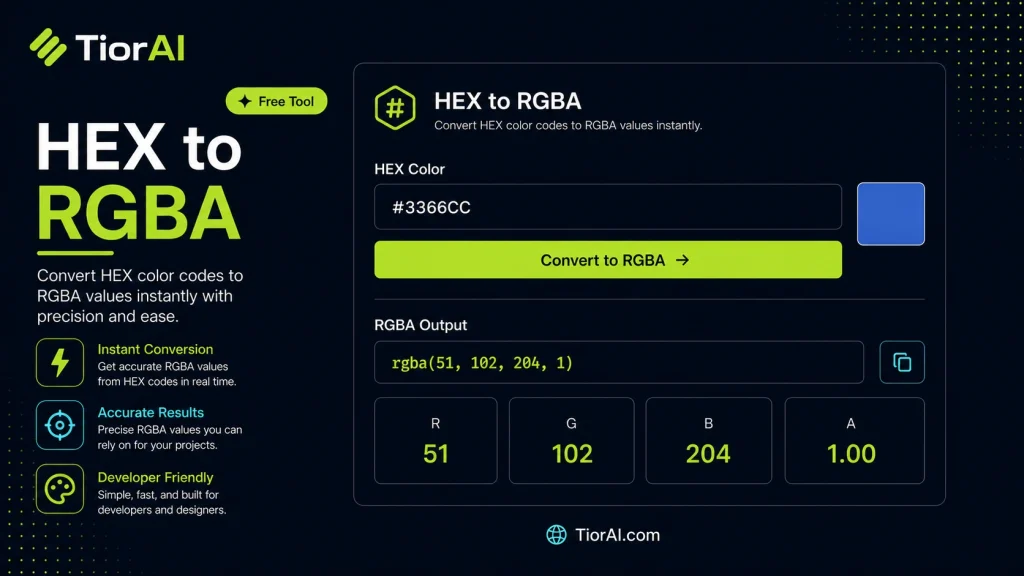
How to use it
- Pick or Enter a Color Use the color picker or enter a color value into the Hex to Rgba. Supports HEX, RGB, HSL, and more.
- Adjust and Preview Fine-tune your color selection and preview results in real time with instant visual feedback.
- Copy Color Values Copy the generated color codes in your preferred format for use in CSS, design tools, or development.
Tip The Hex to Rgba supports accessibility checks — verify contrast ratios meet WCAG standards before shipping.
Understanding Hex and RGBA Color Formats in CSS
Colors on the web are commonly represented using various formats, with HEX and RGBA being two of the most widely used. Both formats serve to define colors in CSS, but they do so in different ways and offer different capabilities.
HEX color codes are hexadecimal representations of RGB (Red, Green, Blue) color values. A typical HEX code starts with a hash (#) followed by six hexadecimal digits, where each pair of digits corresponds to the intensity of red, green, and blue respectively. For example, #FF5733 represents a color with full red (FF), moderate green (57), and low blue (33) components. HEX codes are compact and easy to use but do not support transparency.
RGBA stands for Red, Green, Blue, and Alpha. It extends the RGB model by adding an alpha channel to specify opacity. The alpha value ranges from 0 (fully transparent) to 1 (fully opaque). An RGBA color is written as rgba(255, 87, 51, 0.5), where the first three numbers are the red, green, and blue components (0-255), and the last number is the alpha channel.
Developers often need to convert HEX colors to RGBA to leverage transparency effects in CSS. While HEX codes are concise and widely supported, they lack the ability to define opacity directly. RGBA colors enable layering, fading, and other visual effects that require transparency.
The CSS Color Module Level 3 specification defines both HEX and RGBA formats, ensuring broad browser support. Modern browsers fully support RGBA colors, making them a reliable choice for web design.
In real projects, converting HEX to RGBA is useful when you have a base color defined in HEX but want to apply opacity without changing the original color. For example, overlaying a semi-transparent color on an image or background requires RGBA. This conversion is often done manually or with tools to avoid errors and save time.
Understanding Hex and RGBA Color Formats
In web development, colors are often defined using HEX or RGBA formats in CSS. HEX codes represent colors as hexadecimal values for red, green, and blue components, but they do not support transparency. RGBA extends this by adding an alpha channel that controls opacity, allowing developers to create transparent or semi-transparent colors.
HEX colors are concise and easy to use, but when you need to apply transparency effects—such as overlays, fades, or layering—you must use RGBA. This format specifies red, green, blue, and alpha (opacity) values, with alpha ranging from 0 (transparent) to 1 (opaque).
When to Use Hex to RGBA Conversion
- Adding transparency to a solid HEX color for overlays or backgrounds.
- Creating semi-transparent buttons or UI elements that require opacity control.
- Implementing CSS animations or transitions involving color fading.
- Maintaining consistent base colors while adjusting opacity dynamically.
- Designing layered effects where background colors need partial transparency.
Common Mistakes to Avoid
- Omitting the leading ‘#’ in HEX codes, which causes invalid input.
- Using incorrect alpha values outside the 0 to 1 range in RGBA.
- Assuming HEX supports transparency without converting to RGBA or HSLA.
Understanding these concepts and using the correct format ensures accurate color rendering and better control over visual design in web projects.
Common use cases
- Converting a solid HEX color to semi-transparent RGBA
- Adding 50% transparency to a HEX color
Frequently asked questions
Reviews and questions
Whether this tool gave people the answer they needed, and what they asked about it.
Sign in to review this tool.
Sign In to ReviewNo reviews yet
Be the first to say whether this tool gave you what you needed.
Ask how to read the result, or what the tool does with an edge case — or answer someone else.
Sign In to AskNo questions yet
Not sure how to read a result? Be the first to ask.
AI tools related to this topic
Tools from the TiorAI directory that work on the same kind of job.

Code Language Converter
Code Language Converter is an online tool that translates code between 30+ programming languages with AI-powered conversion, with a free plan and a paid PRO plan.

Any Video Converter
Any Video Converter is a multimedia software that converts video files between numerous formats, downloads online videos, and offers basic editing and DVD burning features.

Bank Statement Converter
Bank Statement Converter converts single or multiple PDF bank statements into a single CSV file containing only the transaction data extracted from their tables.

Conversion Blitz
Conversion Blitz is an AI lead generation software suite to find leads, send targeted emails, create a chatbot and more.