

From my experience with TablePlus, I found it excels at providing a fast, native, and intuitive interface for managing multiple types of databases. Its inline data editing and advanced SQL editor make routine database tasks more efficient, especially for developers and DBAs who juggle different database systems. The secure connection options like SSH tunneling add confidence when working with sensitive data. However, the free version is somewhat limited in features and connections, and there is no Linux desktop client, which might be a drawback for some users. Overall, if you need a reliable and user-friendly database management tool across Mac, Windows, and iOS, TablePlus delivers solid performance and usability.
TablePlus Database Management Tool for Developers and Data Professionals
TablePlus is a native database management tool supporting multiple databases with features like advanced SQL editor, inline data editing, and secure connections.
- Best for
- Database Management
- Key capability
- Multi-Database Support
Your actions
Save TablePlus, follow its updates and vote on it — everything stays in your account.
Sign in or create a free account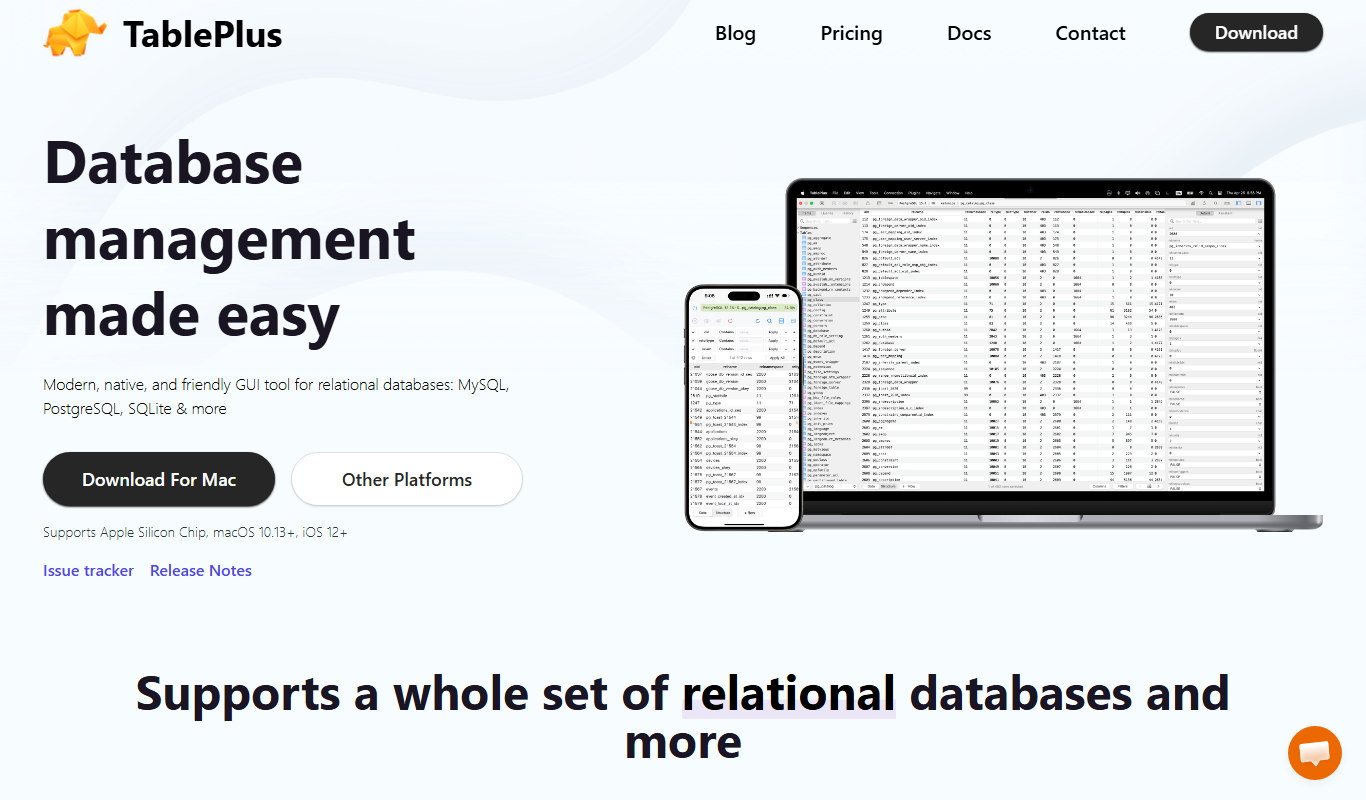
What is TablePlus?
TablePlus is a modern, native database management tool designed for developers and database administrators. It supports a wide range of relational and NoSQL databases, providing a fast, secure, and intuitive interface to manage databases, run queries, and perform administrative tasks efficiently.
Key features of TablePlus
TablePlus offers multi-database support, a powerful SQL editor with autocomplete, inline data editing, secure connection management, and a lightweight, native app experience optimized for speed and usability.
Multi-Database Support
Supports MySQL, PostgreSQL, SQLite, Microsoft SQL Server, Redis, Cassandra, and more.
Native App Performance
Built with native technologies for fast and responsive user experience.
Advanced SQL Editor
Includes syntax highlighting, autocomplete, and query result visualization.
Inline Data Editing
Edit table data directly within the interface without writing SQL commands.
Secure Connection Management
Supports TLS/SSL encryption and SSH tunneling for secure database connections.
Pros and cons of TablePlus
Pros
- Supports multiple popular databases in one app
- Fast and native user interface
- Secure connection options including SSH and SSL
- Inline data editing simplifies database management
- Cross-platform availability including iOS
Cons
- Limited free plan features and connections
- No Linux desktop version available
- Some advanced features require paid plans
Key use cases for TablePlus
Database Management
Manage multiple types of databases with a unified interface, including MySQL, PostgreSQL, SQLite, and more.
SQL Querying
Write, edit, and execute SQL queries efficiently with syntax highlighting and autocomplete features.
Data Visualization
View and edit table data directly with a clean and intuitive UI that supports inline editing.
Database Administration
Perform database administration tasks such as creating tables, indexes, and managing database connections.
Cross-Platform Development
Use TablePlus on MacOS, Windows, and iOS to manage databases on the go or at the desktop.
How TablePlus works
- 1
Download and Install
Get TablePlus for your platform (MacOS, Windows, or iOS) from the official website and install it.
- 2
Connect to Database
Create a new connection by entering your database credentials and selecting the database type.
- 3
Manage and Query
Use the intuitive interface to browse tables, write and execute SQL queries, and edit data.
- 4
Save and Organize
Save your favorite queries and connections for quick access and efficient workflow.
Who is using TablePlus
Database administrators
Software developers
Data analysts
DevOps engineers
IT professionals
TablePlus pricing
Free
$0
Basic features with limited connections and tabs.
Standard
$79
Full features with unlimited connections and tabs, priority support.
Pro
$149
Includes advanced features like multi-tabs, multi-window, and premium support.
Plans and prices are as published by the vendor and can change. Check the official site before you buy. Open the pricing page (opens in a new tab)
Frequently asked questions about TablePlus
TablePlus supports a wide range of databases including MySQL, PostgreSQL, SQLite, Microsoft SQL Server, Redis, Cassandra, and more.
Yes, TablePlus offers an iOS app that allows you to manage your databases on the go.
Yes, it supports TLS/SSL encryption and SSH tunneling to ensure secure database connections.
Yes, TablePlus allows inline editing of table data without needing to write SQL commands.
Data handling and security practices vary by provider. Review the official privacy policy to understand how your data is stored and used.
Some tools offer a free plan or trial with limited features. Availability can vary, so confirm on the official website.
Yes, it can help with that use case depending on how you configure it and what features are available. You’ll get the best results with clear inputs and a defined goal.
Yes, it can help with that use case depending on how you configure it and what features are available. You’ll get the best results with clear inputs and a defined goal.
Sign in to review this tool.
Sign In to ReviewNo reviews yet
Be the first to share how this tool worked for you.
Ask about pricing, limits, or how it compares — or answer someone else.
Sign In to AskNo questions yet
Have a question about using or paying for this tool? Be the first to ask.
Featured on TiorAI



Alternative Tools
Explore similar AI tools that might fit your needs

Free
DBeaver
DBeaver is a cross-platform database management tool that supports numerous database types, offering features like SQL editing, data visualization, and team collaboration.

Free Trial
DataGrip
DataGrip is a cross-platform SQL IDE by JetBrains designed for database developers and administrators to write, run, and optimize SQL queries, manage schemas, and work with multiple database systems efficiently.

Free
HeidiSQL
HeidiSQL is a free, open-source database client for Windows that supports MySQL, MariaDB, PostgreSQL, and Microsoft SQL Server. It offers an intuitive GUI for managing databases, writing SQL queries, and performing administrative tasks.
More AI Developer Tools tools
Other tools in the same category, for when this one is not quite the fit.

Free
Sentry
Sentry is a developer-focused platform that offers real-time error tracking and performance monitoring to help teams identify, diagnose, and fix software issues efficiently.

Free
Overwolf
Overwolf is a Windows-based platform that enables developers to build, distribute, and monetize in-game apps and overlays for popular PC games, with features supporting streaming integration and real-time game data access.

Freemium
CodeGrade
CodeGrade is an automated code grading platform that helps educators efficiently assess programming assignments by providing customizable grading, detailed feedback, plagiarism detection, and LMS integration.

Free
freeCodeCamp
freeCodeCamp is a free online platform offering interactive coding lessons, projects, and certifications to help beginners learn programming and web development.

Free
Codecademy
Codecademy is an online platform offering interactive coding courses and projects to help users learn programming languages and prepare for tech careers.

Free
Python-Future
Python-Future is a compatibility library that allows Python developers to write code that runs on both Python 2 and Python 3 interpreters without modification, easing migration and maintenance.
Free
Parcel
ParcelJS is an open-source web bundler that offers zero configuration, fast multi-core builds, and automatic asset handling for modern web development.

Free
Next.js
Next.js is an open-source React framework by Vercel that enables server-side rendering, static site generation, and API routes to build fast, SEO-friendly web applications.