

QR Code Monkey - Free Custom QR Code Generator for Business & Marketing
QR Code Monkey is a free online tool that lets you create customizable QR codes with logos and colors, suitable for marketing, business branding, and event management.
- Best for
- Marketing Campaigns
- Key capability
- Free QR Code Generation
Save QR Code Monkey, follow its updates and vote on it — everything stays in your account.
Sign in or create a free account
What is QR Code Monkey?
QR Code Monkey is a free online QR code generator that allows users to create highly customizable QR codes. It supports various data types including URLs, text, emails, phone numbers, and more. Users can personalize QR codes by adding logos, changing colors, and adjusting shapes to align with their branding needs. The tool is web-based and designed for marketers, businesses, and individuals seeking easy-to-use QR code creation without technical expertise.
Key features of QR Code Monkey
QR Code Monkey offers customization options such as color gradients, logo embedding and multiple QR code shapes, with high-resolution downloads in PNG, SVG, PDF and EPS formats. It is free for static QR codes.
Free QR Code Generation
Create unlimited QR codes without cost, suitable for personal and commercial use.
Custom Design Options
Modify colors, shapes, and embed logos for brand-consistent QR codes.
High-Resolution Downloads
Export QR codes in PNG, SVG, PDF, and EPS formats for versatile applications.
Multiple Data Types Supported
Encode URLs, text, emails, phone numbers, SMS, WiFi credentials, and more.
Pros and cons of QR Code Monkey
Pros
- Intuitive and easy-to-use interface
- Extensive customization options for branding
- Free to use with no watermarks
- Supports multiple data types
- High-quality export formats
Cons
- Dynamic QR codes and analytics are not part of QRCode Monkey; they are in a separate paid product.
- No mobile app available, web-only platform
- Limited advanced features compared to enterprise QR code solutions
Key use cases for QR Code Monkey
Marketing Campaigns
Create custom QR codes to link customers directly to promotional content, websites, or social media profiles.
Business Branding
Design QR codes with logos and colors that match brand identity for professional and consistent marketing materials.
Event Management
Generate QR codes for event tickets, check-ins, or sharing event information quickly and efficiently.
Product Packaging
Add QR codes to packaging to provide customers with product details, instructions, or warranty registration.
Contact Sharing
Create QR codes that encode contact information (vCards) for easy sharing and saving on mobile devices.
How QR Code Monkey works
- 1
Enter Data
Input the information you want to encode, such as a URL, text, or contact details.
- 2
Customize Design
Adjust colors, add logos, and select shapes to personalize your QR code.
- 3
Generate QR Code
Click the generate button to create your customized QR code instantly.
- 4
Download and Use
Download the QR code in your preferred format and integrate it into your marketing materials or products.
Who is using QR Code Monkey
QR Code Monkey pricing
Free
$0/month
Unlimited static QR codes with basic customization and downloads.
Plans and prices are as published by the vendor and can change. Check the official site before you buy. Open the pricing page (opens in a new tab)
Frequently asked questions about QR Code Monkey
Yes, QR Code Monkey allows free use for both personal and commercial projects.
You can download QR codes in PNG, SVG, PDF, and EPS formats.
No. QRCode Monkey is free for static QR codes; dynamic codes redirect to a separate product, QR Code Generator PRO.
Yes, you can upload and embed your logo within the QR code design.
It depends on your specific needs and how you plan to use the tool. The official website and documentation are the best sources for the latest details.
Yes, it can help with that use case depending on how you configure it and what features are available. You’ll get the best results with clear inputs and a defined goal.
Some tools offer a free plan or trial with limited features. Availability can vary, so confirm on the official website.
Data handling and security practices vary by provider. Review the official privacy policy to understand how your data is stored and used.
Conclusion
Static QR codes are free to create for both personal and commercial projects, and the downloads carry no watermarks. A code starts with the data to encode, such as a URL, text or contact details. Colors and shapes can then be adjusted and an uploaded logo embedded so the code matches a brand identity. Finished codes download in PNG, SVG, PDF and EPS formats.
The documented uses include marketing campaigns, event check-ins, product packaging and vCard contact sharing. Dynamic codes with editable destinations and scan analytics are not part of this generator; they lead to a separate paid product, QR Code Generator PRO.
Sources
Sign in to review this tool.
Sign In to ReviewNo reviews yet
Be the first to share how this tool worked for you.
Ask about pricing, limits, or how it compares — or answer someone else.
Sign In to AskNo questions yet
Have a question about using or paying for this tool? Be the first to ask.
Featured on TiorAI



Alternative Tools
Explore similar AI tools that might fit your needs

QRStuff
QRStuff is an online QR code generator that allows users to create static and dynamic QR codes for URLs, contact info, social media, and more, with options for customization and scan tracking.

Unitag QR Code Generator
Unitag QR Code Generator is a web-based tool that allows users to create customizable QR codes with options for colors, logos, and shapes, supporting multiple QR code types and offering scan analytics in paid plans.
More AI Design Generator tools
Other tools in the same category, for when this one is not quite the fit.

MeasureKit
MeasureKit is an iOS augmented reality app that lets users measure distances, angles, levels, and areas using their device’s camera and AR technology.

MagicPlan
MagicPlan is an app that uses augmented reality to measure spaces and create detailed floor plans and 3D models, helping with home design, renovation, and construction projects.

Ant Design
Ant Design is an open-source React UI framework providing a comprehensive set of reusable components and design guidelines to build enterprise-level web applications with consistent and customizable user interfaces.

KeyShot
KeyShot is a real-time 3D rendering and animation software by Luxion that enables users to create photorealistic visuals and animations of 3D models for product design and marketing.

PTC Creo
PTC Creo is a professional 3D CAD software suite used for product design, engineering simulation, and manufacturing preparation, primarily on Windows platforms.
Siemens NX
Siemens NX is a comprehensive CAD/CAM/CAE software suite by Siemens Digital Industries Software that enables advanced product design, simulation, and manufacturing workflows.

Autotracer
Autotracer is a free web-based tool that automatically converts raster images into vector graphics in formats like SVG and EPS, enabling scalable and editable designs.
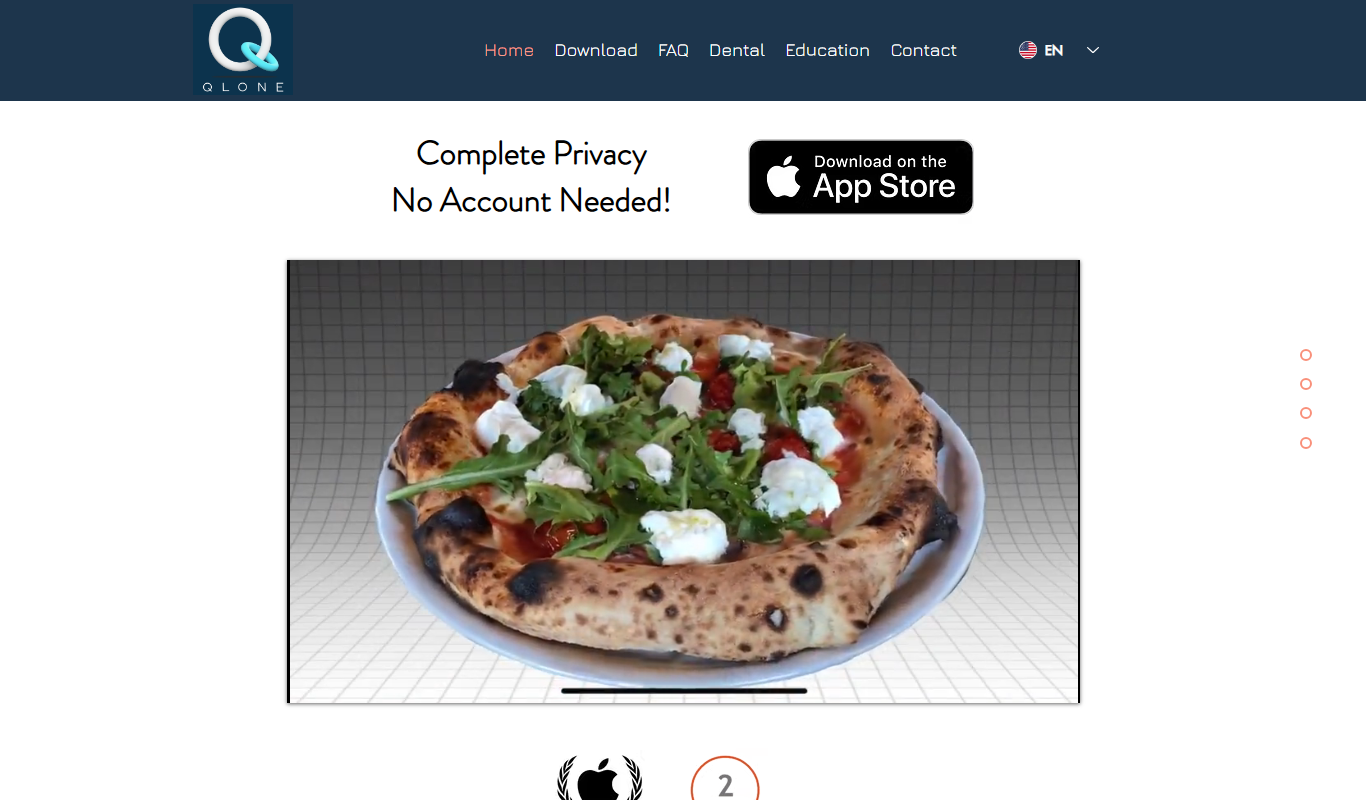
Qlone
Qlone is a mobile app that uses your smartphone camera and a printed mat to scan physical objects and create detailed 3D models for use in AR, 3D printing, and design projects.