

From my experience with Nyx, I found it excels at quickly transforming descriptive text prompts into visually compelling digital art with minimal effort. The platform’s straightforward interface makes it accessible even for beginners, while the variety of artistic styles offers creative flexibility. However, the free tier limits daily usage, which might restrict heavy users unless they upgrade. Overall, if you need an easy-to-use AI art generator for digital content creation or inspiration, Nyx delivers reliable and aesthetically pleasing results.
Nyx AI Art Generator for Creative Image Generation and Design
Nyx is an AI-powered web tool that generates unique digital art from user text prompts, offering customizable styles and easy downloads.
- Best for
- Digital Art Creation
- Key capability
- AI-Powered Image Generation
Your actions
Save Nyx, follow its updates and vote on it — everything stays in your account.
Sign in or create a free account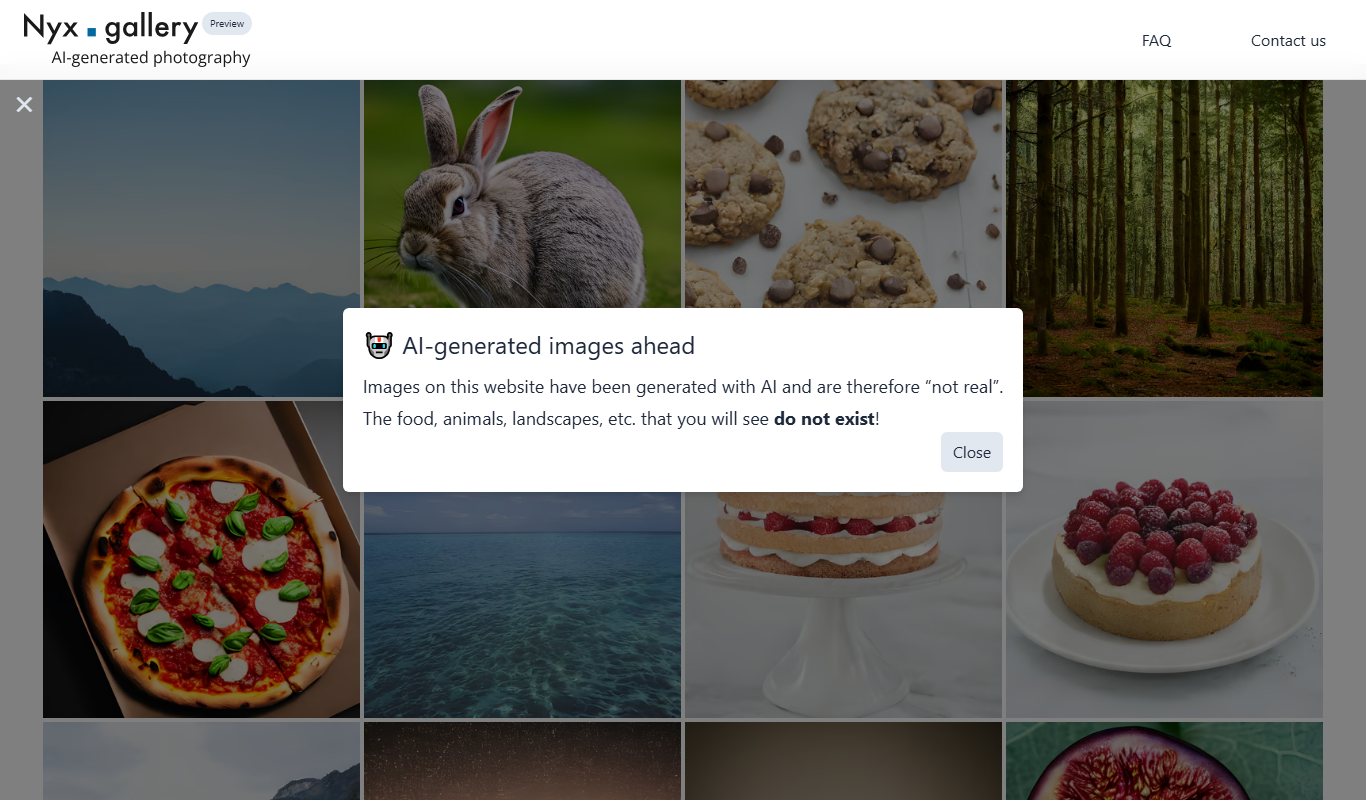
What is Nyx?
Nyx is a web-based AI art generator that leverages artificial intelligence to create unique and imaginative images based on user prompts. It enables artists, designers, and creators to produce digital artwork effortlessly by transforming textual descriptions into visual art.
Key features of Nyx
Nyx offers an intuitive interface for generating AI-driven images, customizable prompts for creative control, and options to download or share the generated artwork. It supports various artistic styles and themes to suit diverse creative needs.
AI-Powered Image Generation
Transforms text prompts into high-quality digital art using advanced AI models.
Customizable Artistic Styles
Offers various styles and themes to tailor the artwork to user preferences.
User-Friendly Interface
Simple and accessible design for users of all skill levels.
Download and Sharing Options
Easily save or share creations for personal or commercial use.
Pros and cons of Nyx
Pros
- Easy to use with minimal learning curve
- Supports a variety of artistic styles
- Affordable subscription with generous features
Cons
- Limited free tier usage
- No mobile app available
- Customization options could be expanded
Key use cases for Nyx
Digital Art Creation
Generate unique digital artwork using AI-powered image synthesis for personal or professional projects.
Creative Design Inspiration
Use AI-generated images as inspiration or base designs for creative projects, marketing materials, or concept art.
Social Media Content
Produce visually engaging images quickly for social media posts, enhancing audience engagement.
Storytelling and Visual Narratives
Create compelling visuals to accompany stories, presentations, or multimedia content.
How Nyx works
- 1
Enter a Prompt
Users input descriptive text or keywords to guide the AI in generating images.
- 2
Customize Settings
Adjust style, color, and other parameters to influence the output.
- 3
Generate Image
The AI processes the input and creates a unique image based on the prompt.
- 4
Download or Share
Users can download the generated artwork or share it directly from the platform.
Who is using Nyx
Digital artists
Graphic designers
Content creators
Marketing professionals
Social media managers
Nyx pricing
Free
$0/month
Limited daily image generations with basic features.
Pro
$15/month
Unlimited image generations, priority processing, and access to premium styles.
Plans and prices are as published by the vendor and can change. Check the official site before you buy. Open the pricing page (opens in a new tab)
Frequently asked questions about Nyx
Yes, images created with Nyx can be used commercially, but users should review the terms of service for specific licensing details.
The free plan has daily limits, while the Pro subscription offers unlimited image generation.
Detailed and descriptive prompts yield more accurate and creative results.
It depends on your specific needs and how you plan to use the tool. The official website and documentation are the best sources for the latest details.
Yes, it can help with that use case depending on how you configure it and what features are available. You’ll get the best results with clear inputs and a defined goal.
Pricing depends on the plan and included features. For the most accurate and up-to-date details, check the official pricing page.
Sign in to review this tool.
Sign In to ReviewNo reviews yet
Be the first to share how this tool worked for you.
Ask about pricing, limits, or how it compares — or answer someone else.
Sign In to AskNo questions yet
Have a question about using or paying for this tool? Be the first to ask.
Featured on TiorAI


More AI Art Generator tools
Other tools in the same category, for when this one is not quite the fit.

Free
Muse AI Art Generator
Muse AI Art Generator is a web-based platform that uses AI to generate unique digital artworks from user prompts, offering various styles and high-resolution outputs.

Freemium
Craiyon
Craiyon is a free AI image generator from the team behind DALL-E mini that turns your words into photos, art, anime and logos in seconds, with no account needed.

Commission-based
Prompton
Prompton is a marketplace for requesting AI illustrations from creators, such as SNS icons, YouTube thumbnails, covers and game assets, under plans each creator prices.

Free
PicSo
PicSo is an AI art generator that creates unique digital images from text prompts, offering multiple art styles and high-resolution downloads for creative projects.

Credit-based
Artimator
Artimator is a free AI art generator that creates unique images from text descriptions in 30+ styles, with free starter credits and credit packs paid in crypto.

Free
Anime AI
Anime AI is an online photo to anime generator that turns selfies into anime avatars, portraits and profile pictures.
Free
Snowpixel App
Snowpixel App is an AI studio that turns a prompt or source image into video, music, sound effects, images and 3D objects, paid with credit packs.

Free
Cre8tiveAI
cre8tiveAI is an AI-based SaaS that solves photo and illustration editing tasks in under 10 seconds, such as automatic painting, raising the resolution of images and videos, clipping, layering and color correction.