

From my experience with Bugzilla, I found it excels at providing a reliable and customizable bug tracking system that fits well within open-source and enterprise environments. After spending time with the platform, I can say it’s particularly well-suited for software development teams who need a free, extensible tool to manage defects and project issues. However, there’s a trade-off: its user interface feels somewhat dated and the initial setup requires technical expertise, which might be challenging for non-technical users. Overall, if you need a robust, no-cost bug tracker with strong community support, Bugzilla delivers solid results.
Bugzilla Bug Tracking Software for Efficient Issue and Defect Management
Bugzilla is an open-source bug tracking system developed by the Mozilla Foundation that helps software teams report, track, and manage bugs efficiently through a customizable web interface.
- Best for
- Bug Tracking
- Key capability
- Customizable Bug Workflow
Your actions
Save Bugzilla, follow its updates and vote on it — everything stays in your account.
Sign in or create a free account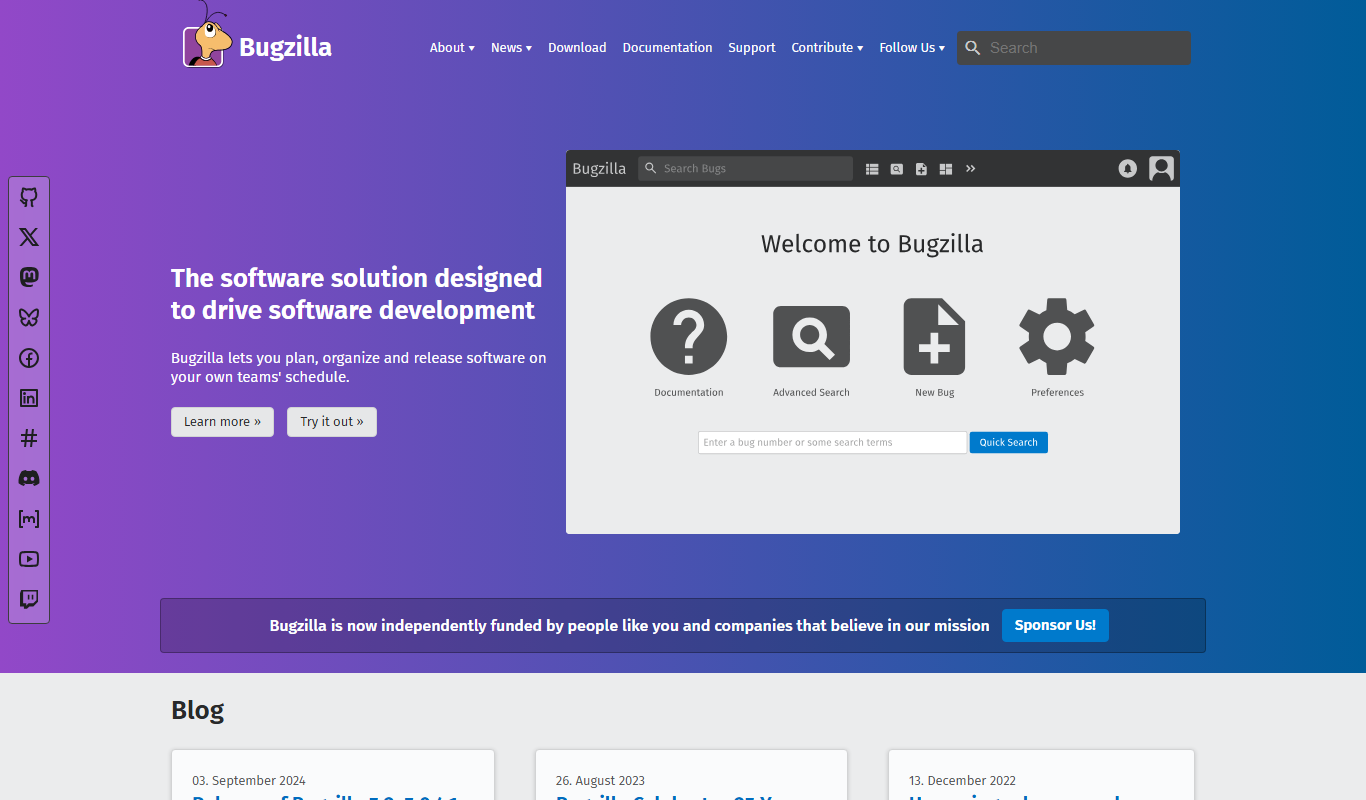
What is Bugzilla?
Bugzilla is a robust, open-source bug tracking system designed to help software development teams efficiently track and manage defects and issues. Originally developed by the Mozilla Foundation, it provides a web-based interface for reporting bugs, assigning them to developers, and monitoring their resolution status. Bugzilla supports customizable workflows, advanced search capabilities, and integrates with various development tools to streamline the software quality assurance process.
Key features of Bugzilla
Bugzilla offers comprehensive bug tracking features including detailed bug reports, customizable fields, email notifications, advanced search and filtering, time tracking, and role-based access control. Its extensible architecture supports plugins and integration with version control systems, making it adaptable to diverse development environments.
Customizable Bug Workflow
Configure statuses, resolutions, and fields to match your team’s development process.
Advanced Search and Filtering
Powerful query system to find bugs by multiple criteria including keywords, status, assignee, and dates.
Email Notifications
Automatic alerts keep team members informed about bug updates and changes.
Role-Based Access Control
Define user permissions to control who can view, edit, or manage bugs.
Integration Support
Works with version control systems and other development tools to streamline workflows.
Pros and cons of Bugzilla
Pros
- Completely free and open source
- Highly customizable workflows and fields
- Strong community support and documentation
- Robust reporting and search capabilities
- Supports multiple languages and platforms
Cons
- User interface can feel outdated compared to modern tools
- Setup and configuration require technical knowledge
- Limited built-in integrations compared to commercial alternatives
Key use cases for Bugzilla
Bug Tracking
Track, report, and manage software bugs and defects efficiently throughout the development lifecycle.
Project Management
Organize and prioritize tasks, assign issues to team members, and monitor progress to ensure timely delivery.
Quality Assurance
Facilitate testing workflows by logging test results, managing test cases, and tracking regressions.
Collaboration
Enable communication among developers, testers, and stakeholders through comments, notifications, and history tracking.
Reporting and Metrics
Generate detailed reports and charts to analyze bug trends, team performance, and project health.
How Bugzilla works
- 1
Report a Bug
Users submit detailed bug reports through the web interface, including steps to reproduce, severity, and attachments.
- 2
Assign and Prioritize
Project managers or team leads assign bugs to developers and set priorities based on impact and urgency.
- 3
Track Progress
Developers update bug statuses as they work on fixes, while testers verify resolutions and add comments.
- 4
Generate Reports
Teams use built-in reporting tools to analyze bug trends and project health for informed decision-making.
Who is using Bugzilla
Software development teams
Quality assurance engineers
Project managers
Open source projects
IT departments
Bugzilla pricing
Free
$0
Open-source software available for free with community support.
Plans and prices are as published by the vendor and can change. Check the official site before you buy. Open the pricing page (opens in a new tab)
Frequently asked questions about Bugzilla
Yes, Bugzilla is open-source software and free to use under the Mozilla Public License.
Bugzilla is a web-based application that can be installed on various server environments supporting Perl.
Yes, Bugzilla supports integration with systems like Git, SVN, and others through extensions.
Yes, Bugzilla offers localization in several languages including English, French, German, Japanese, Spanish, and Chinese.
This tool is designed to help users accomplish its core tasks more efficiently. It is typically used by individuals or teams looking to improve productivity and workflow.
Some tools offer a free plan or trial with limited features. Availability can vary, so confirm on the official website.
The best alternative depends on your workflow, features you need, and budget. Compare plans, integrations, and output quality to choose the closest fit.
Integration support depends on the tool and its available connectors or API. Check the official documentation or integrations page to confirm what is supported.
Sign in to review this tool.
Sign In to ReviewNo reviews yet
Be the first to share how this tool worked for you.
Ask about pricing, limits, or how it compares — or answer someone else.
Sign In to AskNo questions yet
Have a question about using or paying for this tool? Be the first to ask.
Featured on TiorAI



Alternative Tools
Explore similar AI tools that might fit your needs
Free
Redmine
Redmine is a free, open-source web-based project management and issue tracking tool that supports multiple projects, customizable workflows, time tracking, and Agile methodologies through plugins.
More AI Developer Tools tools
Other tools in the same category, for when this one is not quite the fit.

Free
Sentry
Sentry is a developer-focused platform that offers real-time error tracking and performance monitoring to help teams identify, diagnose, and fix software issues efficiently.

Free
Overwolf
Overwolf is a Windows-based platform that enables developers to build, distribute, and monetize in-game apps and overlays for popular PC games, with features supporting streaming integration and real-time game data access.

Freemium
CodeGrade
CodeGrade is an automated code grading platform that helps educators efficiently assess programming assignments by providing customizable grading, detailed feedback, plagiarism detection, and LMS integration.

Free
freeCodeCamp
freeCodeCamp is a free online platform offering interactive coding lessons, projects, and certifications to help beginners learn programming and web development.

Free
Codecademy
Codecademy is an online platform offering interactive coding courses and projects to help users learn programming languages and prepare for tech careers.

Free
Python-Future
Python-Future is a compatibility library that allows Python developers to write code that runs on both Python 2 and Python 3 interpreters without modification, easing migration and maintenance.

Free
Parcel
ParcelJS is an open-source web bundler that offers zero configuration, fast multi-core builds, and automatic asset handling for modern web development.

Free
Next.js
Next.js is an open-source React framework by Vercel that enables server-side rendering, static site generation, and API routes to build fast, SEO-friendly web applications.