

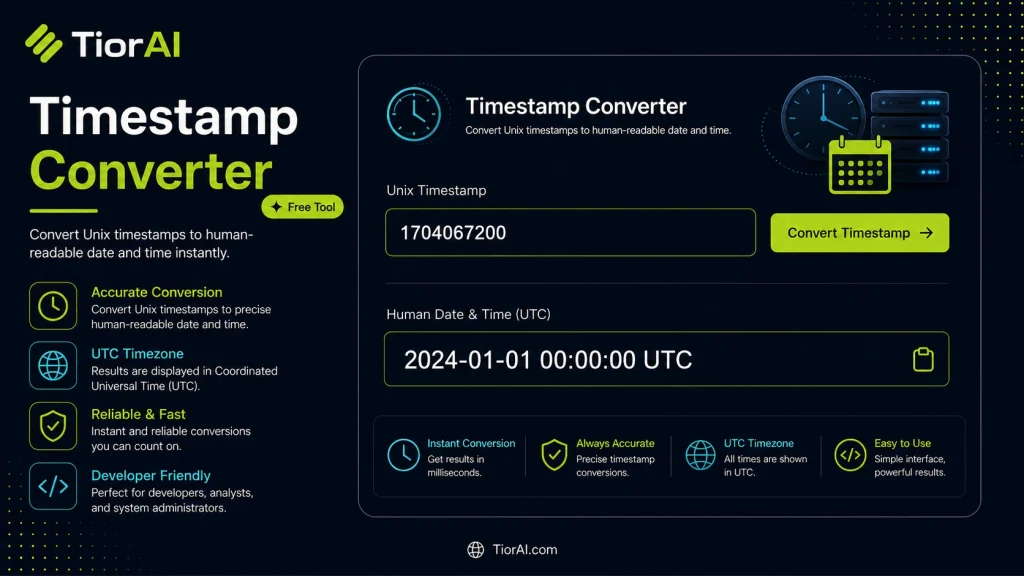
Timestamp Converter
Convert Unix timestamps to date-time and date-time values to Unix timestamps.
How to use it
- Enter Source Value Type or paste the value you want to convert into the Timestamp Converter. The tool accepts a wide range of input formats.
- Select Target Format Choose your desired output format or unit from the available options. The conversion starts automatically.
- Copy the Result Review the converted output and click copy to use it in your project, document, or workflow.
Tip Paste large blocks of content into the Timestamp Converter — there's no size limit on input for most conversions.
Understanding Timestamp Conversion
A timestamp is a numerical representation of a specific point in time, often expressed as the number of seconds or milliseconds elapsed since a fixed reference date, commonly the Unix epoch starting at January 1, 1970, 00:00:00 UTC. Timestamp conversion involves translating these numeric values into human-readable date and time formats, or vice versa.
Why is this conversion important? Computers and many programming languages use timestamps internally because they provide a simple, unambiguous way to record and compare moments in time across different systems and time zones. However, timestamps are not intuitive for humans to read or interpret directly, so converting them to standard date formats is essential for logging, debugging, scheduling, and displaying time information.
Common use cases include:
- Developers debugging or logging events with timestamps.
- Data analysts converting raw timestamp data into readable dates for reports.
- Synchronizing events across systems that use different time formats.
- Converting user input dates into timestamps for database storage or API requests.
Timestamp converters handle various units such as seconds, milliseconds, or even nanoseconds, depending on the system or application. Understanding the unit is critical to accurate conversion.
What is Timestamp Conversion?
Timestamps are numeric values representing specific moments in time, usually as seconds or milliseconds since the Unix epoch (January 1, 1970, UTC). Because these numbers are not human-friendly, converting timestamps to readable date and time formats is essential for understanding and working with time data.
Timestamp conversion is widely used in software development, data analysis, and system logging. For example, developers often receive timestamps from APIs or logs and need to translate them into standard dates to debug or analyze events. Similarly, data analysts convert raw timestamp data into readable formats for reports and visualization.
When to Use a Timestamp Converter
- When you need to interpret numeric timestamps from logs or APIs.
- When displaying dates in user interfaces that require human-readable formats.
- When converting user input dates into timestamps for storage or processing.
- When debugging timing or scheduling issues in software.
- When working with databases that store time as timestamps.
Common Mistakes to Avoid
- Mixing up timestamp units, such as treating milliseconds as seconds, which leads to incorrect dates.
- Overlooking time zone differences, causing unexpected time shifts.
- Assuming all timestamps use the Unix epoch without verifying the source system’s reference time.
Understanding the nature of timestamps and their units is crucial for accurate conversion and interpretation. This knowledge helps ensure that time data is correctly displayed and processed across different systems and applications.
Frequently asked questions
Reviews and questions
Whether this tool gave people the answer they needed, and what they asked about it.
Sign in to review this tool.
Sign In to ReviewNo reviews yet
Be the first to say whether this tool gave you what you needed.
Ask how to read the result, or what the tool does with an edge case — or answer someone else.
Sign In to AskNo questions yet
Not sure how to read a result? Be the first to ask.
AI tools related to this topic
Tools from the TiorAI directory that work on the same kind of job.

Any Video Converter
Any Video Converter is a multimedia software that converts video files between numerous formats, downloads online videos, and offers basic editing and DVD burning features.

Bank Statement Converter
Bank Statement Converter is an online tool that converts PDF bank statements into Excel and CSV formats, enabling easy data extraction and financial management.

Code Language Converter
Code Language Converter is a free web-based tool that translates code snippets between multiple programming languages, helping developers convert syntax quickly and learn language differences.

HD Photo Converter
HD Photo Converter is a free online tool that allows users to convert images between popular formats like JPG, PNG, BMP, and TIFF while maintaining high quality. It supports batch conversion and requires no installation.
Humanize AI Text Converter
Humanize AI Text Converter is a web tool that rewrites AI-generated text to make it sound more natural and human-like, improving readability and engagement.