

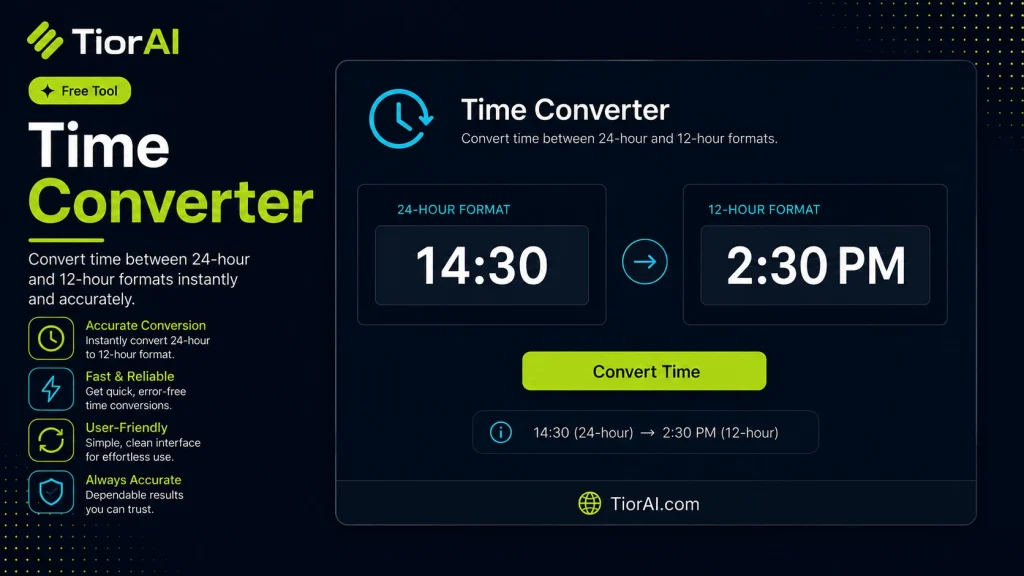
Time Converter
Convert between seconds, minutes, hours, days, weeks, months, and years.
Conversions use standard time units: 1 min = 60 s, 1 hr = 3600 s, 1 day = 86400 s, 1 week = 604800 s, 1 month = 2629746 s, 1 year = 31556952 s.
How to use it
- Enter Source Value Type or paste the value you want to convert into the Time Converter. The tool accepts a wide range of input formats.
- Select Target Format Choose your desired output format or unit from the available options. The conversion starts automatically.
- Copy the Result Review the converted output and click copy to use it in your project, document, or workflow.
Tip Switch between source and target formats in the Time Converter to quickly verify conversions in both directions.
Understanding Time Conversion
Time conversion involves changing a time value from one format or standard to another. This can mean converting between different time zones, transforming timestamps into readable dates, or switching between time units like seconds, minutes, and hours. Time conversion is essential because time is represented differently depending on context, location, or system requirements.
Why is time conversion needed?
- Global communication: Coordinating meetings or events across time zones requires accurate conversion to avoid confusion.
- Data processing: Computers often store time as Unix timestamps (seconds since January 1, 1970), which need conversion to human-readable formats for analysis.
- Scheduling and logging: Systems log events in UTC or local time, necessitating conversion for clarity.
Common time conversions include:
- Between time zones (e.g., EST to GMT)
- Between time units (e.g., milliseconds to minutes)
- Between timestamp formats (e.g., Unix timestamp to ISO 8601 date)
Understanding these conversions helps ensure accurate time representation in software, communication, and data management.
What is Time Conversion?
Time conversion is the process of changing a time value from one format or standard to another. This includes converting between time zones, translating timestamps into readable dates, and switching between different time units like seconds, minutes, and hours. Accurate time conversion is crucial for global communication, data logging, and scheduling.
When to Use a Time Converter
- When scheduling meetings across different time zones to ensure all participants have the correct local time.
- When analyzing system logs that use Unix timestamps, converting them to human-readable dates for easier interpretation.
- When calculating durations or intervals that require converting between units such as milliseconds and hours.
Common Mistakes to Avoid
- Mixing local time with UTC or other time zones without proper adjustment, which can lead to incorrect scheduling or data interpretation.
- Failing to account for daylight saving time changes when converting between time zones, causing errors in time calculations.
Technical Context
Time is represented differently depending on the system or region. For example, Unix timestamps count seconds from a fixed point in time (the epoch), while human-readable formats display dates and times in a localized manner. Time zones have offsets from Coordinated Universal Time (UTC), and some regions adjust clocks seasonally for daylight saving time. A reliable time converter uses this information to provide accurate conversions, ensuring consistency across applications and locations.
Frequently asked questions
Reviews and questions
Whether this tool gave people the answer they needed, and what they asked about it.
Sign in to review this tool.
Sign In to ReviewNo reviews yet
Be the first to say whether this tool gave you what you needed.
Ask how to read the result, or what the tool does with an edge case — or answer someone else.
Sign In to AskNo questions yet
Not sure how to read a result? Be the first to ask.
AI tools related to this topic
Tools from the TiorAI directory that work on the same kind of job.

Any Video Converter
Any Video Converter is a multimedia software that converts video files between numerous formats, downloads online videos, and offers basic editing and DVD burning features.

Bank Statement Converter
Bank Statement Converter is an online tool that converts PDF bank statements into Excel and CSV formats, enabling easy data extraction and financial management.

Code Language Converter
Code Language Converter is a free web-based tool that translates code snippets between multiple programming languages, helping developers convert syntax quickly and learn language differences.

HD Photo Converter
HD Photo Converter is a free online tool that allows users to convert images between popular formats like JPG, PNG, BMP, and TIFF while maintaining high quality. It supports batch conversion and requires no installation.
Humanize AI Text Converter
Humanize AI Text Converter is a web tool that rewrites AI-generated text to make it sound more natural and human-like, improving readability and engagement.