

From my experience with Humanize AI Text Converter, I found it excels at transforming stiff, robotic AI-generated text into more natural and engaging content. The straightforward web interface makes it accessible for users without technical expertise, and the free tier allows easy testing before committing. It’s particularly well-suited for content creators and marketers who want to polish AI drafts quickly. However, the tool currently supports only English and lacks advanced customization options, which might limit users with specialized needs. Overall, if you want to humanize AI text efficiently and improve readability, this tool delivers solid results.
Humanize AI Text Converter - Best AI Text Rewriter for Natural Content
Humanize AI Text Converter is a web tool that rewrites AI-generated text to make it sound more natural and human-like, improving readability and engagement.
- Best for
- Content Humanization
- Key capability
- AI-Powered Text Humanization
Your actions
Save Humanize AI Text Converter, follow its updates and vote on it — everything stays in your account.
Sign in or create a free account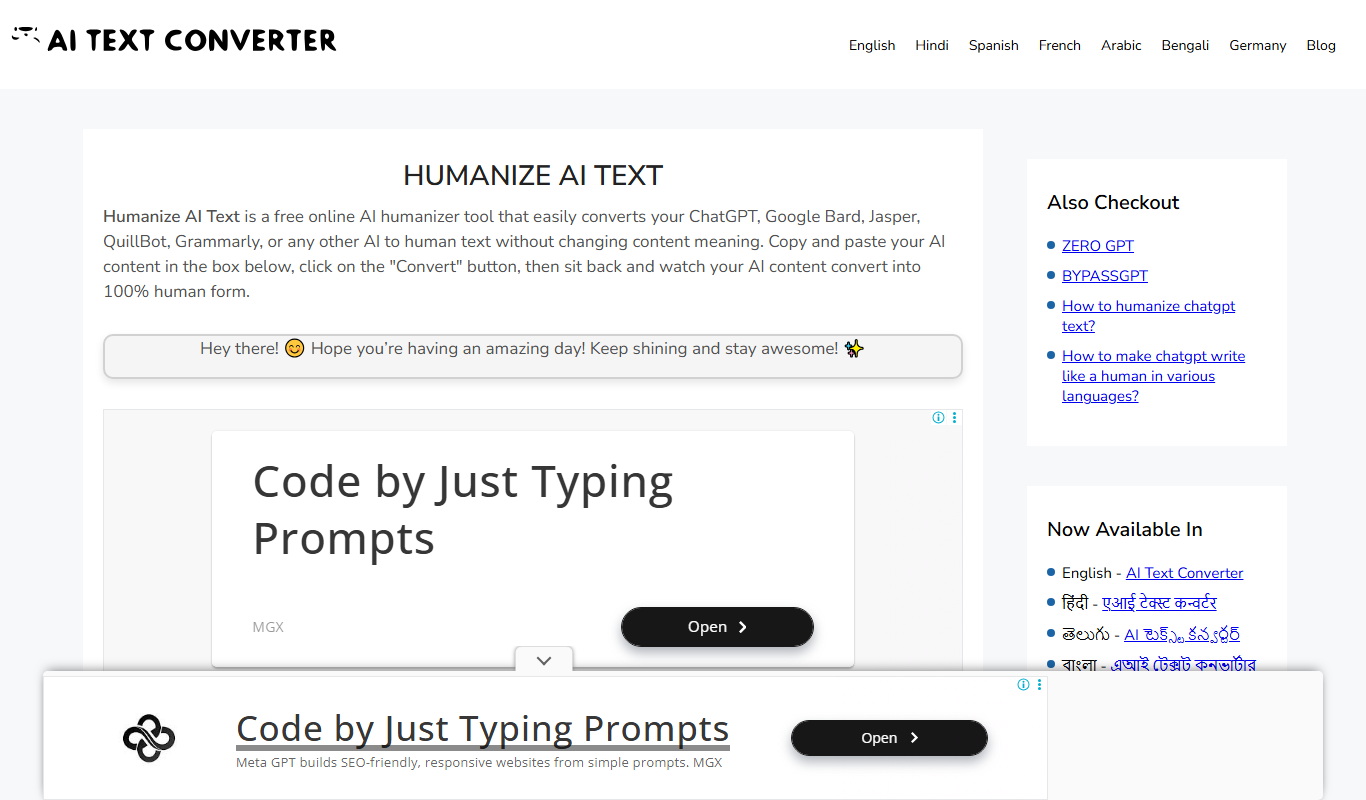
What is Humanize AI Text Converter?
Humanize AI Text Converter is a web-based tool designed to transform AI-generated or robotic text into more natural, human-like writing. It helps users improve the tone, flow, and readability of their content by rephrasing sentences and adjusting language to sound less mechanical. This tool is particularly useful for content creators, marketers, and professionals who want to make AI-generated text more engaging and authentic.
Key features of Humanize AI Text Converter
The tool offers features such as AI text rewriting, content humanization, plagiarism avoidance through rephrasing, and an easy-to-use web interface that requires no installation. It supports quick processing of text to produce natural-sounding output suitable for various content types.
AI-Powered Text Humanization
Transforms robotic AI-generated text into natural, human-like writing.
Easy Web Interface
No installation required; accessible directly through a web browser.
Fast Processing
Quickly converts text to save time for content creators.
Plagiarism Reduction
Rewrites content to reduce duplication and improve originality.
Free Basic Usage
Offers a free tier for users to try the tool with limited usage.
Pros and cons of Humanize AI Text Converter
Pros
- Simple and intuitive web interface
- Effectively improves text naturalness
- Free tier available for testing
- Quick processing times
- Helps reduce plagiarism risks
Cons
- Supports only English language
- Limited advanced customization options
- No mobile app available
Key use cases for Humanize AI Text Converter
Content Humanization
Convert AI-generated or robotic text into natural, human-like writing to improve readability and engagement.
Content Rewriting
Rewrite existing content to avoid duplication and enhance originality while maintaining the original meaning.
SEO Content Optimization
Improve AI-generated content to better align with SEO best practices by making it sound more natural and less robotic.
Academic and Professional Writing
Refine AI-generated drafts to meet professional or academic standards by making the text more coherent and human-friendly.
Marketing Copy Improvement
Enhance marketing content generated by AI to make it more persuasive and relatable to target audiences.
How Humanize AI Text Converter works
- 1
Input Text
Paste or type the AI-generated or robotic text into the input field on the website.
- 2
Select Humanize Option
Choose the humanization or rewriting mode to convert the text into natural language.
- 3
Process Text
Click the convert button to let the AI rewrite the text with improved tone and flow.
- 4
Review and Edit
Review the output text and make any additional edits if necessary before using it.
Who is using Humanize AI Text Converter
Content creators
Digital marketers
SEO specialists
Academic writers
Small business owners
Humanize AI Text Converter pricing
Free
$0/month
Basic access with limited daily conversions and features.
Premium
$9.99/month
Unlimited conversions, faster processing, and priority support.
Plans and prices are as published by the vendor and can change. Check the official site before you buy. Open the pricing page (opens in a new tab)
Frequently asked questions about Humanize AI Text Converter
Yes, it offers a free plan with limited daily usage, and a premium plan for unlimited access.
Yes, it works best with AI-generated or robotic text but can be used to humanize various content types.
Currently, the tool supports English only.
No, it is a web-based tool accessible via any modern browser.
It depends on your specific needs and how you plan to use the tool. The official website and documentation are the best sources for the latest details.
Some tools offer a free plan or trial with limited features. Availability can vary, so confirm on the official website.
Yes, it can help with that use case depending on how you configure it and what features are available. You’ll get the best results with clear inputs and a defined goal.
Yes, it can help with that use case depending on how you configure it and what features are available. You’ll get the best results with clear inputs and a defined goal.
Sign in to review this tool.
Sign In to ReviewNo reviews yet
Be the first to share how this tool worked for you.
Ask about pricing, limits, or how it compares — or answer someone else.
Sign In to AskNo questions yet
Have a question about using or paying for this tool? Be the first to ask.
Featured on TiorAI



More AI Text Generator tools
Other tools in the same category, for when this one is not quite the fit.

Free
Everyday AI Tools
Everyday AI Tools is a free web platform that helps users discover, compare, and learn about a wide range of AI software to improve productivity and business operations.
Free
AI to Human
AI to Human is a free web platform that promotes ethical collaboration among AI developers, policymakers, and communities to ensure responsible AI innovation.