

Memory Storage Converter
Convert between different digital storage units: Bytes, KB, MB, GB, TB, PB.
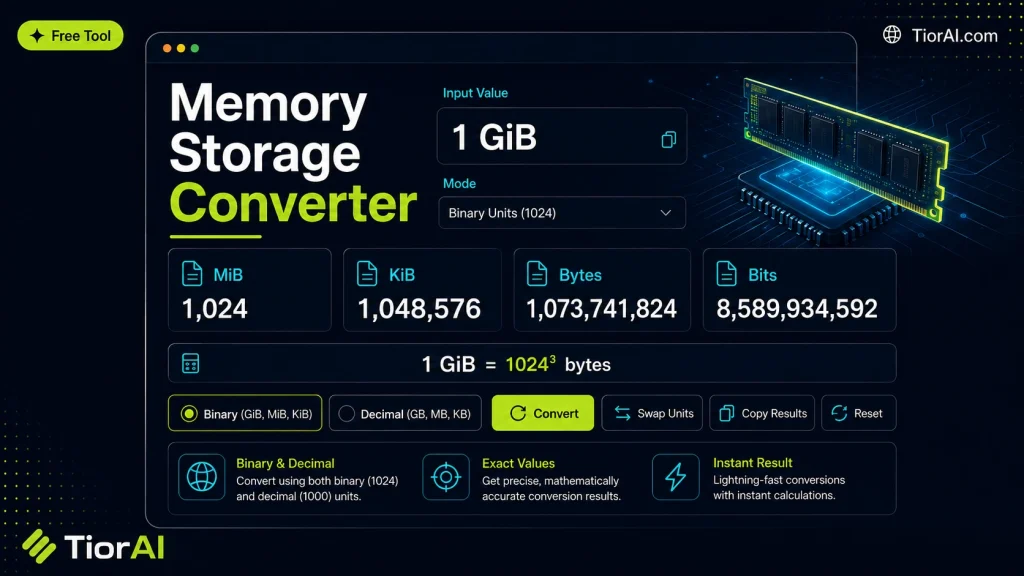
Conversion Reference
| Unit | Equals |
|---|---|
| 1 KB | 1,024 Bytes |
| 1 MB | 1,024 KB |
| 1 GB | 1,024 MB |
| 1 TB | 1,024 GB |
| 1 PB | 1,024 TB |
How to use it
- Enter Source Value Type or paste the value you want to convert into the Memory Storage Converter. The tool accepts a wide range of input formats.
- Select Target Format Choose your desired output format or unit from the available options. The conversion starts automatically.
- Copy the Result Review the converted output and click copy to use it in your project, document, or workflow.
Tip Chain the Memory Storage Converter with other conversion tools on TiorAI to handle multi-step format transformations.
Understanding Memory Storage Units and Conversion
Memory storage units measure the amount of digital information stored or processed by a computer or device. Common units include bytes (B), kilobytes (KB), megabytes (MB), gigabytes (GB), terabytes (TB), and beyond. These units represent increasing powers of 1024 or 1000, depending on whether the binary or decimal system is used.
Why convert memory storage units? Different contexts require different units for clarity or compatibility. For example, software file sizes are often displayed in megabytes, while hard drive capacities might be shown in gigabytes or terabytes. Converting between units helps users understand storage requirements, compare device specifications, or manage data efficiently.
Common situations for conversion include:
- Checking if a file will fit on a storage device with a given capacity.
- Comparing memory sizes across devices or software.
- Calculating data transfer sizes or bandwidth usage.
- Programming tasks that require precise memory allocation.
Memory storage converters automate these calculations, reducing errors and saving time.
What is Memory Storage Conversion?
Memory storage units quantify digital data size, ranging from bytes to terabytes and beyond. These units help describe how much data a device can hold or a file occupies. Because different systems and contexts use varying units and bases (decimal vs binary), converting between these units is essential for clarity and accuracy.
When to Use a Memory Storage Converter
- To translate file sizes into more understandable units like MB or GB.
- When comparing storage capacities that use different measurement standards.
- For calculating data transfer limits or storage requirements.
- During software development for precise memory management.
Common Mistakes to Avoid
- Mixing up binary and decimal units, which can cause significant errors in size estimation.
- Failing to specify the correct input unit, leading to incorrect conversion results.
Understanding these concepts and using a reliable memory storage converter ensures accurate data size interpretation and better decision-making when managing digital storage.
Frequently asked questions
Reviews and questions
Whether this tool gave people the answer they needed, and what they asked about it.
Sign in to review this tool.
Sign In to ReviewNo reviews yet
Be the first to say whether this tool gave you what you needed.
Ask how to read the result, or what the tool does with an edge case — or answer someone else.
Sign In to AskNo questions yet
Not sure how to read a result? Be the first to ask.
AI tools related to this topic
Tools from the TiorAI directory that work on the same kind of job.

Any Video Converter
Any Video Converter is a multimedia software that converts video files between numerous formats, downloads online videos, and offers basic editing and DVD burning features.

Bank Statement Converter
Bank Statement Converter converts single or multiple PDF bank statements into a single CSV file containing only the transaction data extracted from their tables.

Code Language Converter
Code Language Converter is an online tool that translates code between 30+ programming languages with AI-powered conversion, with a free plan and a paid PRO plan.

HD Photo Converter
HD Photo Converter is an online AI image enhancer that converts low-quality images to high resolution, up to 4x the original size.