

Data Storage Converter
Convert between bytes, kilobytes, megabytes, gigabytes, terabytes and petabytes — in binary (1024) or decimal (1000) units, with both shown side by side.
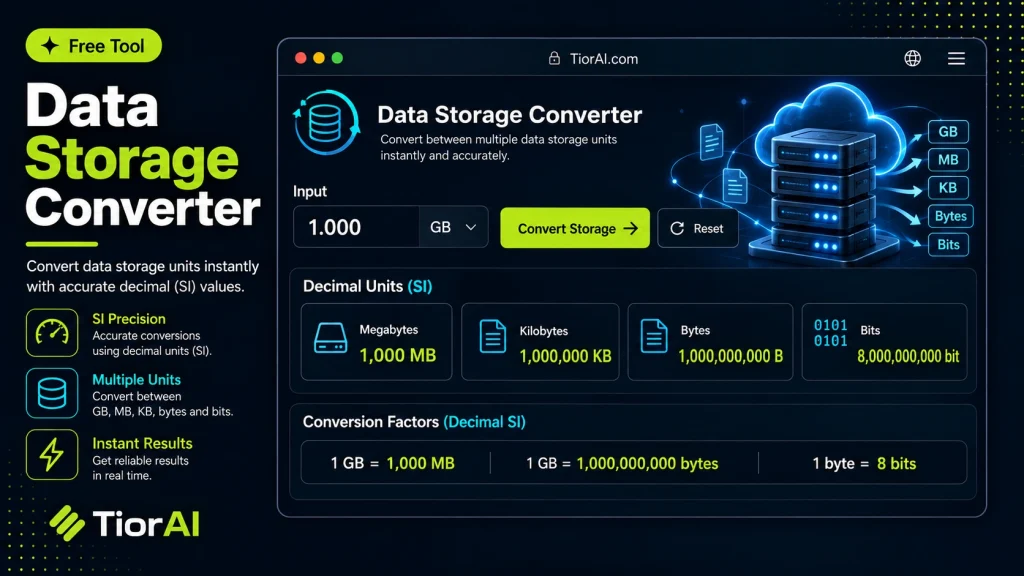
Operating systems report binary units; drive manufacturers advertise decimal ones. That difference is why a "1 TB" disk shows up as roughly 931 GB.
Binary vs Decimal Units
- Binary (1024)
- Each step is 2¹⁰ = 1,024. Strictly these are KiB, MiB and GiB, but Windows, macOS and Linux all label them KB, MB and GB.
- Decimal (1000)
- Each step is 10³ = 1,000. This is the SI definition, and what storage and network vendors quote.
- Where it bites
- The gap compounds: 2.4% at KB, 4.9% at MB, 7.4% at GB, and about 10% by TB.
- Bits and bytes
- Storage is measured in bytes (B), network speed in bits (b). One byte is eight bits, so a 100 Mb/s link moves about 12.5 MB a second.
Both systems are converted below, so you can see exactly what a figure means in each. Nothing about the underlying data changes — only the size of the step between one unit and the next.
How to use it
- Enter Source Value Type or paste the value you want to convert into the Data Storage Converter. The tool accepts a wide range of input formats.
- Select Target Format Choose your desired output format or unit from the available options. The conversion starts automatically.
- Copy the Result Review the converted output and click copy to use it in your project, document, or workflow.
Tip The Data Storage Converter preserves formatting and structure during conversion, so your output stays clean and usable.
Understanding Data Storage Units and Conversion
Data storage units measure the amount of digital information stored or transmitted. Common units include bits, bytes, kilobytes (KB), megabytes (MB), gigabytes (GB), terabytes (TB), and beyond. These units can be based on either decimal (powers of 10) or binary (powers of 2) systems, which often causes confusion.
Why convert data storage units? Different devices, software, and contexts use varying units to represent data size. For example, hard drive manufacturers typically use decimal units (1 KB = 1000 bytes), while operating systems often use binary units (1 KiB = 1024 bytes). Converting between these units helps users understand actual storage capacity, compare file sizes, or communicate data requirements accurately.
Common situations for data storage conversion include:
- Checking if a file will fit on a storage device with a given capacity.
- Comparing internet data plans that list limits in different units.
- Programming tasks that require precise data size calculations.
- Understanding memory usage reported by software or system tools.
Using a data storage converter simplifies these tasks by automating the conversion process, reducing errors, and saving time.
What is Data Storage Conversion?
Data storage conversion involves changing a value from one unit of digital information to another. Since data sizes can be expressed in bits, bytes, kilobytes, megabytes, and larger units, converting between these helps users understand and compare data amounts effectively.
There are two main systems for these units: decimal (base 10) and binary (base 2). Decimal units use multiples of 1000, while binary units use multiples of 1024. This difference can cause confusion when interpreting storage sizes.
When to Use a Data Storage Converter
- To convert file sizes for compatibility checks with storage devices.
- When comparing data plans or storage capacities that use different unit standards.
- For programming tasks requiring precise data size calculations.
- To interpret system memory or storage reports accurately.
- When troubleshooting storage-related issues involving unit discrepancies.
Common Mistakes to Avoid
- Mixing decimal and binary units without realizing the difference, leading to incorrect size assumptions.
- Assuming all kilobytes equal 1024 bytes, which is not always true depending on the context.
Understanding these concepts helps you use data storage converters effectively and avoid common pitfalls.
Frequently asked questions
Reviews and questions
Whether this tool gave people the answer they needed, and what they asked about it.
Sign in to review this tool.
Sign In to ReviewNo reviews yet
Be the first to say whether this tool gave you what you needed.
Ask how to read the result, or what the tool does with an edge case — or answer someone else.
Sign In to AskNo questions yet
Not sure how to read a result? Be the first to ask.
AI tools related to this topic
Tools from the TiorAI directory that work on the same kind of job.

Any Video Converter
Any Video Converter is a multimedia software that converts video files between numerous formats, downloads online videos, and offers basic editing and DVD burning features.

Bank Statement Converter
Bank Statement Converter is an online tool that converts PDF bank statements into Excel and CSV formats, enabling easy data extraction and financial management.

Code Language Converter
Code Language Converter is a free web-based tool that translates code snippets between multiple programming languages, helping developers convert syntax quickly and learn language differences.