

Ipv4 Address Converter
Run instant network lookups with the free ipv4 address converter. Enter a domain, IP, or URL to get detailed diagnostic information and status reports.
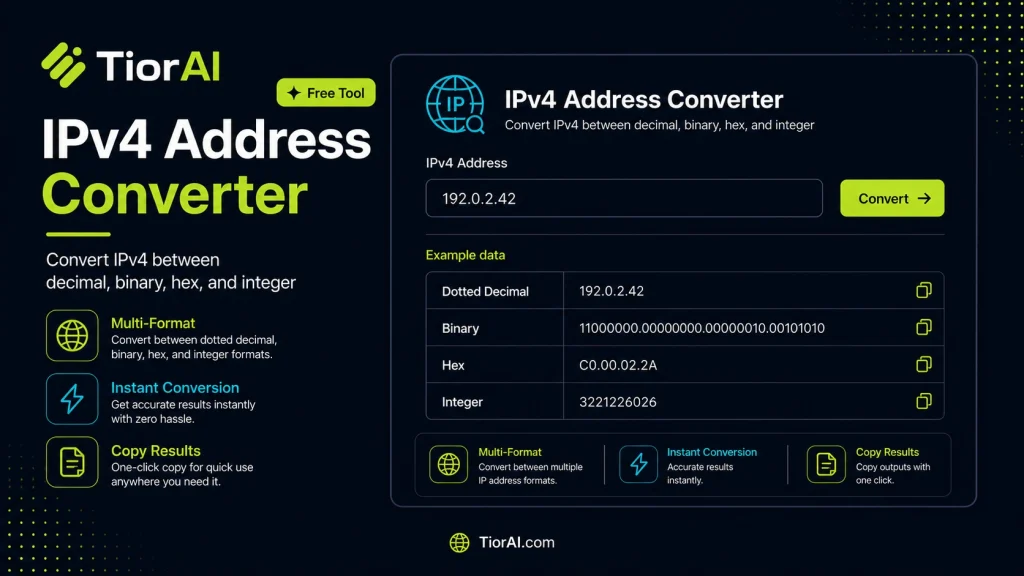
| Notation | Value |
|---|---|
| Dotted | |
| Binary | |
| Hex | |
| Integer | |
How to use it
- Enter Domain or IP Enter the domain name, IP address, or URL into the Ipv4 Address Converter to start the lookup or analysis.
- Run the Check Click the check button to query the relevant databases. Results are retrieved and displayed in seconds.
- Analyze the Results Review the detailed results including status, records, and diagnostics to troubleshoot or verify your query.
Tip Bookmark the Ipv4 Address Converter for your network troubleshooting toolkit — quick lookups save hours of debugging.
Understanding IPv4 Addresses and Their Conversion
An IPv4 address is a 32-bit numeric identifier assigned to devices on a network, typically represented in dotted-decimal notation, such as 192.168.1.1. This format divides the 32 bits into four 8-bit octets, each ranging from 0 to 255, separated by dots. While this human-readable format is convenient, computers and networking equipment often work with the binary or hexadecimal representations of these addresses for processing, routing, and configuration.
Why Convert IPv4 Addresses?
- Binary Representation: Each octet is converted into an 8-bit binary number, resulting in a 32-bit binary string. This is essential for subnetting, network mask calculations, and understanding how IP addresses are structured at the bit level.
- Hexadecimal Representation: IPv4 addresses can also be represented as an 8-digit hexadecimal number. This format is compact and often used in programming, debugging, and certain network protocols.
Technical Standards
The IPv4 addressing scheme is defined by RFC 791. The dotted-decimal notation is a human-friendly representation, but the underlying 32-bit number is what networking devices use. Conversions between decimal, binary, and hexadecimal are fundamental operations in networking and are supported by many programming languages and tools.
Developer Use Cases
- Network engineers use binary conversions to calculate subnet masks and determine network and host portions of an IP address.
- Developers working with low-level networking code or embedded systems may need to convert IP addresses to hexadecimal for memory-efficient storage or protocol compliance.
- Security analysts convert IP addresses to binary or hex to analyze packet captures or firewall rules that operate at the bit level.
Understanding these conversions helps developers and network professionals troubleshoot connectivity issues, configure networks accurately, and write software that interacts with network protocols.
What is an IPv4 Address?
An IPv4 address is a 32-bit number used to identify devices on a network. It is commonly written in dotted-decimal notation, which splits the 32 bits into four octets separated by dots, like 192.168.1.1. Each octet is a decimal number between 0 and 255.
Why Convert IPv4 Addresses?
While dotted-decimal is easy for humans to read, computers work with IP addresses in binary or hexadecimal formats. Converting IPv4 addresses helps developers and network engineers perform subnetting, configure devices, and analyze network traffic.
When to Use an IPv4 Address Converter
- When subnetting networks to understand which bits represent the network and which represent hosts.
- When programming network applications that require IP addresses in hexadecimal format.
- When analyzing firewall rules or packet captures that use binary or hex IP representations.
- When learning about IP addressing and wanting to see the underlying binary structure.
Common Mistakes to Avoid
- Entering invalid IP addresses, such as octets greater than 255 or incomplete addresses.
- Trying to convert IPv6 addresses with an IPv4 converter, which will not work due to different formats.
Technical Context
The IPv4 standard is defined in RFC 791. The 32-bit address space is divided into network and host portions, which are easier to manipulate in binary. Hexadecimal representation is often used in programming because it aligns neatly with byte boundaries and is more compact than binary.
Understanding these conversions is essential for network configuration, troubleshooting, and software development involving IP networking.
Common use cases
- Convert IPv4 to Binary
- Convert IPv4 to Hexadecimal
Frequently asked questions
Reviews and questions
Whether this tool gave people the answer they needed, and what they asked about it.
Sign in to review this tool.
Sign In to ReviewNo reviews yet
Be the first to say whether this tool gave you what you needed.
Ask how to read the result, or what the tool does with an edge case — or answer someone else.
Sign In to AskNo questions yet
Not sure how to read a result? Be the first to ask.
AI tools related to this topic
Tools from the TiorAI directory that work on the same kind of job.

Any Video Converter
Any Video Converter is a multimedia software that converts video files between numerous formats, downloads online videos, and offers basic editing and DVD burning features.

Bank Statement Converter
Bank Statement Converter is an online tool that converts PDF bank statements into Excel and CSV formats, enabling easy data extraction and financial management.

Code Language Converter
Code Language Converter is a free web-based tool that translates code snippets between multiple programming languages, helping developers convert syntax quickly and learn language differences.

HD Photo Converter
HD Photo Converter is a free online tool that allows users to convert images between popular formats like JPG, PNG, BMP, and TIFF while maintaining high quality. It supports batch conversion and requires no installation.

Humanize AI Text Converter
Humanize AI Text Converter is a web tool that rewrites AI-generated text to make it sound more natural and human-like, improving readability and engagement.