

DNSKEY Lookup
Read a domain's DNSSEC signing keys, decode each one, and check the DS record at the parent zone.
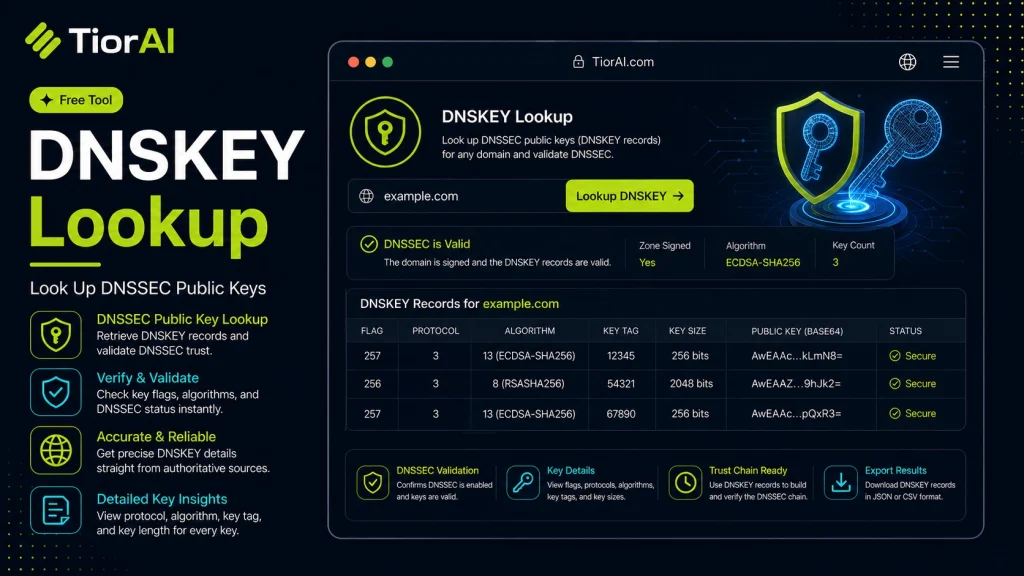
How to Read a DNSKEY Record
- Key tag
- Short checksum of the key. It is how a DS record at the parent and an RRSIG signature point at one specific key.
- KSK (flags 257)
- Key Signing Key. Signs the DNSKEY set itself and is the key the parent zone vouches for through the DS record.
- ZSK (flags 256)
- Zone Signing Key. Signs the ordinary records in the zone and is rotated more often.
- Algorithm
- The signing algorithm. ECDSAP256SHA256 (13) and ED25519 (15) are the current recommendations; RSASHA1 (5 and 7) is deprecated.
- DS record
- Held by the parent zone (the registry). Without a DS that matches a KSK, the chain of trust is broken and validating resolvers treat the zone as unsigned.
- AD flag
- Authenticated Data. Set when the resolver itself successfully validated the signatures for this answer.
Publishing DNSKEY records alone does not enable DNSSEC. The matching DS record must also be present at the parent zone, which you add through your registrar.
How to use it
- Enter Domain or IP Enter the domain name, IP address, or URL into the Dnskey Lookup to start the lookup or analysis.
- Run the Check Click the check button to query the relevant databases. Results are retrieved and displayed in seconds.
- Analyze the Results Review the detailed results including status, records, and diagnostics to troubleshoot or verify your query.
Tip Bookmark the Dnskey Lookup for your network troubleshooting toolkit — quick lookups save hours of debugging.
Understanding DNSKEY Records and Their Role in DNSSEC
The Domain Name System (DNS) is a critical component of the internet, translating human-readable domain names into IP addresses. However, DNS by itself lacks security features, making it vulnerable to attacks like cache poisoning. To address this, DNS Security Extensions (DNSSEC) were introduced, adding cryptographic signatures to DNS data to ensure authenticity and integrity.
DNSKEY records are a fundamental part of DNSSEC. They contain the public keys used to verify digital signatures on DNS data. When a DNS resolver queries a domain with DNSSEC enabled, it uses the DNSKEY record to validate that the DNS responses have not been tampered with.
These records are essential for establishing a chain of trust from the root zone down to individual domains. Each DNSKEY record corresponds to a private key held securely by the domain owner, which signs DNS records. The public key in the DNSKEY record allows resolvers to check these signatures.
Common use cases for DNSKEY lookups include:
- Verifying that a domain’s DNSSEC configuration is correct and active.
- Debugging DNSSEC-related issues by checking the keys published in DNS.
- Security audits to ensure DNS data integrity.
Without DNSKEY records, DNSSEC validation cannot occur, leaving DNS queries vulnerable to spoofing and other attacks.
What is a DNSKEY Record?
A DNSKEY record is a type of DNS record that holds the public key used in DNS Security Extensions (DNSSEC). DNSSEC adds a layer of security to the DNS by enabling resolvers to verify that DNS responses are authentic and have not been tampered with. The DNSKEY record is essential because it provides the key needed to validate digital signatures on DNS data.
When to Use DNSKEY Lookup
DNSKEY lookups are useful in several scenarios:
- Verifying that a domain’s DNSSEC keys are correctly published and active.
- Troubleshooting DNSSEC validation errors by checking the keys involved.
- Performing security audits to confirm the integrity of DNS data.
- Ensuring the chain of trust is intact from parent to child zones.
Common Mistakes with DNSKEY Lookups
- Mixing up DNSKEY records with other DNSSEC-related records like DS or RRSIG, which serve different purposes.
- Trying to validate DNSSEC without first confirming the DNSKEY record is present and correct, which can lead to false conclusions about DNS security.
Understanding DNSKEY records and how to look them up is crucial for anyone managing DNSSEC-enabled domains or troubleshooting DNS security issues. This ensures that DNS responses can be trusted and helps prevent attacks that exploit DNS vulnerabilities.
Frequently asked questions
Reviews and questions
Whether this tool gave people the answer they needed, and what they asked about it.
Sign in to review this tool.
Sign In to ReviewNo reviews yet
Be the first to say whether this tool gave you what you needed.
Ask how to read the result, or what the tool does with an edge case — or answer someone else.
Sign In to AskNo questions yet
Not sure how to read a result? Be the first to ask.
AI tools related to this topic
Tools from the TiorAI directory that work on the same kind of job.

Action Network
Action Network is a free digital organizing platform designed for progressive activists and nonprofits to manage petitions, fundraising, email and SMS outreach, and events.

Layla Network AI
Layla Network AI is an AI-driven platform that automates network monitoring, anomaly detection, and troubleshooting to improve network reliability and operational efficiency.