

DNS Records Checker
Check which DNS records a domain publishes, and read their live values.
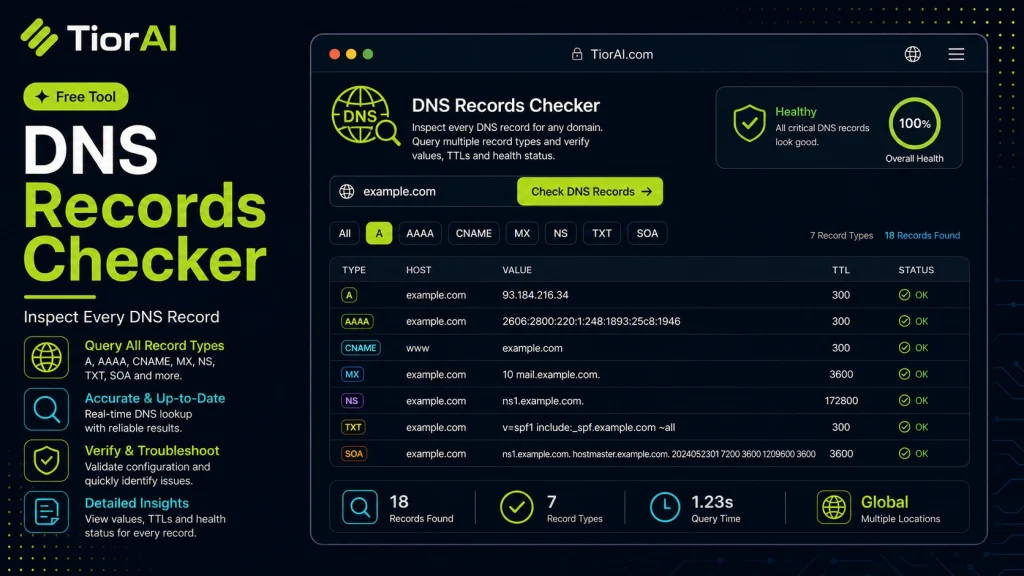
What Each Record Type Does
- A
- IPv4 address the name points to.
- AAAA
- IPv6 address the name points to.
- CNAME
- Alias pointing this name at another name.
- MX
- Mail servers that accept email for the domain, lowest priority first.
- NS
- Authoritative name servers for the zone.
- TXT
- Free-form text records — SPF, DMARC, and domain-verification strings.
- SOA
- Start of authority: the zone master, its contact, and the cache timers.
- SRV
- Host and port for a named service.
- CAA
- Certificate authorities allowed to issue certificates for the domain.
A missing record is not always a fault: CNAME, SRV, and CAA are optional, while a public site normally needs A (or AAAA) and NS, and a domain that receives email needs MX.
How to use it
- Enter Domain or IP Enter the domain name, IP address, or URL into the Dns Records Checker to start the lookup or analysis.
- Run the Check Click the check button to query the relevant databases. Results are retrieved and displayed in seconds.
- Analyze the Results Review the detailed results including status, records, and diagnostics to troubleshoot or verify your query.
Tip The Dns Records Checker checks multiple databases simultaneously, saving you the time of querying each one individually.
Understanding DNS Records
The Domain Name System (DNS) is a fundamental component of the internet that translates human-friendly domain names into IP addresses that computers use to identify each other. DNS records are entries in DNS databases that provide information about a domain, such as its IP address, mail servers, and other configuration details.
Common DNS record types include:
Arecords: Map a domain to an IPv4 address.AAAArecords: Map a domain to an IPv6 address.CNAMErecords: Alias one domain name to another.MXrecords: Specify mail servers for email delivery.TXTrecords: Store arbitrary text data, often for verification or security.NSrecords: Indicate authoritative name servers for the domain.
DNS records are essential for directing internet traffic correctly and ensuring services like websites and email function properly. Checking DNS records helps verify that these entries are accurate and up to date.
People commonly check DNS records when troubleshooting connectivity issues, verifying domain configurations after changes, or ensuring security settings like SPF and DKIM are correctly implemented.
What Are DNS Records?
DNS records are the building blocks of the Domain Name System, linking domain names to IP addresses and other essential information. They enable browsers and email servers to find the correct destination on the internet.
Common DNS record types include A for IPv4 addresses, MX for mail servers, and TXT for verification data. Each record serves a specific purpose in directing traffic and validating domain ownership.
When to Use a DNS Records Checker
- After making changes to your domain’s DNS settings to confirm updates have taken effect.
- When troubleshooting website or email issues that might be caused by incorrect DNS entries.
- To verify security-related DNS records such as SPF or DKIM.
- Before migrating hosting providers to ensure DNS records are correctly configured.
- For routine audits to maintain domain health and security.
Common Mistakes to Avoid
- Expecting immediate DNS updates without considering propagation delays.
- Not specifying the DNS record type, which can lead to incomplete information.
- Confusing cached DNS responses with authoritative data.
- Overlooking TTL values that affect how long DNS changes take to spread.
Understanding how DNS records work and when to check them helps maintain reliable internet services and troubleshoot issues efficiently.
Frequently asked questions
Reviews and questions
Whether this tool gave people the answer they needed, and what they asked about it.
Sign in to review this tool.
Sign In to ReviewNo reviews yet
Be the first to say whether this tool gave you what you needed.
Ask how to read the result, or what the tool does with an edge case — or answer someone else.
Sign In to AskNo questions yet
Not sure how to read a result? Be the first to ask.