

CNAME Lookup
Look up the CNAME (canonical name) records published for a domain or hostname.
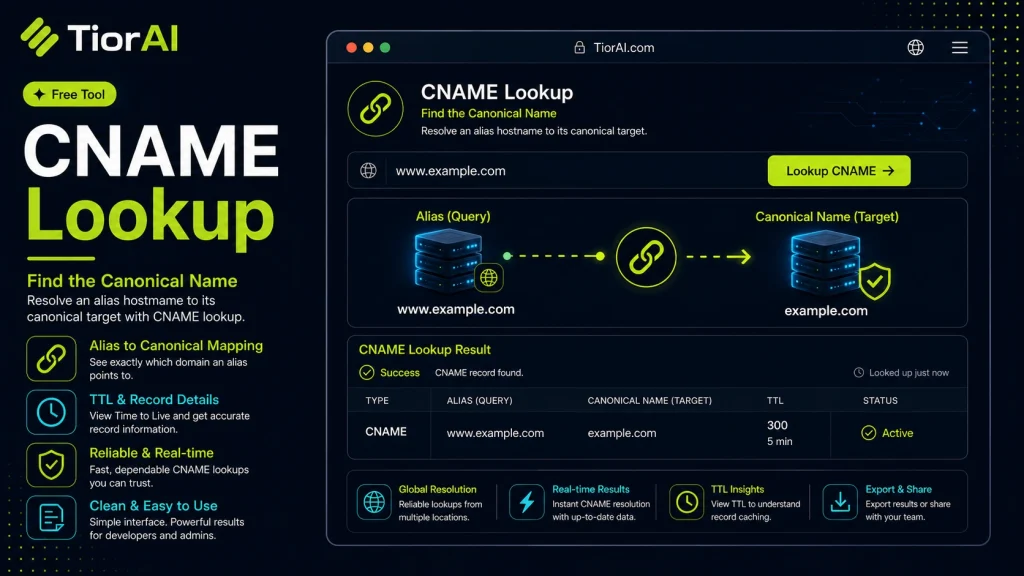
| Property | Value |
|---|
| # | Type | Canonical Name | TTL |
|---|
About CNAME Records
A CNAME record points one hostname at another hostname instead of at an IP address. It is what makes a CDN endpoint or a SaaS subdomain resolve to the provider domain.
- A root domain normally cannot carry a CNAME record — only subdomains can.
- An empty result is normal: it means the hostname resolves directly through A or AAAA records.
- TTL is the number of seconds resolvers may cache the record before asking again.
How to use it
- Enter Domain or IP Enter the domain name, IP address, or URL into the Cname Lookup to start the lookup or analysis.
- Run the Check Click the check button to query the relevant databases. Results are retrieved and displayed in seconds.
- Analyze the Results Review the detailed results including status, records, and diagnostics to troubleshoot or verify your query.
Tip Bookmark the Cname Lookup for your network troubleshooting toolkit — quick lookups save hours of debugging.
Understanding CNAME Records in DNS
A CNAME (Canonical Name) record is a type of DNS record that maps an alias domain name to the true or canonical domain name. This means when you enter the alias domain in a browser, the DNS system redirects the request to the canonical domain specified in the CNAME record.
CNAME records are essential for managing multiple domain names that point to the same server or service without having to update multiple A records (which map domain names directly to IP addresses). For example, you might have www.example.com as a CNAME for example.com, so both resolve to the same destination.
Common scenarios where CNAME records are used include:
- Pointing subdomains to external services like content delivery networks (CDNs) or cloud platforms.
- Managing domain aliases for branding or marketing purposes.
- Redirecting traffic during server migrations without changing IP addresses.
Performing a CNAME lookup involves querying the DNS system to retrieve the canonical name associated with a given alias. This helps verify DNS configurations, troubleshoot domain resolution issues, and ensure that domain aliases are correctly set up.
What is a CNAME Record?
A CNAME record is a DNS entry that links an alias domain name to a canonical domain name. This allows multiple domain names to point to the same destination without duplicating IP address entries. It simplifies domain management by centralizing the target address.
When to Use a CNAME Lookup
- Verify that a subdomain correctly points to the intended canonical domain.
- Troubleshoot domain resolution issues related to DNS aliasing.
- Confirm proper DNS setup before integrating third-party services requiring domain aliasing.
- Check if DNS changes have propagated and the CNAME record is active.
Common Mistakes with CNAME Records
- Trying to use a CNAME record alongside other DNS records like A or MX on the same domain, which is not allowed.
- Confusing CNAME records with HTTP redirects; CNAME only affects DNS resolution, not web traffic redirection.
Technical Context
CNAME records are strictly for DNS resolution and must point to valid domain names, never IP addresses. They help maintain flexible domain configurations, especially when services move or when multiple domains need to resolve to the same resource. Proper use of CNAME records ensures efficient DNS management and reduces configuration errors.
Frequently asked questions
Reviews and questions
Whether this tool gave people the answer they needed, and what they asked about it.
Sign in to review this tool.
Sign In to ReviewNo reviews yet
Be the first to say whether this tool gave you what you needed.
Ask how to read the result, or what the tool does with an edge case — or answer someone else.
Sign In to AskNo questions yet
Not sure how to read a result? Be the first to ask.
AI tools related to this topic
Tools from the TiorAI directory that work on the same kind of job.

Action Network
Action Network is a free digital organizing platform designed for progressive activists and nonprofits to manage petitions, fundraising, email and SMS outreach, and events.

Layla Network AI
Layla Network AI is an AI-driven platform that automates network monitoring, anomaly detection, and troubleshooting to improve network reliability and operational efficiency.