

Circle Calculator
Understanding Circle Calculations A circle is a simple yet important geometric shape defined by its radius, diameter, circumference, and area. These properties are interconnected through well-known formulas involving the constant π (pi). Calculating these properties manually can be tedious and prone to errors, especially when…
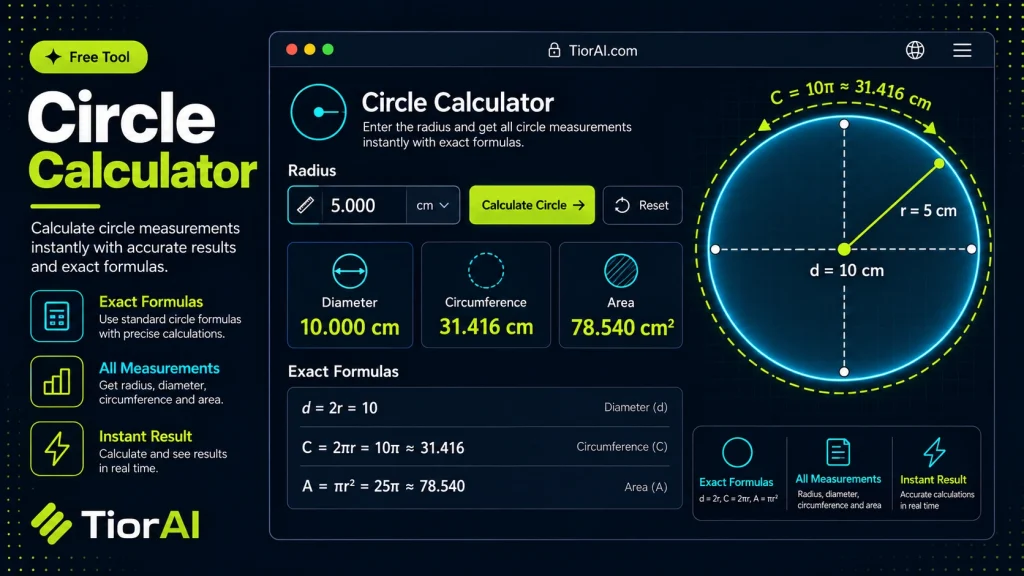
Circle Calculator
Calculate all circle properties from any single value. Enter radius, diameter, circumference, or area to compute all other properties.
Enter the radius of the circle
Results
Imperial Conversions
| Radius | -- |
|---|---|
| Diameter | -- |
| Circumference | -- |
| Area | -- |
Formulas
d = 2r— Diameter equals twice the radiusC = 2πr = πd— Circumference formulaA = πr²— Area formulaπ ≈ 3.14159
How to use it
- Enter Your Values Input your numbers or parameters into the Circle Calculator. Fill in all required fields for an accurate calculation.
- Calculate Results Click the calculate button to process your inputs. The Circle Calculator delivers instant, accurate results.
- Review and Use Review your calculated results, explore the breakdown, and copy or share the output for your needs.
Tip Share your Circle Calculator results by copying the output — great for reports, homework, or team discussions.
Understanding Circles and Their Properties
A circle is a fundamental geometric shape defined as the set of all points equidistant from a central point called the center. The distance from the center to any point on the circle is the radius (r), and the longest distance across the circle passing through the center is the diameter (d), which is twice the radius (d = 2r).
Key properties of a circle include:
- Radius (r): Distance from center to edge.
- Diameter (d): Twice the radius, distance across the circle.
- Circumference (C): The perimeter or distance around the circle, calculated as
C = 2πrorC = πd. - Area (A): The space enclosed by the circle, calculated as
A = πr².
Calculating these properties is essential in many fields such as engineering, architecture, physics, and everyday problem solving. For example, knowing the area helps determine the amount of material needed to cover a circular surface, while the circumference is useful for tasks involving circular motion or fencing.
Circle calculators automate these computations by allowing users to input one known value (radius, diameter, circumference, or area) and instantly obtain the others. This reduces errors and saves time compared to manual calculations, especially when dealing with irrational numbers like π (pi).
Understanding Circle Calculations
A circle is a simple yet important geometric shape defined by its radius, diameter, circumference, and area. These properties are interconnected through well-known formulas involving the constant π (pi).
Calculating these properties manually can be tedious and prone to errors, especially when dealing with irrational numbers like π. A circle calculator simplifies this by allowing you to enter one known value and instantly receive the others.
When to Use a Circle Calculator
- When you need to find the area or circumference quickly from a given radius or diameter.
- In design or engineering tasks involving circular components like pipes, wheels, or round tables.
- For educational purposes to verify homework or understand circle geometry better.
- When converting between radius, diameter, circumference, and area for practical measurements.
Common Mistakes to Avoid
- Mixing up radius and diameter values in formulas, which leads to incorrect results.
- Using an inaccurate value of π or rounding too early, reducing precision.
- Failing to convert units consistently, such as mixing centimeters and meters.
Using a circle calculator helps eliminate these errors by automating the calculations and ensuring consistent use of formulas and constants.
Frequently asked questions
A = πr², where r is the radius. You square the radius and multiply by pi (approximately 3.1416) to get the area.C = 2πr or C = πd, where r is the radius and d is the diameter.r = d / 2.Reviews and questions
Whether this tool gave people the answer they needed, and what they asked about it.
Sign in to review this tool.
Sign In to ReviewNo reviews yet
Be the first to say whether this tool gave you what you needed.
Ask how to read the result, or what the tool does with an edge case — or answer someone else.
Sign In to AskNo questions yet
Not sure how to read a result? Be the first to ask.