

Cube Calculator
Calculate volume, surface area, and diagonals from cube edge length.
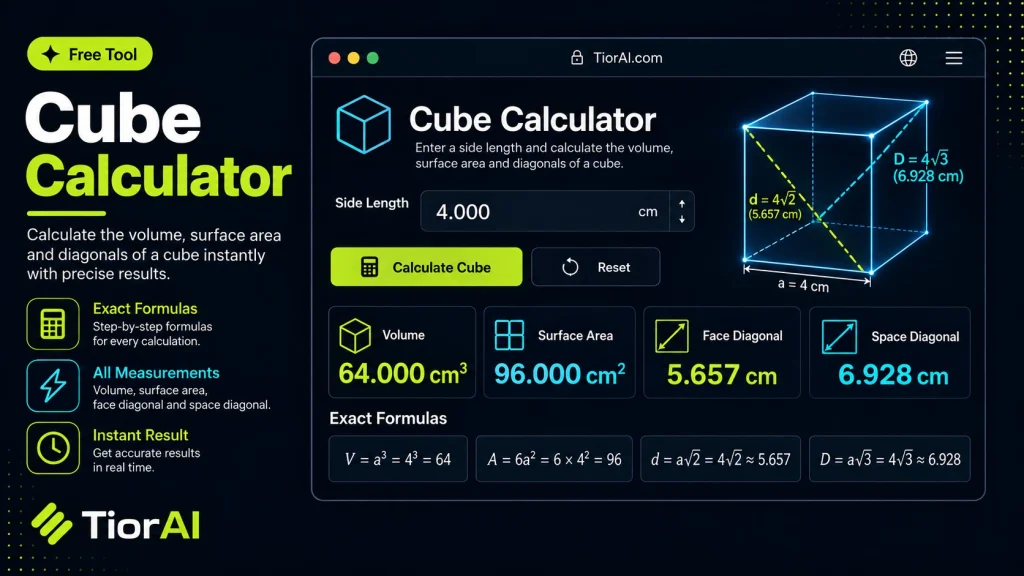
| Property | Value |
|---|---|
| Volume | - |
| Surface Area | - |
| Face Diagonal | - |
| Space Diagonal | - |
Formulas Used
- Volume
V = a³- Surface Area
A = 6a²- Face Diagonal
d = a√2- Space Diagonal
D = a√3
a is the length of one edge. All four results use the unit you selected.
How to use it
- Enter Your Values Input your numbers or parameters into the Cube Calculator. Fill in all required fields for an accurate calculation.
- Calculate Results Click the calculate button to process your inputs. The Cube Calculator delivers instant, accurate results.
- Review and Use Review your calculated results, explore the breakdown, and copy or share the output for your needs.
Tip Double-check critical calculations by adjusting one variable at a time in the Cube Calculator to spot trends.
Understanding Cubes and Their Measurements
A cube is a three-dimensional geometric shape with six equal square faces, twelve equal edges, and eight vertices. Calculating various properties of a cube, such as its volume, surface area, and diagonal length, is fundamental in geometry and practical applications like architecture, packaging, and manufacturing.
Volume measures the amount of space inside the cube and is calculated by raising the length of one edge to the third power (V = a^3), where a is the edge length.
Surface area represents the total area covered by all six faces. Since each face is a square, the surface area is six times the area of one face (SA = 6a^2).
The space diagonal is the longest distance between any two vertices of the cube, passing through its interior. It can be found using the formula d = asqrt{3}, derived from the Pythagorean theorem in three dimensions.
These calculations are essential in fields requiring precise measurements, such as engineering, 3D modeling, and material estimation. A cube calculator automates these computations, reducing errors and saving time.
What is a Cube?
A cube is a three-dimensional shape with six equal square faces. Each edge has the same length, making it a regular polyhedron. Understanding its properties is important in many practical fields.
When to Use a Cube Calculator
- To find the volume or surface area quickly for design or construction tasks.
- When you need the diagonal length to check if an object fits inside a cubic space.
- For educational purposes to verify calculations or learn geometric concepts.
Common Mistakes to Avoid
- Entering the wrong value, such as confusing edge length with volume or surface area.
- Applying incorrect formulas, like using surface area formulas to calculate volume.
Technical Context
The cube calculator uses fundamental geometric formulas: volume is edge length cubed, surface area is six times the square of the edge, and the diagonal is the edge length multiplied by the square root of three. These formulas come from basic principles of Euclidean geometry and the Pythagorean theorem extended into three dimensions.
Frequently asked questions
Reviews and questions
Whether this tool gave people the answer they needed, and what they asked about it.
Sign in to review this tool.
Sign In to ReviewNo reviews yet
Be the first to say whether this tool gave you what you needed.
Ask how to read the result, or what the tool does with an edge case — or answer someone else.
Sign In to AskNo questions yet
Not sure how to read a result? Be the first to ask.