

Server Status Checker
A server status checker is a utility that tests whether a server is currently online and accessible over the internet. It works by sending a request to the server's address and waiting for a response. If the server replies, it confirms that the server is…
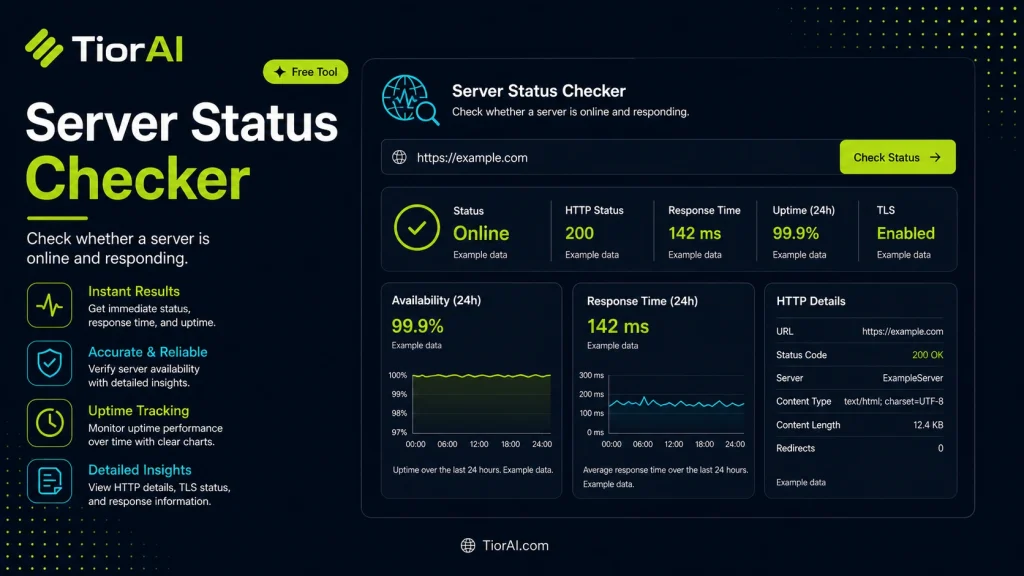
How to use it
- Enter Domain or IP Enter the domain name, IP address, or URL into the Server Status Checker to start the lookup or analysis.
- Run the Check Click the check button to query the relevant databases. Results are retrieved and displayed in seconds.
- Analyze the Results Review the detailed results including status, records, and diagnostics to troubleshoot or verify your query.
Tip Bookmark the Server Status Checker for your network troubleshooting toolkit — quick lookups save hours of debugging.
Understanding Server Status Checking
A server status checker is a tool designed to verify whether a server is operational and accessible over the internet. Servers host websites, applications, databases, and other services, so ensuring their availability is critical for maintaining online presence and functionality.
At its core, a server status checker sends a request to the server’s IP address or domain and waits for a response. If the server replies within a reasonable time frame, it is considered online or up. If there is no response or an error occurs, the server may be down or experiencing issues.
These checks often involve protocols like HTTP, HTTPS, ping, or TCP connections, depending on the type of service being monitored. The tool can also measure response time, which helps assess server performance.
Common situations for using server status checkers include:
- Monitoring website uptime to ensure visitors can access content.
- Diagnosing network or hosting problems when a site appears unreachable.
- Verifying server availability after maintenance or updates.
- Checking third-party services or APIs for reliability.
By regularly checking server status, businesses and developers can quickly detect outages, minimize downtime, and maintain a reliable user experience.
What is a Server Status Checker?
A server status checker is a utility that tests whether a server is currently online and accessible over the internet. It works by sending a request to the server’s address and waiting for a response. If the server replies, it confirms that the server is operational at that moment.
When to Use a Server Status Checker
- Before troubleshooting website issues, to confirm if the server is reachable.
- After making updates or changes to ensure the server remains online.
- To monitor third-party services or APIs for availability.
- To quickly verify uptime without accessing server control panels.
Common Mistakes to Avoid
- Assuming a server is fully functional just because it responds to a simple ping or request.
- Confusing server reachability with the actual health of the hosted service.
- Using incorrect protocols or ports, which can cause false negatives.
Understanding these points helps you use server status checkers effectively. Remember, these tools confirm if a server is reachable but do not diagnose deeper application or server-side issues. For comprehensive monitoring, combine status checks with other diagnostic tools.
Frequently asked questions
Reviews and questions
Whether this tool gave people the answer they needed, and what they asked about it.
Sign in to review this tool.
Sign In to ReviewNo reviews yet
Be the first to say whether this tool gave you what you needed.
Ask how to read the result, or what the tool does with an edge case — or answer someone else.
Sign In to AskNo questions yet
Not sure how to read a result? Be the first to ask.
AI tools related to this topic
Tools from the TiorAI directory that work on the same kind of job.

Action Network
Action Network is a progressive organizing platform with free access for grassroots activists and paid plans from $15/month.

Layla Network AI
Layla is a private offline AI assistant for Android and iOS that runs local models on your phone for chat, characters and image generation.