

Rotation Calculator
Convert a rotation between degrees, radians, gradians, and turns.
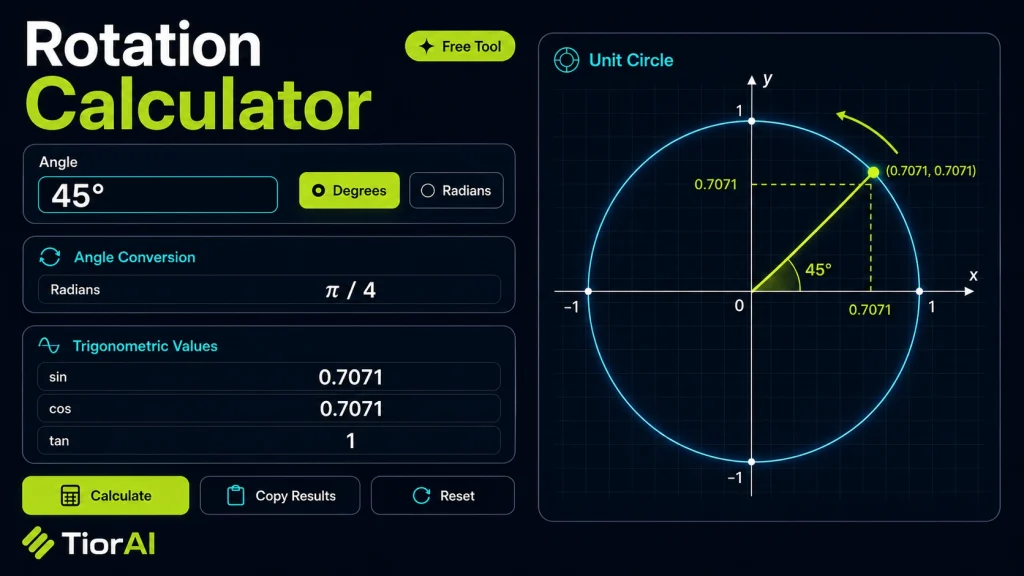
Common Angle Reference
A full turn equals 360 degrees, 2π radians, or 400 gradians.
| Degree | Radian |
|---|---|
| 30° | π/6 |
| 45° | π/4 |
| 60° | π/3 |
| 90° | π/2 |
| 180° | π |
| 270° | 3π/2 |
| 360° | 2π |
How to use it
- Enter Your Values Input your numbers or parameters into the Rotation Calculator. Fill in all required fields for an accurate calculation.
- Calculate Results Click the calculate button to process your inputs. The Rotation Calculator delivers instant, accurate results.
- Review and Use Review your calculated results, explore the breakdown, and copy or share the output for your needs.
Tip Bookmark the Rotation Calculator page for quick access whenever you need to run calculations on the go.
Understanding Rotation in Mathematics
Rotation is a fundamental geometric transformation that turns a shape or point around a fixed center by a certain angle. This operation preserves the shape’s size and form but changes its orientation. In two-dimensional space, rotation is typically described by an angle (in degrees or radians) and a center point, often the origin (0,0) or any other specified coordinate.
Why rotations matter: Rotations are essential in various fields such as computer graphics, robotics, engineering, and physics. They help simulate object movements, analyze mechanical parts, and perform coordinate transformations.
How rotation works mathematically: To rotate a point (x, y) around a center (h, k) by an angle θ, you first translate the point so the center is at the origin, apply the rotation formulas, then translate back:
x' = h + (x - h) * cos(θ) - (y - k) * sin(θ)y' = k + (x - h) * sin(θ) + (y - k) * cos(θ)
This calculation can be tedious by hand, especially for multiple points or complex angles, which is why rotation calculators are useful.
What is Rotation in Geometry?
Rotation is a geometric transformation that turns points or shapes around a fixed center by a specified angle. This operation changes the orientation but preserves distances and angles, meaning the shape remains congruent to its original form.
When to Use a Rotation Calculator
- When you need to find new coordinates of points after rotation around a specific center.
- In computer graphics and animation to rotate objects precisely.
- For engineering and robotics applications involving moving parts or sensors.
- When solving geometry problems that require accurate rotational transformations.
Common Mistakes to Avoid
- Not specifying the correct center of rotation, which leads to wrong results.
- Mixing up clockwise and counterclockwise rotation directions.
- Entering angles in the wrong unit (degrees vs. radians).
Understanding the math behind rotation helps avoid these errors. The formulas involve translating points relative to the center, applying trigonometric functions, and translating back. Using a rotation calculator automates this process, ensuring accuracy and saving time.
Frequently asked questions
Reviews and questions
Whether this tool gave people the answer they needed, and what they asked about it.
Sign in to review this tool.
Sign In to ReviewNo reviews yet
Be the first to say whether this tool gave you what you needed.
Ask how to read the result, or what the tool does with an edge case — or answer someone else.
Sign In to AskNo questions yet
Not sure how to read a result? Be the first to ask.