

Fontself Font Maker Plugin for Custom Fonts Creation in Adobe Apps
Fontself is a font creation tool that integrates with Adobe Illustrator and Photoshop, allowing users to design and export custom OpenType fonts easily without coding.
- Best for
- Custom Font Creation
- Key capability
- Adobe Integration
Save Fontself, follow its updates and vote on it — everything stays in your account.
Sign in or create a free account
What is Fontself?
Fontself is a font creation tool that allows designers to easily convert lettering and artwork into OpenType fonts. It integrates as a plugin with Adobe Illustrator and Photoshop, enabling users to create custom fonts directly within familiar design environments. Fontself also offers a standalone iPad app. It simplifies the traditionally complex font-making process, making it accessible to graphic designers, illustrators, and creatives without deep technical expertise.
Key features of Fontself
Fontself provides an intuitive drag-and-drop interface to turn vector shapes or color layers into fonts. It supports color fonts, ligatures, and kerning adjustments. The tool exports fonts in standard formats compatible with most operating systems and design software. Its seamless integration with Adobe apps streamlines font creation workflows, allowing users to design, test, and export fonts efficiently.
Adobe Integration
Works as a plugin inside Adobe Illustrator and Photoshop for seamless font creation.
Color Font Support
Create multi-colored fonts using layers and gradients for vibrant typography.
Drag-and-Drop Interface
Easily convert artwork into font glyphs with a simple drag-and-drop workflow.
Kerning and Ligatures
Fine-tune spacing and create custom ligatures to improve font readability.
Standalone iPad App
Fontself also offers a standalone app on iPad.
Pros and cons of Fontself
Pros
- Easy to use drag-and-drop font creation
- Supports color fonts and ligatures
- Integrates directly with Adobe apps
- No coding or font expertise needed
- One-time purchase pricing
Cons
- Limited advanced font editing features compared to professional font editors
- No cloud or collaboration features
Key use cases for Fontself
Custom Font Creation
Design and generate unique fonts directly from Adobe Illustrator or Photoshop.
Typography Design
Create personalized typography styles for branding, marketing, and creative projects.
Graphic Design Enhancement
Integrate custom fonts seamlessly into graphic design workflows to enhance visual identity.
Handwriting Digitization
Convert handwriting or hand-drawn lettering into usable digital fonts.
Font Experimentation
Quickly prototype and test font ideas without needing specialized font software knowledge.
How Fontself works
- 1
Install Plugin or App
Add Fontself Maker as a plugin to Adobe Illustrator or Photoshop, or use the standalone iPad app.
- 2
Create Lettering
Design your characters or import hand-drawn letters as vector shapes or color layers.
- 3
Drag and Drop Characters
Drag your artwork into Fontself’s panel to assign glyphs and create font characters.
- 4
Adjust Font Settings
Customize kerning, ligatures, and color font options to refine your font.
- 5
Export Font
Export your font as OpenType (OTF) or color font files ready for use in any application.
Who is using Fontself
Fontself pricing
Fontself Maker for Illustrator
$39 one-time
Fontself for Adobe Illustrator at $39 one-time.
Illustrator and Photoshop bundle
$59 one-time
Bundle for Illustrator and Photoshop at $59 one-time; there is no separate Photoshop version at $49.
Fontself Standalone App
$99 one-time
Mac app for font creation without Adobe software.
Plans and prices are as published by the vendor and can change. Check the official site before you buy. Open the pricing page (opens in a new tab)
Frequently asked questions about Fontself
Yes, Fontself supports creation of multi-colored OpenType-SVG fonts using layers and gradients.
The standalone app runs on iPad, not Mac.
No coding skills are required; Fontself offers an intuitive drag-and-drop interface.
Fontself exports fonts in OpenType (OTF) and OpenType-SVG formats compatible with most platforms.
It depends on your specific needs and how you plan to use the tool. The official website and documentation are the best sources for the latest details.
Yes, it can help with that use case depending on how you configure it and what features are available. You’ll get the best results with clear inputs and a defined goal.
It depends on your specific needs and how you plan to use the tool. The official website and documentation are the best sources for the latest details.
It depends on your specific needs and how you plan to use the tool. The official website and documentation are the best sources for the latest details.
Conclusion
Artwork is dragged into the Fontself panel to assign glyphs, whether it starts as vector shapes, color layers or imported hand-drawn letters. Kerning, ligatures and color font options are refined next, and the font is exported as OpenType (OTF) or color font files. Multi-colored OpenType-SVG fonts built from layers and gradients are supported, and no coding skills are required.
It is aimed at graphic designers, illustrators and branding agencies, including for converting handwriting into usable digital fonts. Advanced font editing features are limited compared to professional font editors.
Pricing is one-time: $39 for the Illustrator version and $59 for the Illustrator and Photoshop bundle, while the standalone app runs on iPad rather than Mac.
Sources
Sign in to review this tool.
Sign In to ReviewNo reviews yet
Be the first to share how this tool worked for you.
Ask about pricing, limits, or how it compares — or answer someone else.
Sign In to AskNo questions yet
Have a question about using or paying for this tool? Be the first to ask.
Featured on TiorAI



More AI Design Generator tools
Other tools in the same category, for when this one is not quite the fit.

BlackInk AI
BlackInk AI is an AI tattoo generator for designing custom tattoos in seconds and visualizing them on your body.

Gentype.io
Gentype.io offers AI generated themed 3D alphabets in 5K resolution as PNG, Figma and PSD files, now free for all and supported by donations.

Illusion Diffusion Web
Illusion Diffusion Web is an AI photo illusion generator that turns uploaded photos or patterns into optical illusion artwork from a text prompt.

Propertify Ai
Propertify Ai is an AI virtual staging tool that furnishes uploaded room photos in seconds and can remove existing furniture with text prompts.

LogoGen
LogoGen is an AI-powered logo generator that creates custom logos based on your brand details and style preferences, offering easy customization and high-resolution downloads.
DigitalSeal Studio
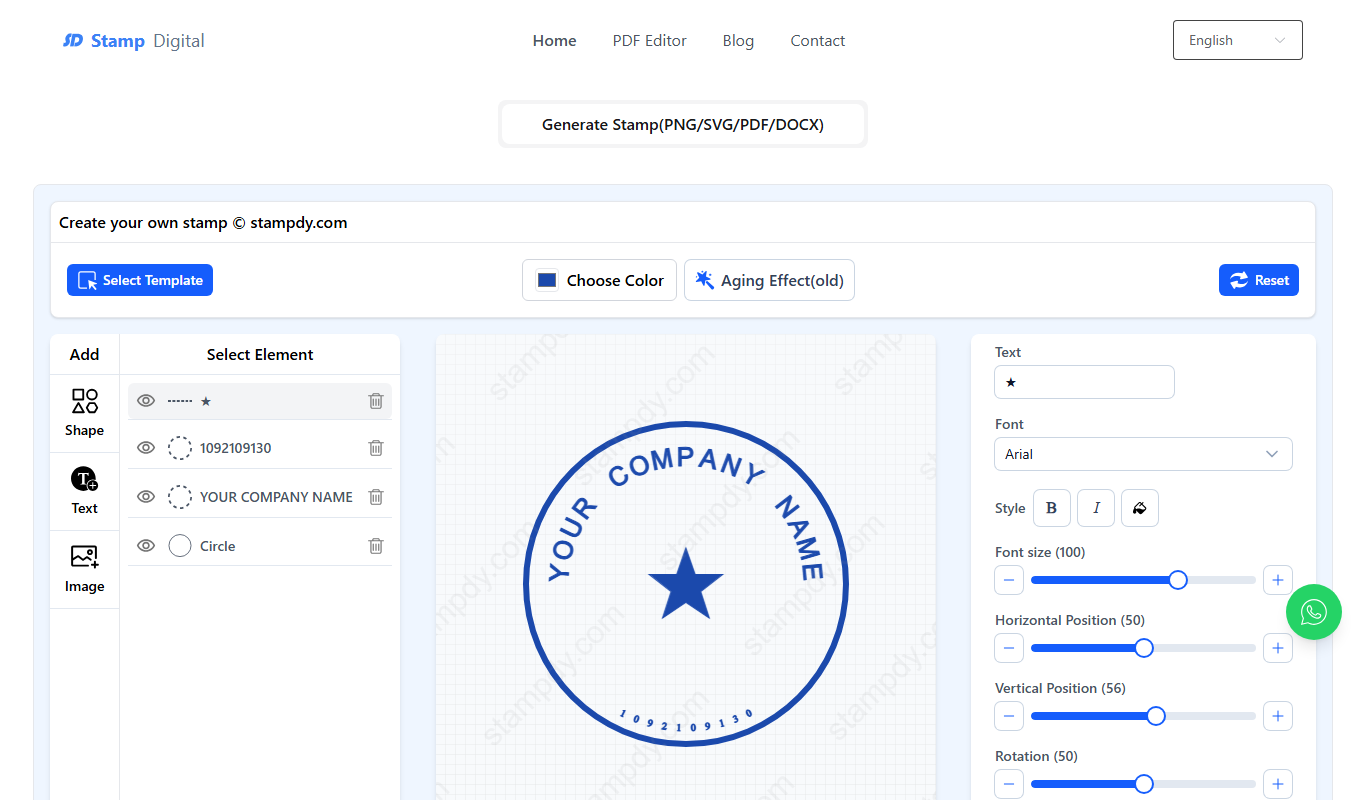
DigitalSeal Studio (SealsDigital) is an online stamp maker for designing custom business stamps with templates and a live preview, then exporting them as PNG or vector files.

Image Prompt
Image Prompt (ImagePrompt.org) is a suite of AI tools, including Image to Prompt, Magic Enhance, an AI Image Describer and an AI Image Generator, for creating image prompts for Midjourney, Flux, Stable Diffusion and more.

Blunge
Blunge is an AI design agent that turns ideas into on-brand designs, applying a brand kit across campaign formats.