

From my experience with Veo, I found it excels at simplifying sports video production by automating recording and highlight creation. The AI-powered 360-degree camera setup removes the need for manual filming, which is a game-changer for amateur and professional teams alike. After spending time with the platform, I can say it’s particularly well-suited for coaches and sports analysts who want quick access to performance insights without the hassle of editing. However, the initial cost of the camera and subscription pricing might be a barrier for smaller clubs. Overall, if you need efficient sports video analysis and highlight generation, Veo delivers solid, user-friendly results.
Veo AI Video Editing Software for Sports with Automated Highlights
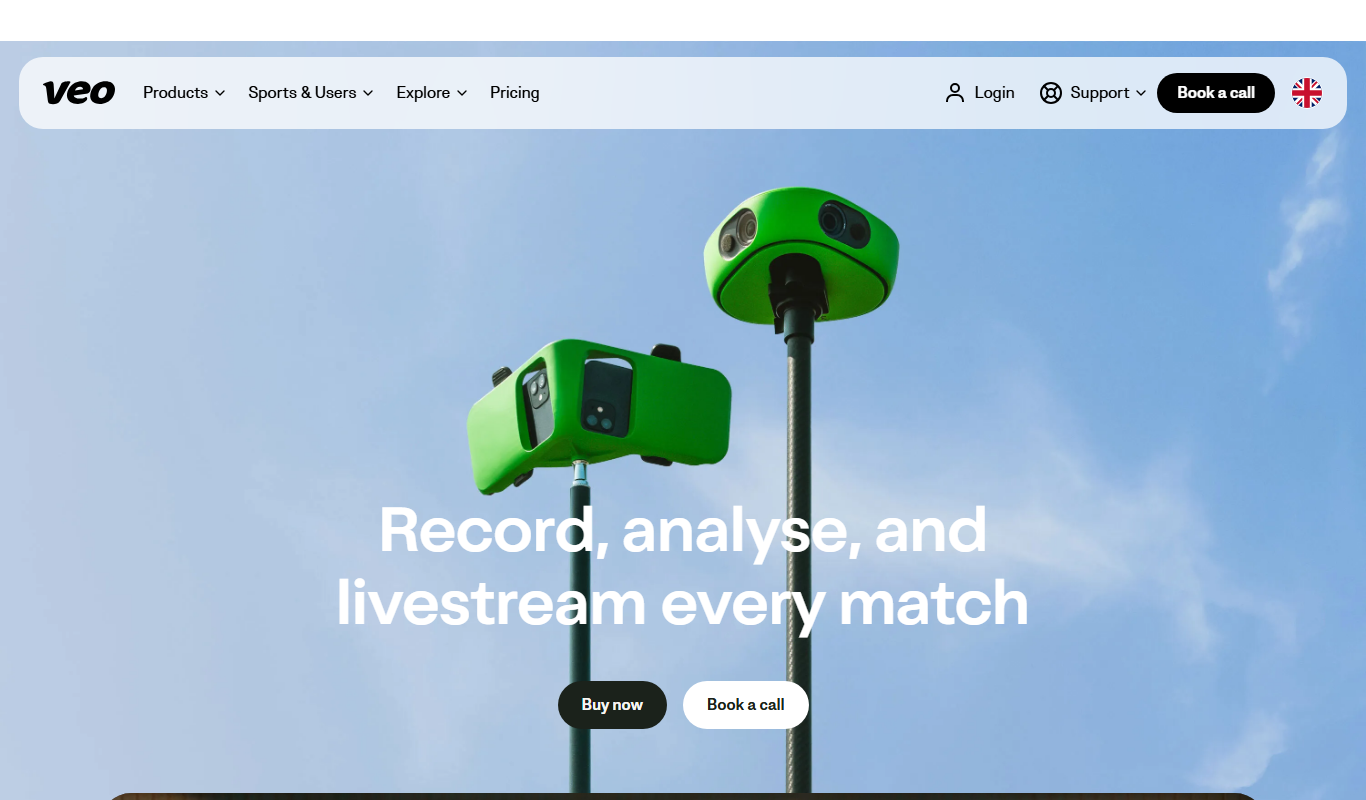
Veo is an AI-powered sports video platform that automates recording, editing, and analysis using a 360-degree camera to generate highlights and performance insights.
- Best for
- Sports Video Recording
- Key capability
- 360-Degree Camera Recording
Do you recommend this tool?
What is Veo?
Veo is an AI-powered sports video platform that automates the recording, editing, and analysis of sports matches. It uses a 360-degree camera combined with artificial intelligence to capture entire games without the need for a cameraman. The platform then automatically generates highlights and provides detailed performance insights, making it easier for coaches, players, and teams to review and improve their game.
Key features of Veo
Veo offers automated sports video recording, AI-generated highlights, performance analytics, and easy content sharing. Its technology simplifies video production for sports teams by eliminating manual camera operation and editing.
360-Degree Camera Recording
Capture the entire playing area with a single camera, eliminating the need for multiple camera operators.
Automated Highlight Generation
AI detects important events and creates highlight reels automatically.
Performance Analytics Dashboard
Provides detailed statistics and visual insights on player and team performance.
Cloud-Based Video Storage
Securely store and access your sports videos anytime from the cloud.
Multi-Sport Support
Supports a variety of sports including football, basketball, handball, and more.
Pros and cons of Veo
Pros
- Automates sports video recording without manual camera operation
- Generates highlights automatically saving editing time
- Provides detailed performance analytics for teams and players
- Supports multiple sports and venues
- Cloud storage enables easy access and sharing
Cons
- Subscription pricing may be high for amateur teams
- Limited language support primarily English and Danish
- Requires initial investment in proprietary 360-degree camera
Key use cases for Veo
Sports Video Recording
Automatically record entire sports matches using Veo’s 360-degree camera without the need for a cameraman.
Automated Video Highlights
Generate AI-powered highlights and key moments from recorded sports footage to save time on manual editing.
Performance Analysis
Use AI-driven video analysis tools to evaluate player and team performance with detailed statistics and visualizations.
Coaching and Training
Leverage video insights to improve coaching strategies and provide players with visual feedback for skill development.
Content Sharing
Easily share edited videos and highlights with teams, players, and fans through integrated sharing options.
How Veo works
- 1
Set Up Camera
Place Veo’s 360-degree camera at the sports venue to capture the entire field or court.
- 2
Record Match
The camera records the full match automatically without manual intervention.
- 3
AI Processing
Upload the footage to Veo’s platform where AI analyzes the video to identify key moments and generate highlights.
- 4
Review and Share
Access the edited videos and analytics via the web or mobile app and share them with your team or audience.
Who is using Veo
Sports teams and clubs
Coaches and trainers
Sports analysts
Amateur and professional athletes
Sports broadcasters and content creators
Veo pricing
Free
$0/month
Basic access with limited video uploads and highlight generation.
Pro
$99/month
Unlimited video uploads, advanced analytics, and priority support.
Plans and prices are as published by the vendor and can change. Check the official site before you buy. Open the pricing page (opens in a new tab)
Frequently asked questions about Veo
No, Veo’s 360-degree camera and AI technology allow you to record matches without a cameraman.
Veo supports multiple sports including football, basketball, handball, and others.
Yes, Veo provides easy sharing options through its platform.
Yes, Veo offers a mobile app for both iOS and Android devices.
It depends on your specific needs and how you plan to use the tool. The official website and documentation are the best sources for the latest details.
Yes, it can help with that use case depending on how you configure it and what features are available. You’ll get the best results with clear inputs and a defined goal.
Yes, it can help with that use case depending on how you configure it and what features are available. You’ll get the best results with clear inputs and a defined goal.
It depends on your specific needs and how you plan to use the tool. The official website and documentation are the best sources for the latest details.
Sign in to review this tool.
Sign In to ReviewNo reviews yet
Be the first to share how this tool worked for you.
Ask about pricing, limits, or how it compares — or answer someone else.
Sign In to AskNo questions yet
Have a question about using or paying for this tool? Be the first to ask.
Featured on TiorAI



Alternative Tools
Explore similar AI tools that might fit your needs

Subscription
Hudl
Hudl is a sports video analysis platform that enables coaches and athletes to upload, tag, and analyze game footage to improve performance and team collaboration.

Custom Pricing
Spiideo
Spiideo is a sports video analysis platform that uses AI to automate multi-angle video capture and provide performance analytics for teams and coaches.

Freemium
Coach’s Eye
Coach's Eye is a video analysis app that helps coaches and athletes improve performance through slow motion playback, annotations, and video sharing.
More AI Animation Generator tools
Other tools in the same category, for when this one is not quite the fit.

Free
Aggie.io
Aggie.io is a free online collaborative drawing tool that allows multiple users to paint together in real time on a shared canvas without requiring installation or accounts.
Free Trial
PlantFactory
PlantFactory is a desktop 3D software tool that enables users to create, customize, and animate realistic plants using procedural modeling techniques, suitable for visual effects, games, and architectural projects.

Free
GIF Brewery
GIF Brewery is a Mac application that allows users to create, edit, and optimize animated GIFs from videos or screen recordings with advanced editing features and easy export options.

Freemium
DeepAR SDK
DeepAR SDK is a cross-platform augmented reality development kit that enables real-time face tracking, AI avatar creation, and 3D AR effects for mobile apps, games, and live streaming.

Custom Pricing
Banuba SDK
Banuba SDK is an AI-powered augmented reality software development kit that enables developers to integrate real-time face tracking, 3D masks, beauty filters, and avatar effects into mobile and desktop applications.

Contact for pricing
8i
8i is a platform that creates photorealistic 3D holograms and avatars using volumetric video technology for VR and AR experiences.

Freemium
Didimo
Didimo is an AI-powered platform that creates realistic 3D digital human avatars from a single photo, supporting gaming, VR, animation, and social media use cases.
Free
ImgPlay
ImgPlay is a mobile and web app that converts videos and photos into animated GIFs with editing tools like text, stickers, and filters for social media sharing.