

From my experience with GIF Brewery, I found it excels at providing a straightforward yet powerful GIF creation and editing experience tailored specifically for Mac users. The integration of screen recording and advanced editing tools like trimming and captioning makes it a versatile choice for content creators and marketers who need quick, high-quality GIFs. However, the app’s Mac-only availability limits its use for Windows or mobile users, and it lacks cloud collaboration features. Overall, if you work on Mac and want an efficient tool to convert videos or screen captures into optimized GIFs, GIF Brewery delivers reliable and user-friendly results.
GIF Brewery - Mac App for Creating and Editing High-Quality GIFs Easily
GIF Brewery is a Mac application that allows users to create, edit, and optimize animated GIFs from videos or screen recordings with advanced editing features and easy export options.
- Best for
- Create GIFs from Videos
- Key capability
- Video to GIF Conversion

Do you recommend this tool?
What is GIF Brewery?
GIF Brewery is a Mac application designed to create, edit, and optimize animated GIFs from videos or screen recordings. It offers a user-friendly interface with powerful editing features tailored for GIF creation, enabling users to produce high-quality animations for social media, websites, or presentations.
Key features of GIF Brewery
The tool provides video import, screen recording, trimming, cropping, resizing, captioning, frame rate adjustment, and optimization features, making it a comprehensive solution for GIF creation and editing on MacOS.
Video to GIF Conversion
Easily convert video clips into animated GIFs with precise control over duration and quality.
Screen Recording
Record your screen activity and instantly turn recordings into GIFs.
Advanced Editing Tools
Trim, crop, resize, add text captions, and adjust frame rate and color settings.
GIF Optimization
Compress GIFs to reduce file size while preserving visual quality for faster loading.
User-Friendly Interface
Intuitive design tailored for Mac users, making GIF creation straightforward and efficient.
Pros and cons of GIF Brewery
Pros
- Simple and intuitive interface for Mac users
- Comprehensive editing features tailored for GIFs
- Screen recording integrated within the app
- One-time purchase without subscription
- Good optimization tools to reduce GIF size
Cons
- Available only on MacOS, no Windows or mobile versions
- No cloud storage or collaboration features
- Limited language support (English only)
Key use cases for GIF Brewery
Create GIFs from Videos
Convert video clips from various sources into high-quality GIFs for sharing or embedding.
Edit and Customize GIFs
Trim, crop, resize, add captions, and adjust frame rate or colors to customize GIFs.
Screen Recording to GIF
Capture screen activity directly and convert recordings into GIFs for tutorials or demos.
Optimize GIFs for Web
Compress and optimize GIF files to reduce size while maintaining quality for faster loading.
How GIF Brewery works
- 1
Import Video or Record Screen
Start by importing a video file or recording your screen directly within the app.
- 2
Edit GIF
Trim, crop, add captions, and adjust settings like frame rate and colors to customize your GIF.
- 3
Preview and Optimize
Preview the GIF and use optimization tools to reduce file size without losing quality.
- 4
Export and Share
Export the final GIF file to your computer for sharing on social media or embedding online.
Who is using GIF Brewery
Social media managers
Content creators
Marketing professionals
Educators creating tutorials
Mac users needing GIF editing tools
GIF Brewery pricing
Free Trial
$0
Limited features available to try the app before purchase.
Full Version
One-time purchase of $19.99
Unlock all features with a single payment, no subscription required.
Plans and prices are as published by the vendor and can change. Check the official site before you buy. Open the pricing page (opens in a new tab)
Frequently asked questions about GIF Brewery
No, GIF Brewery is exclusively available for MacOS.
Yes, the app allows you to add customizable text captions to your GIFs.
Yes, you can record your screen directly within the app and convert recordings into GIFs.
No, GIF Brewery is available as a one-time purchase with no ongoing subscription.
It depends on your specific needs and how you plan to use the tool. The official website and documentation are the best sources for the latest details.
Yes, it can help with that use case depending on how you configure it and what features are available. You’ll get the best results with clear inputs and a defined goal.
Some tools offer a free plan or trial with limited features. Availability can vary, so confirm on the official website.
It depends on your specific needs and how you plan to use the tool. The official website and documentation are the best sources for the latest details.
Sign in to review this tool.
Sign In to ReviewNo reviews yet
Be the first to share how this tool worked for you.
Ask about pricing, limits, or how it compares — or answer someone else.
Sign In to AskNo questions yet
Have a question about using or paying for this tool? Be the first to ask.
Featured on TiorAI



Alternative Tools
Explore similar AI tools that might fit your needs
Free
EZGIF
EZGIF is a free online platform for creating, editing, and optimizing animated GIFs and images directly in your browser without software installation.

Free
LICEcap
LICEcap is a free tool that records your screen and saves the recording as an animated GIF, supporting Windows and Mac platforms.
More AI Animation Generator tools
Other tools in the same category, for when this one is not quite the fit.
Free
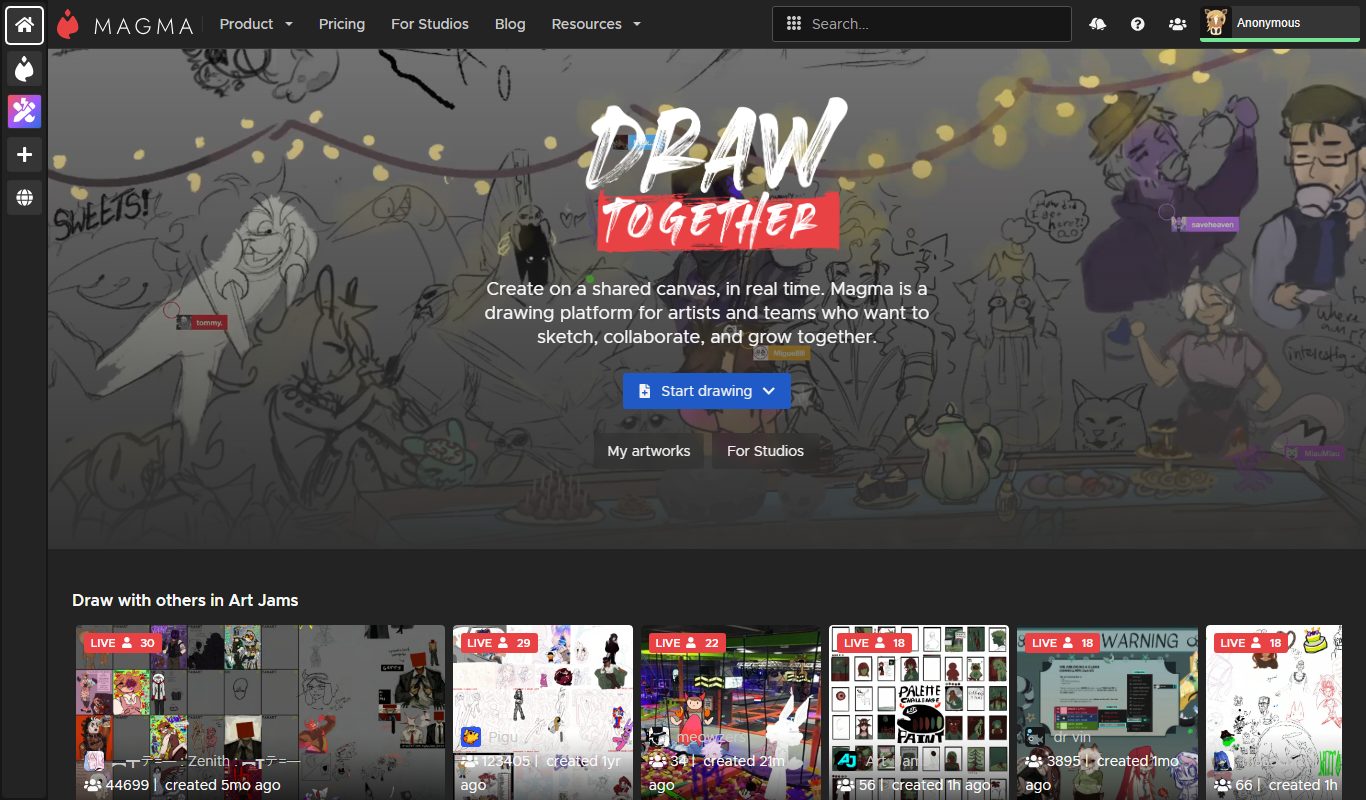
Aggie.io
Aggie.io is a free online collaborative drawing tool that allows multiple users to paint together in real time on a shared canvas without requiring installation or accounts.
Free Trial
PlantFactory
PlantFactory is a desktop 3D software tool that enables users to create, customize, and animate realistic plants using procedural modeling techniques, suitable for visual effects, games, and architectural projects.

Freemium
DeepAR SDK
DeepAR SDK is a cross-platform augmented reality development kit that enables real-time face tracking, AI avatar creation, and 3D AR effects for mobile apps, games, and live streaming.

Custom Pricing
Banuba SDK
Banuba SDK is an AI-powered augmented reality software development kit that enables developers to integrate real-time face tracking, 3D masks, beauty filters, and avatar effects into mobile and desktop applications.

Contact for pricing
8i
8i is a platform that creates photorealistic 3D holograms and avatars using volumetric video technology for VR and AR experiences.

Freemium
Didimo
Didimo is an AI-powered platform that creates realistic 3D digital human avatars from a single photo, supporting gaming, VR, animation, and social media use cases.
Free
ImgPlay
ImgPlay is a mobile and web app that converts videos and photos into animated GIFs with editing tools like text, stickers, and filters for social media sharing.
Free
RIFE AI
RIFE AI is a free web-based AI tool that generates intermediate video frames to create smooth slow-motion effects and increase video frame rates without requiring software installation.