From my experience with UniDub.co, I found it excels at simplifying the complex process of video localization by automating dubbing with AI-generated voices. The platform’s intuitive interface and broad language support make it particularly well-suited for content creators and marketing teams aiming to reach global audiences quickly. However, the free plan’s limitations on video length and watermark presence may require upgrading for professional use. Additionally, while AI voices are natural, they may not fully capture the emotional depth of human voice actors. Overall, UniDub.co offers a practical and efficient solution for multilingual video production.
UniDub.co AI Video Dubbing Tool for Multilingual Content Creation
UniDub.co is an AI-based video dubbing platform that automatically converts video audio into multiple languages using natural-sounding AI voices, enabling fast and affordable video localization.
- Best for
- Video Localization
- Key capability
- Automatic Speech Recognition
Your actions

Do you recommend this tool?
What is UniDub.co?
UniDub.co is an AI-powered video dubbing platform that automatically converts video audio tracks into multiple languages with natural-sounding voices. It helps users localize video content quickly and cost-effectively by generating voiceovers that match the original speech’s tone and timing.
Key features of UniDub.co
UniDub.co offers automatic speech recognition, AI voice synthesis in various languages, easy video upload, and seamless integration for exporting dubbed videos. Its intuitive interface allows users to create multilingual versions of videos without manual voice recording.
Automatic Speech Recognition
Accurately transcribes original video audio to generate text for dubbing.
AI Voice Synthesis
Creates natural and expressive voiceovers in multiple languages.
Multi-language Support
Supports dubbing into a wide range of global languages.
Easy Video Upload and Export
Simple interface to upload videos and download dubbed versions.
Timing and Lip-sync Adjustment
Synchronizes dubbed audio with original video timing for smooth playback.
Pros and cons of UniDub.co
Pros
- Fast and automated video dubbing process
- Supports many languages with natural AI voices
- User-friendly web platform with easy upload and export
Cons
- Free plan has limitations on video length and watermark
- AI voices may lack emotional nuance compared to human dubbing
- No desktop or mobile app; web-only platform
Key use cases for UniDub.co
Video Localization
Automatically dub videos into multiple languages to reach global audiences.
Content Creators
Enable creators to produce multilingual content quickly without hiring voice actors.
Marketing Agencies
Localize promotional videos for different markets efficiently.
E-learning
Translate and dub educational videos for diverse learners worldwide.
Corporate Training
Create multilingual training videos to support global teams.
How UniDub.co works
- 1
Upload Video
Users upload their original video file to the UniDub.co platform.
- 2
Select Target Languages
Choose one or more languages for dubbing the video.
- 3
AI Dubbing Process
The platform transcribes the original audio and generates AI voiceovers in selected languages.
- 4
Review and Edit
Users can preview dubbed videos and make adjustments if needed.
- 5
Download or Share
Export the dubbed video files for distribution or upload to preferred platforms.
Who is using UniDub.co
Content creators and YouTubers
Marketing and advertising agencies
E-learning providers
Corporate training departments
Video production companies
UniDub.co pricing
Free
$0/month
Limited video length and number of dubbed languages with watermark.
Pro
$29/month
Longer video support, more languages, HD export, and no watermark.
Enterprise
Custom pricing
Tailored solutions with advanced features and dedicated support.
Plans and prices are as published by the vendor and can change. Check the official site before you buy. Open the pricing page (opens in a new tab)
Frequently asked questions about UniDub.co
UniDub.co supports common video formats such as MP4, MOV, and AVI.
Yes, you can preview and make minor adjustments to timing and text before finalizing.
Yes, the free plan has a maximum video length limit, which is extended in paid plans.
No, UniDub.co focuses on AI-generated voiceovers but offers high-quality natural voices.
It depends on your specific needs and how you plan to use the tool. The official website and documentation are the best sources for the latest details.
Yes, it can help with that use case depending on how you configure it and what features are available. You’ll get the best results with clear inputs and a defined goal.
Some tools offer a free plan or trial with limited features. Availability can vary, so confirm on the official website.
Yes, it can help with that use case depending on how you configure it and what features are available. You’ll get the best results with clear inputs and a defined goal.
Sign in to review this tool.
Sign In to ReviewNo reviews yet
Be the first to share how this tool worked for you.
Ask about pricing, limits, or how it compares — or answer someone else.
Sign In to AskNo questions yet
Have a question about using or paying for this tool? Be the first to ask.
Featured on TiorAI



Alternative Tools
Explore similar AI tools that might fit your needs

Freemium
Dubverse
Dubverse is an AI-driven video dubbing and translation tool that automatically generates multilingual voiceovers and subtitles to help localize videos efficiently.
Custom Pricing
Papercup
Papercup is an AI dubbing platform that automates video voiceover and localization by generating natural-sounding AI voices in multiple languages, helping creators and businesses quickly produce multilingual video content.
More AI Dubbing tools
Other tools in the same category, for when this one is not quite the fit.

Free
Substital Subtitle Tool
Substital is a browser extension tool that lets users add and customize subtitles on online videos from platforms like YouTube and Netflix, supporting multiple languages and subtitle formats.
Free
Subly
Subly is an AI-driven web platform that automatically transcribes video audio into subtitles, allows editing and styling of captions, and supports multi-language translation to make videos accessible and shareable worldwide.

Custom Pricing
Interprefy
Interprefy is a cloud-based platform that enables real-time remote simultaneous interpretation for multilingual events, allowing participants to listen to live translations in their preferred language via web or mobile devices.
Free Trial
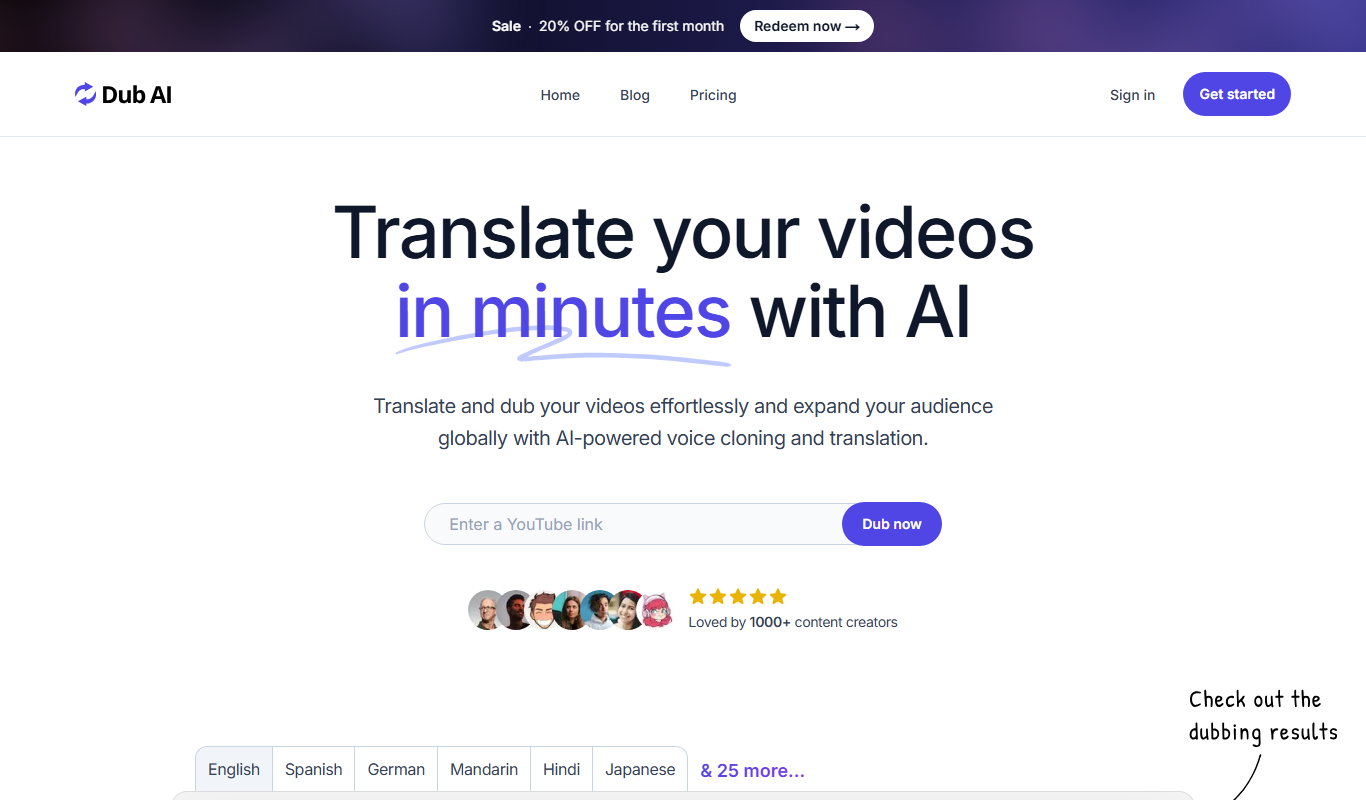
Dub AI
Dub AI is a web-based AI platform that automatically dubs videos into multiple languages using natural-sounding AI-generated voiceovers, enabling easy video localization.