

From my experience with Sketchfab, it stands out as a highly accessible and versatile platform for hosting and sharing interactive 3D models online. Its real-time 3D viewer powered by WebGL makes exploring complex models smooth and engaging without additional software. Sketchfab is particularly well-suited for 3D artists, marketers, and educators who want to showcase or utilize 3D content interactively. The trade-off is that advanced features and private model hosting require paid plans, and there is no dedicated mobile app, relying instead on mobile web access. Overall, Sketchfab delivers a robust solution for anyone needing to publish and embed 3D content seamlessly.
Sketchfab 3D Model Viewer and Platform for Interactive 3D Content
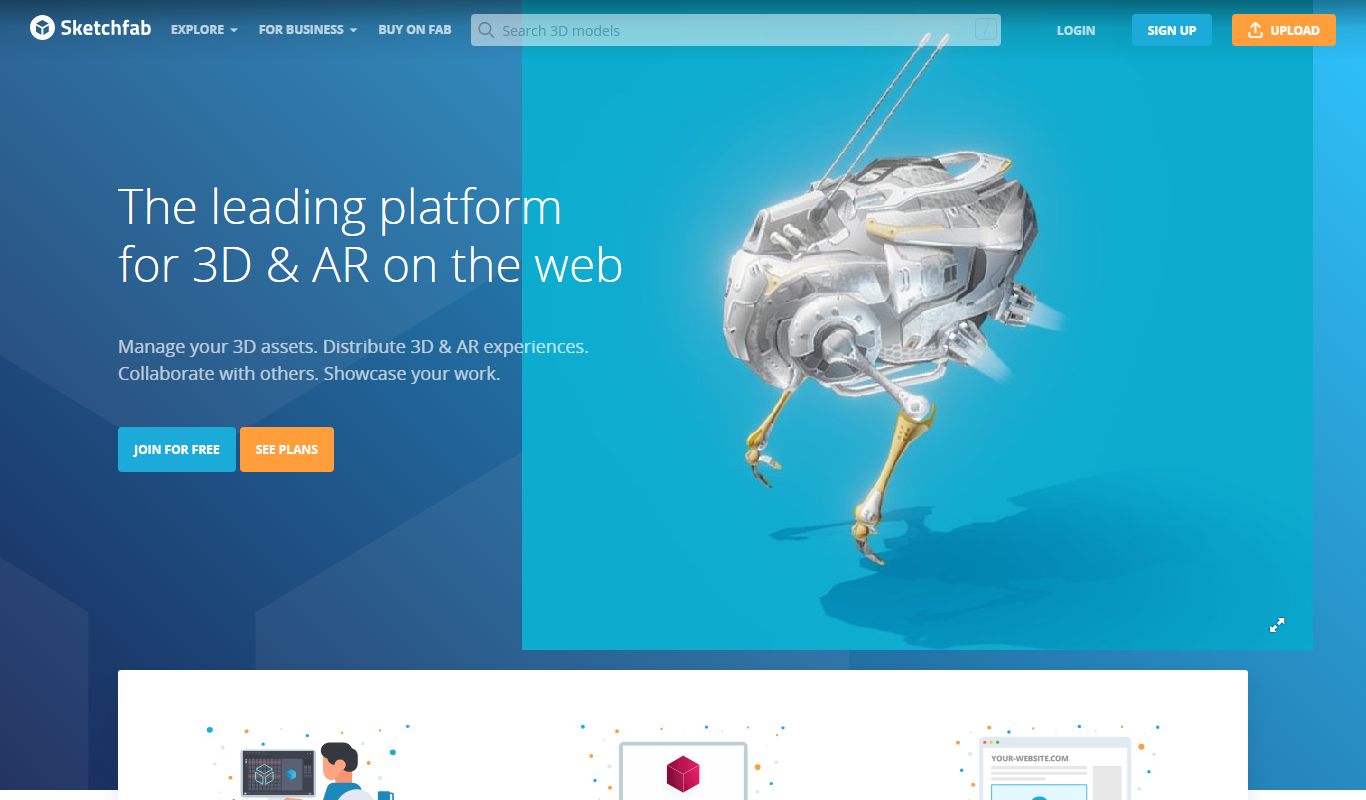
Sketchfab is a web platform for publishing, sharing, and embedding interactive 3D models with support for VR and AR, widely used by artists, marketers, and developers.
- Best for
- 3D Model Hosting and Sharing
- Key capability
- Interactive 3D Viewer
Do you recommend this tool?
What is Sketchfab?
Sketchfab is a web-based platform that allows users to publish, share, and discover interactive 3D content online. It provides tools for uploading 3D models, viewing them in real-time 3D with WebGL technology, and embedding them on websites or social media. Sketchfab supports a wide range of 3D formats and offers a marketplace for buying and selling 3D assets.
Key features of Sketchfab
Sketchfab’s main features include an interactive 3D model viewer, extensive format support, real-time rendering, VR and AR compatibility, a community-driven marketplace, and developer APIs for integration.
Interactive 3D Viewer
View and interact with 3D models in real-time directly in the browser without plugins.
Wide Format Support
Supports over 30 3D file formats including OBJ, FBX, STL, and glTF.
VR and AR Integration
Compatible with VR headsets and AR applications for immersive experiences.
3D Model Marketplace
Buy and sell 3D assets within a community-driven marketplace.
Developer API
APIs available for embedding, customization, and integration with other platforms.
Pros and cons of Sketchfab
Pros
- Easy to upload and share interactive 3D models
- Supports a wide range of 3D file formats
- Robust embedding options for websites and social media
- Active community and marketplace for 3D assets
- VR and AR compatibility for immersive experiences
Cons
- Free plan has limited storage and features
- No dedicated mobile app, relies on mobile web
- Advanced features require paid subscription
Key use cases for Sketchfab
3D Model Hosting and Sharing
Upload, host, and share interactive 3D models easily on the web with embeddable viewers.
3D Visualization for Marketing
Use interactive 3D models to showcase products in marketing campaigns and e-commerce.
Education and Training
Leverage 3D content for educational purposes, allowing students to explore models interactively.
Virtual Reality and Augmented Reality
Integrate 3D models into VR/AR applications using Sketchfab’s API and platform tools.
3D Content Marketplace
Buy and sell 3D assets through Sketchfab’s marketplace for creative projects.
How Sketchfab works
- 1
Create an Account
Sign up on Sketchfab to start uploading and managing your 3D models.
- 2
Upload 3D Models
Upload your 3D files in supported formats directly to the platform.
- 3
Customize and Publish
Adjust lighting, materials, and annotations before publishing your interactive 3D model.
- 4
Share or Embed
Share your model via links or embed it on websites and social media using provided code.
Who is using Sketchfab
3D artists and designers
Product marketers and e-commerce businesses
Educators and trainers using 3D content
VR/AR developers
Game developers and animators
Sketchfab pricing
Free
$0/month
Basic upload and sharing with limited storage and public models.
Pro
$15/month
Increased storage, private models, and advanced customization features.
Business
Custom pricing
Enterprise features including team collaboration, API access, and priority support.
Plans and prices are as published by the vendor and can change. Check the official site before you buy. Open the pricing page (opens in a new tab)
Frequently asked questions about Sketchfab
Sketchfab supports over 30 formats including OBJ, FBX, STL, glTF, and more.
Yes, Sketchfab provides embed codes to easily add interactive 3D models to any website.
Sketchfab is primarily web-based but offers mobile-optimized viewing through browsers.
Yes, private models are available on paid plans like Pro and Business.
It depends on your specific needs and how you plan to use the tool. The official website and documentation are the best sources for the latest details.
Yes, it can help with that use case depending on how you configure it and what features are available. You’ll get the best results with clear inputs and a defined goal.
Yes, it can help with that use case depending on how you configure it and what features are available. You’ll get the best results with clear inputs and a defined goal.
Pricing depends on the plan and included features. For the most accurate and up-to-date details, check the official pricing page.
Sign in to review this tool.
Sign In to ReviewNo reviews yet
Be the first to share how this tool worked for you.
Ask about pricing, limits, or how it compares — or answer someone else.
Sign In to AskNo questions yet
Have a question about using or paying for this tool? Be the first to ask.
Featured on TiorAI



Alternative Tools
Explore similar AI tools that might fit your needs

Free
Clara.io
Clara.io is a cloud-based 3D modeling and animation software that runs entirely in the browser, offering real-time collaboration, cloud rendering, and support for multiple 3D file formats.
More AI Design Generator tools
Other tools in the same category, for when this one is not quite the fit.

Free
TilePlanner
TilePlanner is a web-based floor planning software that helps users design and visualize tile layouts and interior spaces in 2D and 3D, ideal for renovation and interior design projects.
Perpetual License
Geomagic Design X
Geomagic Design X is a reverse engineering software that converts 3D scan data into editable CAD models, enabling precise product design and manufacturing workflows.

Free
PaintFont
PaintFont is a free online tool that lets you create custom fonts by scanning your handwritten characters and converting them into TrueType font files.

Free Trial
Balsamiq
Balsamiq is a wireframing tool that enables rapid creation of low-fidelity UI mockups and clickable prototypes, supporting collaboration and easy sharing.
Free
Sketchbook
Sketchbook is a professional digital drawing and painting software by Autodesk that offers customizable brushes, layers, and cross-platform support for artists and designers.
Free Trial
PlantFactory
PlantFactory is a desktop 3D software tool that enables users to create, customize, and animate realistic plants using procedural modeling techniques, suitable for visual effects, games, and architectural projects.

Paid
Pool Studio
Pool Studio is a Windows-based 3D pool and landscape design software that helps professionals create detailed models, photorealistic renderings, and construction plans for swimming pool projects.

Free
BrickIt
BrickIt is an AI-powered mobile app that scans LEGO bricks from photos, identifies them, and generates building instructions for models you can build with those bricks.