

From my experience with Quick Home Dreamviz, I found it excels at simplifying complex 3D visualization tasks through AI automation, making it accessible even for users without technical backgrounds. The web-based platform allows real estate professionals and homeowners to create realistic virtual tours and customized property models quickly. However, the tool currently supports only English and lacks a mobile app, which might limit accessibility for some users. Overall, if you need to enhance property marketing or visualize home designs effectively, Quick Home Dreamviz offers a practical and powerful solution.
Quick Home Dreamviz - AI-Powered Real Estate Visualization Software
Quick Home Dreamviz is an AI-driven web platform that transforms property plans and photos into realistic 3D visualizations and virtual tours, helping real estate professionals and homeowners showcase and plan properties effectively.
- Best for
- Real Estate Marketing
- Key capability
- AI-Powered 3D Modeling
Your actions
Save Quick Home Dreamviz, follow its updates and vote on it — everything stays in your account.
Sign in or create a free account
What is Quick Home Dreamviz?
Quick Home Dreamviz is an AI-powered web-based software designed to generate high-quality 3D visualizations of residential properties. It helps real estate professionals, architects, and homeowners create realistic renderings and virtual tours that enhance property marketing and design planning.
Key features of Quick Home Dreamviz
The tool offers intuitive 3D modeling, AI-enhanced rendering, customizable design elements, and virtual tour capabilities, all accessible through a user-friendly web interface.
AI-Powered 3D Modeling
Automatically converts 2D plans and photos into detailed 3D property models.
Customizable Interiors and Exteriors
Adjust colors, materials, furniture, and landscaping to visualize different design options.
Virtual Tour Creation
Build immersive walkthroughs that simulate real-life property experiences.
Web-Based Platform
Access the software from any device with a browser, no installation required.
Pros and cons of Quick Home Dreamviz
Pros
- User-friendly interface requiring no prior 3D experience
- AI automates complex 3D modeling tasks
- Supports virtual tours to enhance client engagement
- Web-based access without software installation
- Customizable design options for personalized visualizations
Cons
- Limited language support (English only)
- No mobile app available currently
- Pricing may be high for individual users
Key use cases for Quick Home Dreamviz
Real Estate Marketing
Create immersive 3D visualizations of properties to attract potential buyers and enhance listings.
Home Design Visualization
Allow homeowners and designers to visualize renovations and interior designs in realistic 3D before implementation.
Architectural Presentations
Support architects in presenting detailed 3D models of projects to clients and stakeholders.
Virtual Property Tours
Enable virtual walkthroughs of homes remotely, improving accessibility for buyers and agents.
How Quick Home Dreamviz works
- 1
Upload Property Data
Users upload floor plans, photos, or blueprints of the property to the platform.
- 2
AI Processing
The AI engine analyzes the input data to generate detailed 3D models and realistic visualizations.
- 3
Customize Design
Users can modify interior and exterior elements, materials, and furnishings to match their vision.
- 4
Generate Virtual Tours
Create interactive walkthroughs that can be shared with clients or embedded in listings.
Who is using Quick Home Dreamviz
Real estate agents and brokers
Homeowners planning renovations
Architects and interior designers
Property marketing agencies
Real estate developers
Quick Home Dreamviz pricing
Free Trial
$0 for 14 days
Full feature access for two weeks to evaluate the platform.
Professional
$49/month
Includes unlimited projects, high-resolution exports, and priority support.
Enterprise
Custom pricing
Tailored solutions for large agencies with dedicated account management.
Plans and prices are as published by the vendor and can change. Check the official site before you buy. Open the pricing page (opens in a new tab)
Frequently asked questions about Quick Home Dreamviz
Yes, the platform is designed with an intuitive interface suitable for users without 3D modeling skills.
You can upload floor plans in PDF, images like JPG/PNG, and some blueprint formats supported by the platform.
The Free Trial has limits, but the Professional plan offers unlimited projects.
Yes, virtual tours can be shared via links or embedded into websites and listings.
It depends on your specific needs and how you plan to use the tool. The official website and documentation are the best sources for the latest details.
It depends on your specific needs and how you plan to use the tool. The official website and documentation are the best sources for the latest details.
Yes, it can help with that use case depending on how you configure it and what features are available. You’ll get the best results with clear inputs and a defined goal.
Pricing depends on the plan and included features. For the most accurate and up-to-date details, check the official pricing page.
Sign in to review this tool.
Sign In to ReviewNo reviews yet
Be the first to share how this tool worked for you.
Ask about pricing, limits, or how it compares — or answer someone else.
Sign In to AskNo questions yet
Have a question about using or paying for this tool? Be the first to ask.
Featured on TiorAI



Alternative Tools
Explore similar AI tools that might fit your needs

Freemium
Matterport
Matterport is a spatial data platform that creates immersive 3D virtual tours and digital twins of physical spaces, widely used in real estate and architecture for remote visualization and measurement.

Free
Planner 5D
Planner 5D is a versatile home design software that allows users to create detailed 2D floor plans and immersive 3D visualizations for interior and exterior spaces, suitable for both beginners and professionals.
More 3D Visualization tools
Other tools in the same category, for when this one is not quite the fit.

Free
Rerun
Rerun is a developer-focused platform that enables real-time 3D visualization and playback of streaming data, ideal for robotics, simulations, and complex data analysis.

Freemium
Imaginary Interiors
Imaginary Interiors is a web-based virtual room design tool that helps users create 3D interior layouts to visualize furniture and decor before making changes or purchases.

Freemium
CommonAR
CommonAR is a cloud-based AR platform that allows users to create, publish, and share interactive 3D augmented reality experiences accessible via web browsers without requiring app downloads.
Freemium
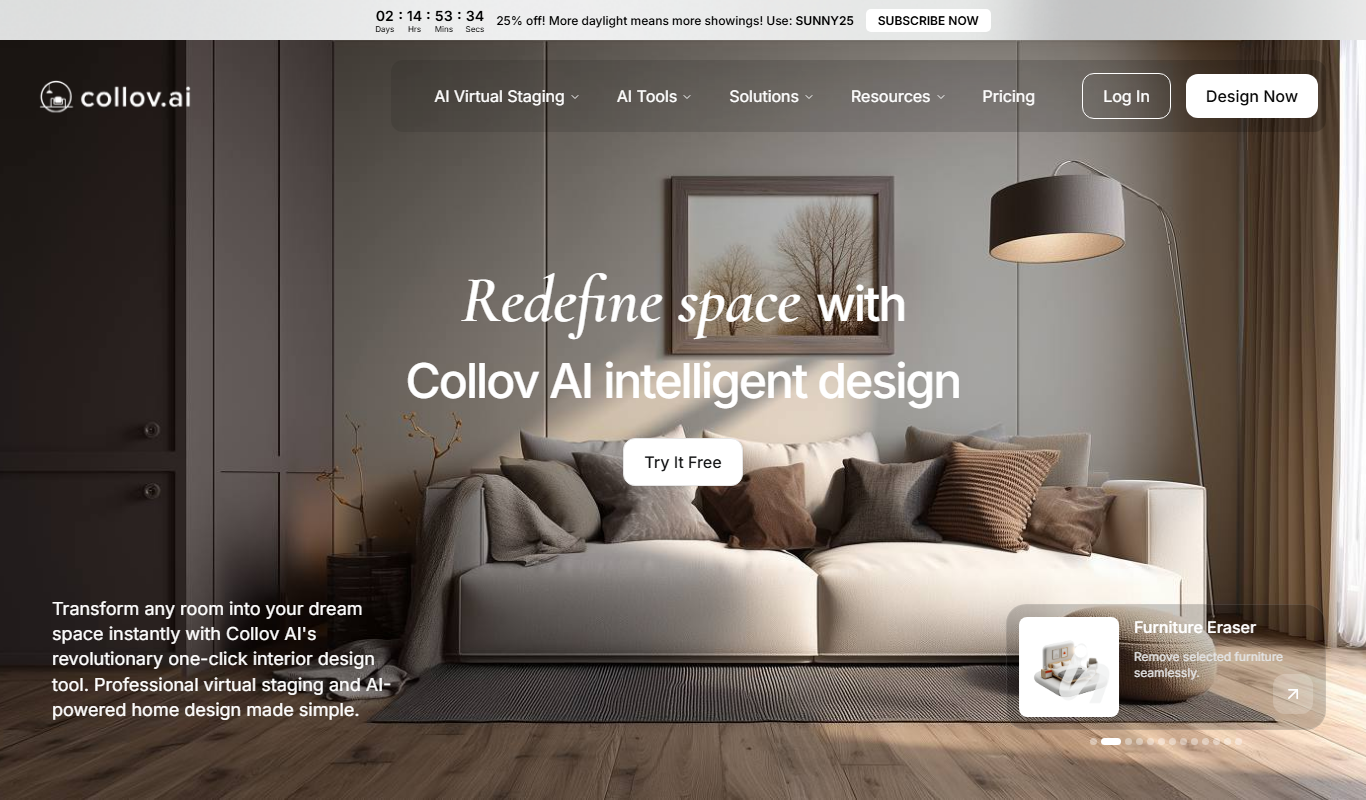
Collov AI
Collov AI is an AI-powered web-based interior design tool that generates photorealistic 3D room visualizations and design options to help users plan and customize interior spaces easily.

Enterprise
Immersive Fox
Immersive Fox is a VR platform that enables creation and sharing of interactive 3D environments accessible on VR devices and web browsers.

Free
Live3D
Live3D is a cloud-based platform that enables users to upload, customize, and embed interactive 3D models on websites and mobile devices without coding, featuring AR support and analytics.