

From my experience with ModelsLab, I found it excels at simplifying the complex process of building custom machine learning models through its visual interface. It is particularly well-suited for users who want to develop AI solutions without deep coding knowledge, such as business analysts and startups. However, the platform’s limited publicly available technical details and the need to contact sales for enterprise pricing can be a hurdle for some. Overall, if you need a straightforward way to prototype, train, and deploy AI models with collaboration features, ModelsLab delivers a practical and accessible solution.
ModelsLab AI Platform for Custom Machine Learning Model Development
ModelsLab is a web-based platform that enables users to create, train, and deploy custom machine learning models through a visual interface without requiring coding expertise.
- Best for
- Custom AI Model Development
- Key capability
- Visual Model Builder
Your actions
Save ModelsLab, follow its updates and vote on it — everything stays in your account.
Sign in or create a free account
What is ModelsLab?
ModelsLab is a web-based AI platform designed to simplify the creation, training, and deployment of custom machine learning models. It enables users, including those with limited coding experience, to build tailored AI solutions by leveraging an intuitive interface and powerful backend infrastructure.
Key features of ModelsLab
ModelsLab offers features such as drag-and-drop model building, dataset management, automated training pipelines, model evaluation tools, and easy deployment options. It supports various machine learning algorithms and provides a collaborative environment for teams.
Visual Model Builder
Drag-and-drop interface to design machine learning workflows without coding.
Automated Training Pipelines
Streamlined processes for training models with minimal manual intervention.
Model Evaluation Tools
Comprehensive metrics and visualization tools to assess model accuracy and performance.
Collaboration Support
Team features that allow multiple users to work on projects simultaneously.
Deployment Options
Flexible deployment through APIs or downloadable model packages.
Pros and cons of ModelsLab
Pros
- User-friendly visual interface for model building
- Supports collaboration among team members
- Flexible deployment options
- Offers free trial to test features
Cons
- Limited information on tech stack and integrations
- Pricing details for enterprise plans require direct contact
Key use cases for ModelsLab
Custom AI Model Development
Build and train machine learning models tailored to specific business needs without extensive coding.
Data Science Experimentation
Experiment with datasets and algorithms to optimize AI model performance.
AI Model Deployment
Deploy trained models for integration into applications and services.
Prototyping AI Solutions
Rapidly prototype AI-powered solutions for proof of concept and validation.
How ModelsLab works
- 1
Sign Up
Create an account on the ModelsLab platform to access the AI development environment.
- 2
Upload Data
Import your datasets into the platform for training and testing.
- 3
Build Model
Use the visual interface to select algorithms and configure model parameters.
- 4
Train and Evaluate
Run training sessions and evaluate model performance using built-in metrics.
- 5
Deploy Model
Deploy the trained model via API or export it for integration into your applications.
Who is using ModelsLab
Data scientists
Business analysts
AI developers
Startups and SMEs
Educational institutions
ModelsLab pricing
Free Trial
$0 for 14 days
Access to core features with limited usage to evaluate the platform.
Professional
$49/month
Full feature access with higher usage limits and priority support.
Enterprise
Custom pricing
Tailored solutions with dedicated support and advanced features for large organizations.
Plans and prices are as published by the vendor and can change. Check the official site before you buy. Open the pricing page (opens in a new tab)
Frequently asked questions about ModelsLab
No, ModelsLab provides a visual interface that allows users to build AI models without coding.
Yes, ModelsLab supports deployment via APIs and exporting models for integration.
ModelsLab supports a variety of algorithms including classification, regression, and clustering.
This tool is designed to help users accomplish its core tasks more efficiently. It is typically used by individuals or teams looking to improve productivity and workflow.
It depends on your specific needs and how you plan to use the tool. The official website and documentation are the best sources for the latest details.
It depends on your specific needs and how you plan to use the tool. The official website and documentation are the best sources for the latest details.
Sign in to review this tool.
Sign In to ReviewNo reviews yet
Be the first to share how this tool worked for you.
Ask about pricing, limits, or how it compares — or answer someone else.
Sign In to AskNo questions yet
Have a question about using or paying for this tool? Be the first to ask.
Featured on TiorAI



More AI API Design tools
Other tools in the same category, for when this one is not quite the fit.

Free
Swagger
Swagger is a set of tools for designing, documenting, testing, and mocking RESTful APIs using the OpenAPI Specification, widely used by developers and teams to streamline API development.

Freemium
GreenEyes.AI – Image Recog. Tech as API
GreenEyes.AI is an image recognition API platform that provides high-accuracy object detection, customizable models, and scalable API access for various industries including retail, manufacturing, and security.

Custom Pricing
Flagright AI
Flagright AI is a RegTech platform that automates AML compliance, KYC verification, and fraud detection using AI and machine learning to help financial institutions reduce risk and meet regulatory requirements.
Free
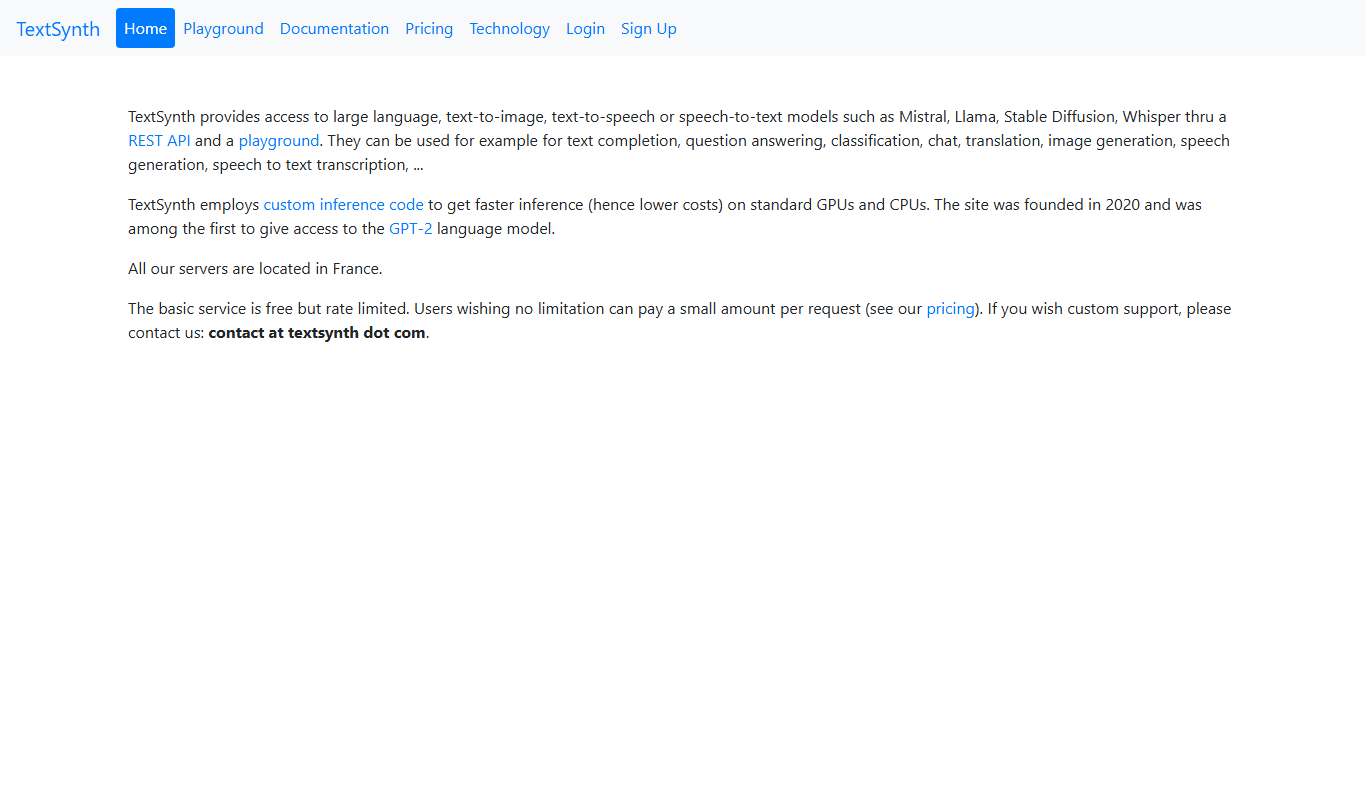
TextSynth
TextSynth is an AI platform for text generation, text-to-image, text-to-speech, speech-to-text, translation and classification.

Free
Stoplight
Stoplight is an API design and development platform that provides visual editing, interactive documentation, mocking, and governance tools to help teams build and manage APIs efficiently.

Free Trial
Boostramp
Boostramp is an AI-driven platform that automates personalized sales email outreach and lead generation, integrating with CRMs to streamline sales workflows.

Free Trial
CRUDERRA
CRUDERRA is a low-code platform that helps users build web and mobile applications quickly using drag-and-drop tools and database integration without needing extensive coding skills.

Free Trial
Aptori
Aptori is a low-code platform that helps businesses quickly build custom applications and automate workflows using a visual drag-and-drop interface and API integrations.