

ClassMarker Online Test Maker for Secure Exams and Assessments
ClassMarker is a secure online testing platform that allows users to create, deliver, and grade exams and quizzes with customizable settings and automated scoring.
- Best for
- Online Exams
- Key capability
- Secure Test Delivery
Save ClassMarker, follow its updates and vote on it — everything stays in your account.
Sign in or create a free accountWhat is ClassMarker?
ClassMarker is a secure, professional online testing platform that enables educators, businesses, and organizations to create, administer, and grade exams and quizzes online. It offers customizable test options, automated scoring, and detailed analytics to streamline assessment processes.
Key features of ClassMarker
ClassMarker provides a robust set of features including secure test delivery, customizable question types, instant grading, detailed reporting, and flexible test settings to control timing, access, and security.
Secure Test Delivery
Protect exams with password protection, IP restrictions, and time limits.
Multiple Question Types
Supports multiple choice, true/false, short answer, essay, and more.
Automated Grading
Instantly grade objective questions and provide immediate feedback.
Detailed Reporting
Generate comprehensive reports on test results and participant performance.
Custom Branding
Add logos and customize the test interface to match your brand.
Pros and cons of ClassMarker
Pros
- Easy-to-use interface for test creation
- Robust security features for exam integrity
- Automated grading saves time
- Detailed analytics and reporting
- Supports multiple question types
Cons
- No dedicated mobile app; web-only platform
- Limited customization on lower-tier plans
- Pricing may be high for small organizations
Key use cases for ClassMarker
Online Exams
Create and administer secure online exams for educational institutions or corporate training.
Employee Assessments
Evaluate employee knowledge and skills through customizable tests and quizzes.
Certification Tests
Deliver certification exams with automated grading and detailed reporting.
Training Evaluations
Assess the effectiveness of training programs with post-training quizzes.
Customer Feedback Surveys
Collect customer feedback and insights using customizable survey tools.
How ClassMarker works
- 1
Sign Up
Create a ClassMarker account to access the test creation dashboard.
- 2
Create Tests
Build exams by adding various question types such as multiple choice, true/false, and essay.
- 3
Configure Settings
Set test parameters including time limits, access restrictions, and security options.
- 4
Distribute Tests
Share secure test links with participants or embed tests on websites.
- 5
Review Results
Access automated grading results and detailed analytics for each test taker.
Who is using ClassMarker
ClassMarker pricing
Free Trial
$0
30-day free trial for business users.
Individual
$39/month
Full access for individual users with unlimited tests and participants.
Business
Custom pricing
Advanced features and multi-user access for organizations.
Plans and prices are as published by the vendor and can change. Check the official site before you buy. Open the pricing page (opens in a new tab)
Frequently asked questions about ClassMarker
Yes, ClassMarker allows you to set time limits for each test to control exam duration.
ClassMarker offers multiple security features including password protection, IP restrictions, and SSL encryption to ensure exam integrity.
Yes, test results and reports can be exported in various formats such as CSV and Excel.
Yes, the platform supports several languages including English, Spanish, French, German, Portuguese, and Italian.
Data handling and security practices vary by provider. Review the official privacy policy to understand how your data is stored and used.
Yes, it can help with that use case depending on how you configure it and what features are available. You’ll get the best results with clear inputs and a defined goal.
Yes, it can help with that use case depending on how you configure it and what features are available. You’ll get the best results with clear inputs and a defined goal.
Conclusion
Building a test starts with question types such as multiple choice, true/false, short answer and essay. Time limits, password protection and IP restrictions control exam duration and access. Participants receive secure test links, or the test is embedded on a website. Objective questions are graded instantly with immediate feedback, and results can be exported in formats such as CSV and Excel.
The platform serves educational institutions and corporate training departments, and it also delivers certification exams. Business accounts start with a 30-day free trial, followed by credit-based plans: Professional 1 with 400 credits per month, Professional 2 with 1,000 credits per month, or Enterprise.
Sources
Sign in to review this tool.
Sign In to ReviewNo reviews yet
Be the first to share how this tool worked for you.
Ask about pricing, limits, or how it compares — or answer someone else.
Sign In to AskNo questions yet
Have a question about using or paying for this tool? Be the first to ask.
Featured on TiorAI



Alternative Tools
Explore similar AI tools that might fit your needs

ProProfs Quiz Maker
ProProfs Quiz Maker is an online platform that allows users to create, customize, and share quizzes for training, education, and marketing purposes with features like automated grading and detailed analytics.

Testmoz
Testmoz is a web-based quiz maker that enables users to create, distribute, and automatically grade online tests with multiple question types and secure access.
More AI Customer Service tools
Other tools in the same category, for when this one is not quite the fit.
WalkMe
WalkMe is a digital adoption platform that provides interactive walkthroughs, task automation, and analytics to help organizations improve software adoption and user engagement.
ExecVision
ExecVision is a conversation intelligence platform that uses AI to transcribe and analyze sales and customer service calls, helping teams improve coaching and performance.
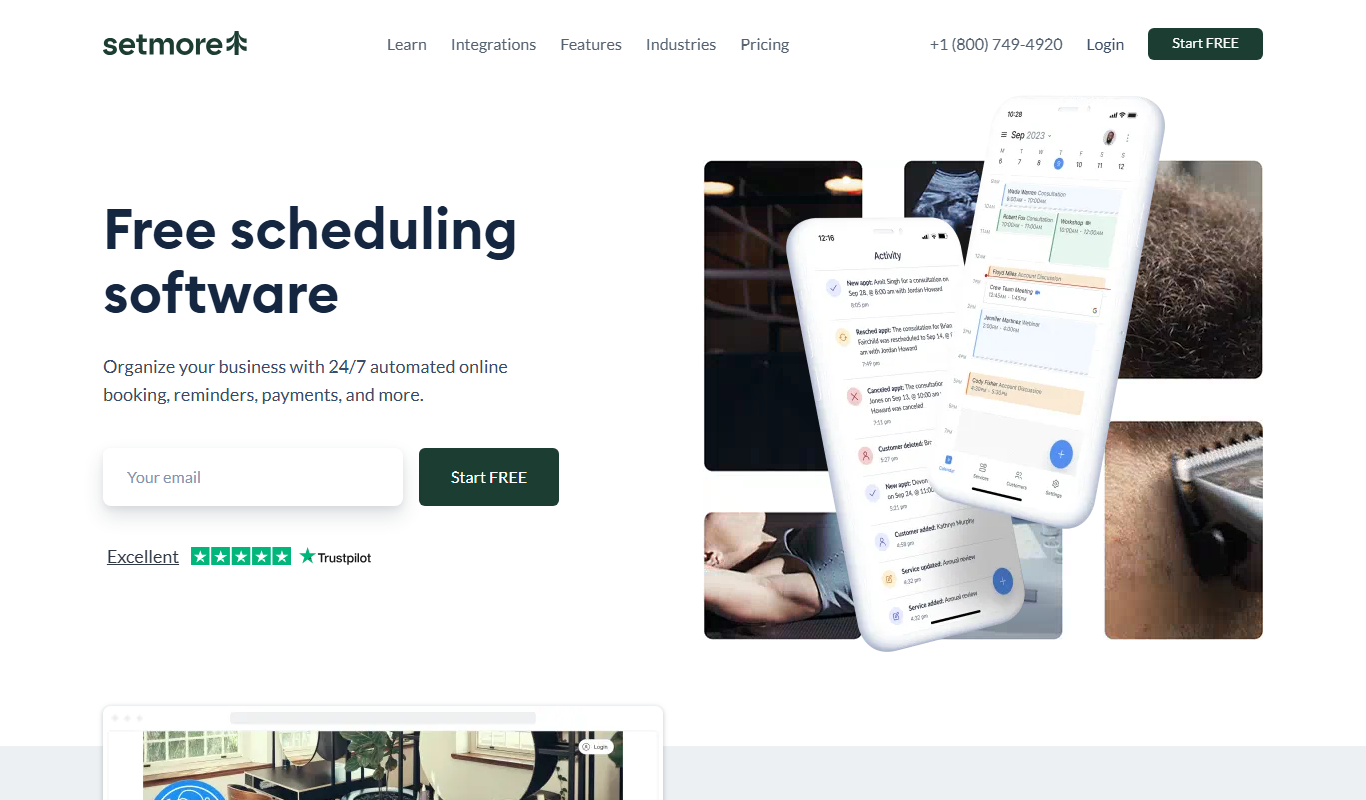
Setmore
Setmore is an online appointment scheduling software designed for small businesses to manage bookings, staff schedules, automated reminders, and payments through web and mobile platforms.

Smartling
Smartling is a cloud-based translation management platform that helps businesses automate and manage the localization of digital content across websites, apps, and marketing materials with features like translation memory, machine translation integration, and quality assurance.

VidCruiter
VidCruiter is a recruitment platform offering AI-powered video interviewing, applicant tracking, and automated scheduling to optimize hiring workflows.

Rhombus
Rhombus Systems is a cloud-based video security platform that uses AI-powered cameras and analytics to provide businesses with real-time surveillance, alerts, and operational insights accessible remotely.

Eagle Eye Networks
Eagle Eye Networks is a cloud video surveillance platform that provides AI-powered video analytics, remote monitoring, and multi-site security management via web and mobile apps.

AnswerConnect
AnswerConnect is a virtual receptionist service providing 24/7 live call answering, appointment scheduling, and lead capture to help businesses manage inbound calls professionally.