

From my experience with Artec Studio, I found it excels at delivering highly accurate and detailed 3D scans that are essential for professional applications like industrial inspection and reverse engineering. The software’s intuitive interface combined with powerful mesh editing and measurement tools makes it accessible even for users new to 3D scanning, while still meeting the demands of experts. However, it is limited to Windows and requires an Artec 3D scanner, which may restrict flexibility for some users. Overall, if you need precise 3D modeling and analysis for manufacturing, healthcare, or cultural heritage, Artec Studio is a robust and reliable choice.
Artec Studio 3D Scanning Software for Precise 3D Modeling and Analysis
Artec Studio is a professional 3D scanning software by Artec 3D that enables users to capture, process, and edit detailed 3D models using Artec scanners, widely used in industries like manufacturing, healthcare, and cultural heritage.
- Best for
- Industrial Inspection
- Key capability
- Automatic and Manual Alignment
Your actions
Save Artec Studio, follow its updates and vote on it — everything stays in your account.
Sign in or create a free accountWhat is Artec Studio?
Artec Studio is a professional 3D scanning and data processing software developed by Artec 3D. It enables users to capture, process, and edit high-resolution 3D scans with advanced algorithms for mesh reconstruction, texture mapping, and measurement. The software supports a range of Artec 3D scanners and is widely used in industries such as manufacturing, healthcare, cultural heritage, and entertainment.
Key features of Artec Studio
Artec Studio offers powerful 3D scanning data processing tools including automatic alignment, fusion, texture mapping, mesh editing, and inspection features. It supports real-time scanning feedback and integrates with CAD software for reverse engineering workflows.
Automatic and Manual Alignment
Easily align multiple scans automatically or manually for complex objects.
High-Resolution Texture Mapping
Capture and apply detailed color textures to 3D models for realistic appearance.
Powerful Mesh Editing
Tools for hole filling, smoothing, and mesh simplification to optimize models.
Measurement and Inspection
Perform precise measurements and quality control checks directly within the software.
CAD Integration
Export data compatible with popular CAD software for reverse engineering workflows.
Pros and cons of Artec Studio
Pros
- High accuracy and detail in 3D scans
- User-friendly interface with powerful editing tools
- Supports a wide range of professional 3D scanners
- Strong integration with CAD software
- Comprehensive measurement and inspection features
Cons
- Only compatible with Artec 3D scanners
- Windows-only software limits platform flexibility
- Pricing requires direct contact, no transparent plans online
Key use cases for Artec Studio
Industrial Inspection
Use Artec Studio to perform precise 3D measurements and quality control for manufacturing and engineering.
Reverse Engineering
Capture detailed 3D scans of physical objects to create CAD models for redesign or reproduction.
Healthcare and Prosthetics
Create accurate 3D models for custom prosthetics, orthotics, and medical device design.
Cultural Heritage Preservation
Digitally preserve artifacts and historical objects with high-resolution 3D scanning.
Animation and Visual Effects
Generate detailed 3D models for use in animation, gaming, and visual effects production.
How Artec Studio works
- 1
Connect Scanner
Attach a compatible Artec 3D scanner to your Windows PC and launch Artec Studio.
- 2
Scan Object
Perform a 3D scan by moving the scanner around the object to capture geometry and texture.
- 3
Process Data
Use Artec Studio’s tools to align, fuse, and clean the scan data into a complete 3D model.
- 4
Edit and Analyze
Refine the mesh, apply textures, and perform measurements or inspections as needed.
- 5
Export Model
Export the final 3D model in various formats for CAD, 3D printing, or visualization.
Who is using Artec Studio
Industrial engineers and quality control specialists
Healthcare professionals designing prosthetics
Cultural heritage conservators and archaeologists
3D artists and animators
Manufacturing and reverse engineering teams
Artec Studio pricing
Standard License
Contact for pricing
Full-featured Artec Studio license with access to all scanning and processing tools.
Subscription License
Contact for pricing
Flexible subscription options for short-term or project-based use.
Plans and prices are as published by the vendor and can change. Check the official site before you buy. Open the pricing page (opens in a new tab)
Frequently asked questions about Artec Studio
Artec Studio supports all Artec 3D scanners including Eva, Leo, Space Spider, and Micro.
No, Artec Studio is designed to work exclusively with Artec 3D scanners.
You can export to OBJ, STL, PLY, WRL, ASCII, and other common 3D file formats.
Currently, Artec Studio is only available for Windows operating systems.
This tool is designed to help users accomplish its core tasks more efficiently. It is typically used by individuals or teams looking to improve productivity and workflow.
Yes, it can help with that use case depending on how you configure it and what features are available. You’ll get the best results with clear inputs and a defined goal.
Yes, it can help with that use case depending on how you configure it and what features are available. You’ll get the best results with clear inputs and a defined goal.
It depends on your specific needs and how you plan to use the tool. The official website and documentation are the best sources for the latest details.
Sign in to review this tool.
Sign In to ReviewNo reviews yet
Be the first to share how this tool worked for you.
Ask about pricing, limits, or how it compares — or answer someone else.
Sign In to AskNo questions yet
Have a question about using or paying for this tool? Be the first to ask.
Featured on TiorAI



Alternative Tools
Explore similar AI tools that might fit your needs

Freemium
3DF Zephyr
3DF Zephyr is a Windows-based photogrammetry software that automatically reconstructs 3D models from photos, supporting drone mapping and detailed 3D mesh creation.
More Art & Creative Design tools
Other tools in the same category, for when this one is not quite the fit.
Free
Awesome Screenshot
Awesome Screenshot is a tool for capturing screenshots and screen recordings with annotation features, available as browser extensions and desktop apps, suitable for collaboration and content creation.

Credit-based
PhotoFeeler
PhotoFeeler is a web-based platform that provides crowd-sourced, context-specific feedback on photos to help users select the best images for business, social, or dating purposes.

Subscription
Unitag QR Code Generator
Unitag QR Code Generator is a web-based tool that allows users to create customizable QR codes with options for colors, logos, and shapes, supporting multiple QR code types and offering scan analytics in paid plans.
Free
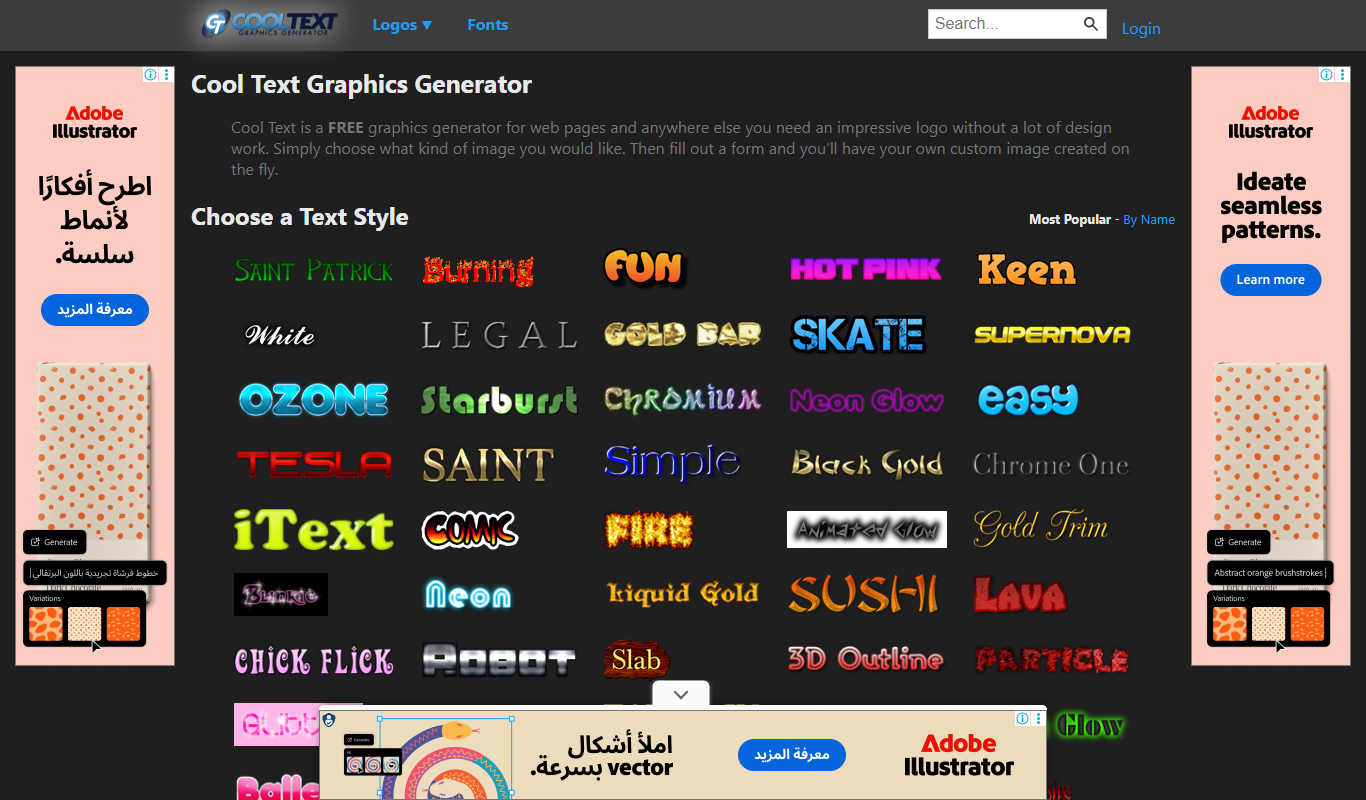
CoolText
CoolText is a free online tool for creating custom logos and graphic text designs with various fonts and effects, ideal for quick branding needs.

Free
MockupBro
MockupBro is a web-based tool that lets you create customizable product mockups quickly without graphic design skills, ideal for marketing and e-commerce visuals.

Free
Guess The Prompt!
Guess The Prompt! is a free online game where players guess AI-generated prompts based on images or clues, promoting creative thinking and fun.

Paid
Logomark AI
Logomark AI is a prompt-based logo creator that turns a text description into a pictorial, abstract or line mark logo exportable as PNG or SVG.

Subscription
Prompts Club
Prompts Club is an AI prompt and model marketplace where users find prompts and models like Midjourney, ChatGPT and Flux AI, generate AI photos and videos, or sell their own.