

Any.do Task Manager and To-Do List App for Productivity and Organization
Any.do is a task management and to-do list app that helps users organize tasks, set reminders, sync calendars, and collaborate with others across multiple platforms.
- Best for
- Personal Task Management
- Key capability
- Task and Subtask Management
Save Any.do, follow its updates and vote on it — everything stays in your account.
Sign in or create a free account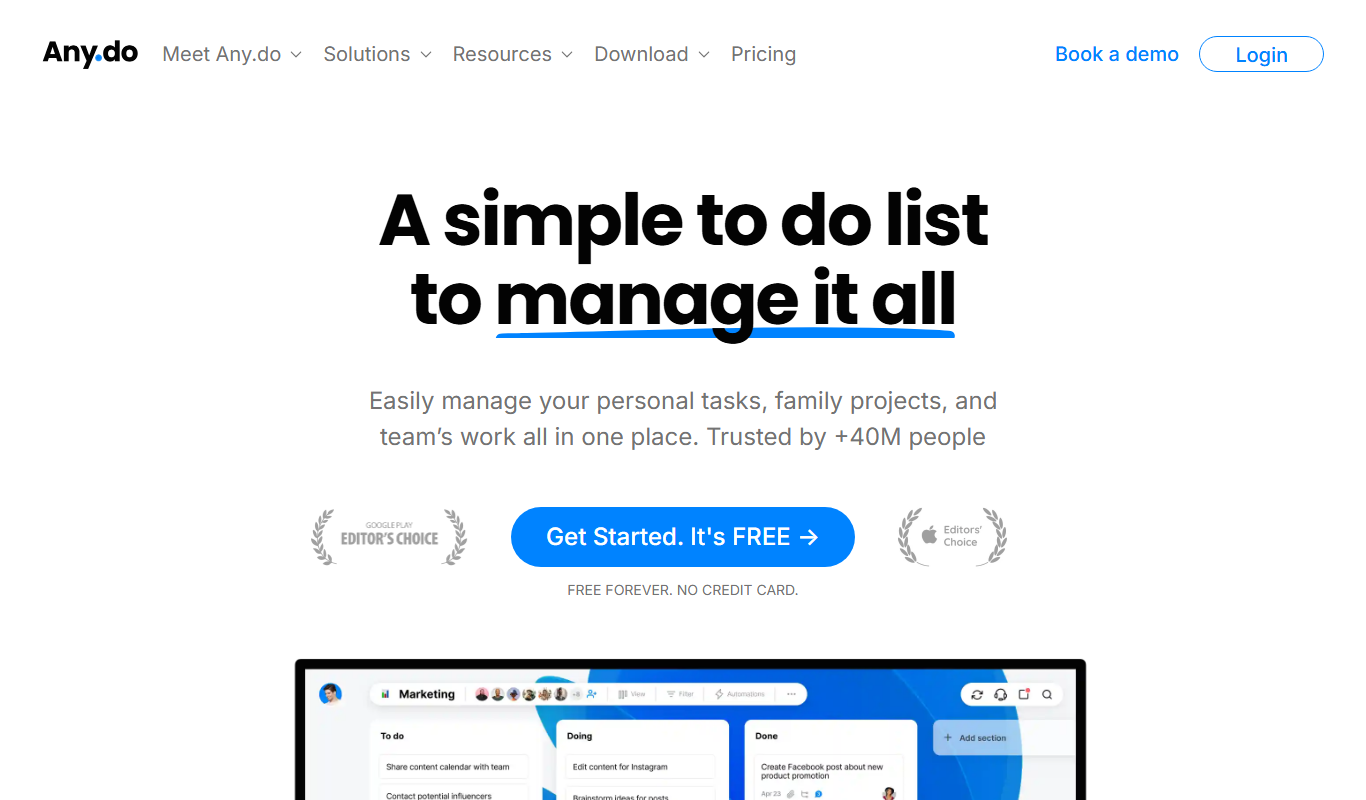
What is Any.do?
Any.do is a comprehensive task management and to-do list application designed to help individuals and teams organize their daily activities, projects, and goals. It combines task lists, reminders, calendar integration, and collaboration features into a single platform accessible across multiple devices.
Key features of Any.do
Any.do offers task creation, reminders, calendar syncing, collaboration tools, voice entry, and a clean, intuitive interface that supports productivity and time management for users in personal and professional contexts.
Task and Subtask Management
Create tasks with subtasks to break down complex projects.
Reminders and Notifications
Set one-time or recurring reminders to never miss deadlines.
Calendar Integration
Sync with Google Calendar, Outlook, and others for unified scheduling.
Collaboration Tools
Share lists and assign tasks to team members with real-time updates.
Voice Entry
Add tasks quickly using voice commands on mobile devices.
Cross-Platform Access
Use Any.do on web, mobile apps, desktop, and browser extensions.
Pros and cons of Any.do
Pros
- User-friendly interface with intuitive task management
- Cross-platform availability including web and mobile
- Robust calendar integration for unified scheduling
- Collaboration features suitable for teams
- Voice input support for quick task entry
Cons
- Some advanced features require a paid subscription
- Limited offline functionality in free version
- Business plan pricing may be high for small teams
Key use cases for Any.do
Personal Task Management
Organize daily tasks, set reminders, and manage personal to-do lists efficiently.
Team Collaboration
Share tasks and lists with team members to coordinate projects and deadlines.
Calendar Scheduling
Integrate calendars to schedule events and deadlines alongside tasks.
Goal Setting and Tracking
Set long-term goals and track progress through task completion and reminders.
Shopping and Errands Lists
Create and manage shopping lists with real-time updates and reminders.
How Any.do works
- 1
Create an Account
Sign up using email or social login to start organizing your tasks.
- 2
Add Tasks and Lists
Input tasks manually or by voice, organize them into lists or projects.
- 3
Set Reminders and Deadlines
Assign due dates and reminders to stay on top of your schedule.
- 4
Sync Calendars
Connect your calendar apps to view events alongside tasks.
- 5
Collaborate and Share
Invite others to share lists and work together on tasks.
Who is using Any.do
Any.do pricing
Personal
Free forever
For your personal life: tasks and lists, reminders, calendar, daily planner and sync across devices.
Premium
$4.99 per month billed annually or $7.99 per month
Everything in Personal plus recurring tasks, WhatsApp reminders, AI-powered features, color tags and location reminders.
Teams
$4.99 per month / member billed annually or $7.99 per month / member
Everything in Premium plus a collaborative workspace, unlimited project boards, unlimited team members, 100+ workflow templates and admin tools and permissions.
Family
$8.33 per month for 4 members billed annually or $9.99 per month for 4 members
Everything in Premium plus a shared family space for up to 4 members, a shared grocery list and up to 4 shared projects.
Plans and prices are as published by the vendor and can change. Check the official site before you buy. Open the pricing page (opens in a new tab)
Frequently asked questions about Any.do
Yes, Any.do offers a free plan with basic task management features.
Yes, Any.do supports integration with Google Calendar, Outlook, and others.
Yes, the Teams plan adds a collaborative workspace, unlimited project boards, unlimited team members and admin tools and permissions.
Yes, Any.do is available on iOS and Android devices.
Yes, it can help with that use case depending on how you configure it and what features are available. You’ll get the best results with clear inputs and a defined goal.
It depends on your specific needs and how you plan to use the tool. The official website and documentation are the best sources for the latest details.
Yes, it can help with that use case depending on how you configure it and what features are available. You’ll get the best results with clear inputs and a defined goal.
Yes, it can help with that use case depending on how you configure it and what features are available. You’ll get the best results with clear inputs and a defined goal.
Conclusion
Tasks are entered by typing or by voice and organized into lists or projects, with subtasks, due dates and reminders. Calendar apps such as Google Calendar and Outlook connect so events show up next to tasks, and a daily planner sits alongside the lists. Apps run on iPhone, Android, Mac, Windows and the web, plus browser extensions.
Plans follow a split between individuals, families and teams. The free Personal plan covers tasks and lists, reminders and a calendar, while Premium adds recurring tasks, WhatsApp reminders and location reminders. Family shares a household space for up to 4 members, and Teams adds a collaborative workspace with unlimited project boards and admin tools.
Sources
Sign in to review this tool.
Sign In to ReviewNo reviews yet
Be the first to share how this tool worked for you.
Ask about pricing, limits, or how it compares — or answer someone else.
Sign In to AskNo questions yet
Have a question about using or paying for this tool? Be the first to ask.
Featured on TiorAI



Alternative Tools
Explore similar AI tools that might fit your needs

Todoist
Todoist is a cross-platform task management app designed to help users organize tasks, set priorities, collaborate on projects, and track productivity efficiently.

TickTick
TickTick is a cross-platform task management app that helps users organize tasks, set reminders, track habits, and collaborate with others to improve productivity.
More AI Workflow tools
Other tools in the same category, for when this one is not quite the fit.

Guesty
Guesty is a property management software designed for vacation rental hosts to automate bookings, guest messaging, task management, and financial reporting across multiple platforms.
Kizeo Forms
Kizeo Forms is a no-code mobile form builder that enables offline data collection with multimedia support and workflow automation for businesses.
Immuta
Immuta is a data governance platform that automates and enforces data access policies to ensure security and compliance across cloud data platforms.

Skydio Autonomy
Skydio Autonomy is an AI-driven flight control system that enables drones to fly fully autonomously by using real-time computer vision to navigate and avoid obstacles, designed for industrial, safety, and creative use cases.

TripSpark NEMT
TripSpark NEMT is a specialized software platform designed to streamline scheduling, dispatch, billing, and compliance for non-emergency medical transportation providers.

Onfleet
Onfleet is a delivery management software that optimizes last mile logistics by providing route planning, real-time driver tracking, automated customer notifications, and analytics to improve delivery efficiency.
iObeya
iObeya is a digital visual management software that enables agile and lean teams to collaborate remotely using customizable digital boards and real-time interaction.

KaiNexus
KaiNexus is a cloud-based continuous improvement platform that helps organizations capture ideas, automate workflows, and track improvement projects to enhance operational efficiency.