

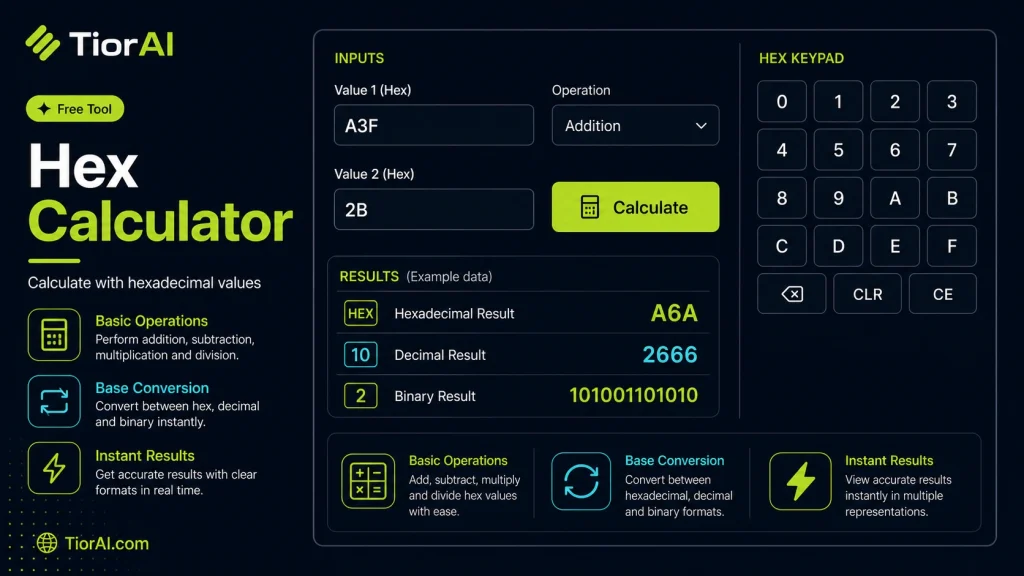
How to use it
- Paste Your Input Paste your code or data into the Hex Calculator. The tool accepts standard input formats and validates your entry.
- Process and Transform Click the action button to process your input. Results are generated instantly with proper formatting.
- Export the Output Copy the processed output to your clipboard or download it for use in your development workflow.
Tip The Hex Calculator validates your input on the fly, catching syntax errors before they become bugs in production.
About HEX Calculator
Hexadecimal (or hex) is a base-16 numbering system that uses sixteen distinct symbols: 0-9 to represent values zero to nine, and A-F to represent values ten to fifteen. This system is widely used in computing and digital electronics because it provides a more human-friendly way to represent binary-coded values.
Converting between hexadecimal and other number systems like decimal (base-10) or binary (base-2) is a common task in programming, debugging, and data encoding. Hexadecimal numbers are shorter and easier to read compared to binary, making them ideal for representing memory addresses, color codes in web design, and machine-level data.
Why use hexadecimal?
- Compact representation: Hex reduces long binary strings into fewer digits.
- Memory addressing: Low-level programming and debugging often display addresses in hex.
- Color codes: Web colors use hex to specify RGB values efficiently.
- Data encoding: Hex is used in encoding schemes and cryptographic hashes.
Hex calculators automate conversions and arithmetic operations in hexadecimal, helping developers and engineers avoid manual errors and speed up workflows.
Understanding Hexadecimal Numbers
Hexadecimal is a base-16 numbering system that uses sixteen symbols: digits 0-9 and letters A-F. It is widely used in computing because it provides a concise way to represent binary data. For example, one hex digit corresponds exactly to four binary bits, making it easier to read and write large binary numbers.
When to Use a Hex Calculator
- Debugging low-level code where memory addresses are shown in hex.
- Converting web color codes from hex to decimal RGB values.
- Performing arithmetic operations in embedded systems programming.
- Analyzing binary data dumps by converting them into readable hex format.
- Verifying cryptographic hashes represented in hexadecimal.
Common Mistakes to Avoid
- Mixing up hex digits with decimal digits, especially confusing letters A-F.
- Failing to specify the correct base when entering numbers, which leads to wrong results.
- Expecting the tool to convert character encodings instead of numeric bases.
Using a hex calculator simplifies working with hexadecimal numbers by automating conversions and calculations, reducing errors, and saving time in technical tasks.
Frequently asked questions
Reviews and questions
Whether this tool gave people the answer they needed, and what they asked about it.
Sign in to review this tool.
Sign In to ReviewNo reviews yet
Be the first to say whether this tool gave you what you needed.
Ask how to read the result, or what the tool does with an edge case — or answer someone else.
Sign In to AskNo questions yet
Not sure how to read a result? Be the first to ask.