

Decimal to Grey Code
Gray code is a binary numbering system where each successive number differs from the previous one by only a single bit. This unique property helps reduce errors in digital systems during transitions between values. When to Use Decimal to Gray Code Conversion This conversion is…
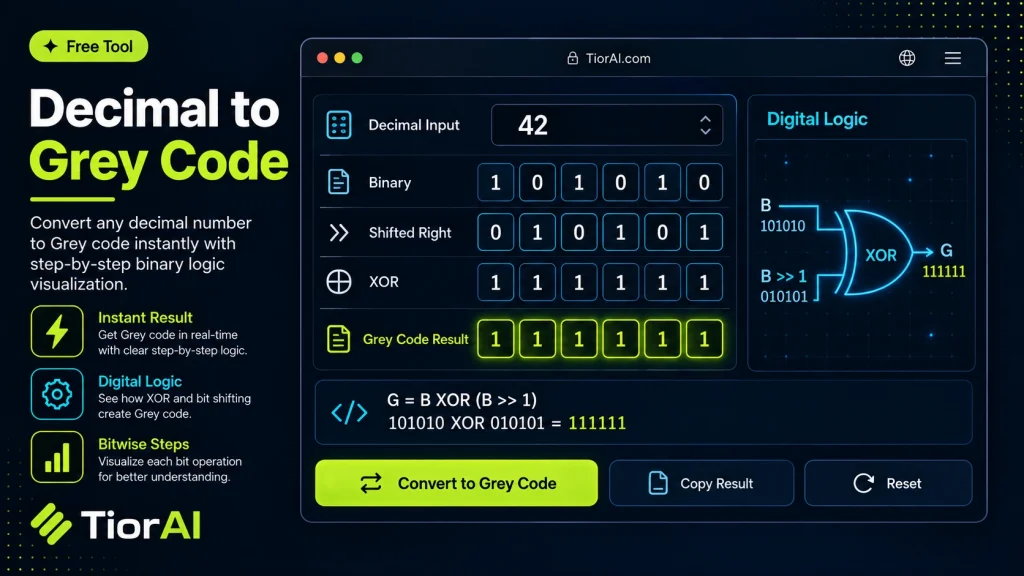
| Bit | Binary | Gray | Rule |
|---|
How to use it
- Enter Source Value Type or paste the value you want to convert into the Decimal to Grey Code. The tool accepts a wide range of input formats.
- Select Target Format Choose your desired output format or unit from the available options. The conversion starts automatically.
- Copy the Result Review the converted output and click copy to use it in your project, document, or workflow.
Tip The Decimal to Grey Code preserves formatting and structure during conversion, so your output stays clean and usable.
Understanding Gray Code
Gray code, also known as reflected binary code, is a binary numeral system where two successive values differ in only one bit. This property minimizes errors in digital systems during transitions between numbers.
Unlike standard binary counting, where multiple bits can change between consecutive numbers, Gray code ensures a single-bit change, which is crucial in applications sensitive to signal noise or timing issues.
Why Convert Decimal to Gray Code?
Converting decimal numbers to Gray code is essential in fields like digital communications, error correction, and position encoders. For example, rotary encoders use Gray code to prevent misinterpretation of position during mechanical movement, as only one bit changes at a time, reducing the chance of errors.
In digital logic design and analog-to-digital converters, Gray code helps reduce glitches and transient errors during state changes.
How the Conversion Works
The conversion from decimal to Gray code involves first representing the decimal number in binary, then applying a bitwise operation where each Gray code bit is computed by XORing the binary bit with the bit to its immediate left. This process ensures the single-bit difference property.
What is Gray Code?
Gray code is a binary numbering system where each successive number differs from the previous one by only a single bit. This unique property helps reduce errors in digital systems during transitions between values.
When to Use Decimal to Gray Code Conversion
This conversion is useful in various technical fields:
- Designing rotary encoders and position sensors that require error-minimized state changes.
- Implementing error correction methods in digital communication.
- Reducing glitches in analog-to-digital converters by ensuring only one bit changes at a time.
- Educational purposes to understand alternative binary coding schemes.
Common Mistakes to Avoid
- Mixing up Gray code with standard binary and expecting multiple bits to change between consecutive numbers.
- Trying to convert negative decimal numbers directly without handling signed binary formats first.
Understanding the technical context of Gray code helps in applying it correctly. The conversion process involves XOR operations on binary representations, ensuring the single-bit change property is maintained. This makes Gray code valuable in hardware design and communication systems where minimizing transition errors is critical.
Frequently asked questions
Reviews and questions
Whether this tool gave people the answer they needed, and what they asked about it.
Sign in to review this tool.
Sign In to ReviewNo reviews yet
Be the first to say whether this tool gave you what you needed.
Ask how to read the result, or what the tool does with an edge case — or answer someone else.
Sign In to AskNo questions yet
Not sure how to read a result? Be the first to ask.
AI tools related to this topic
Tools from the TiorAI directory that work on the same kind of job.

PngMaker.io: Convert Text to PNG Quickly
PngMaker.io is a free online tool that converts text into PNG images with transparent backgrounds, allowing customization of fonts and colors without requiring any software installation or account.