

XML to JSON
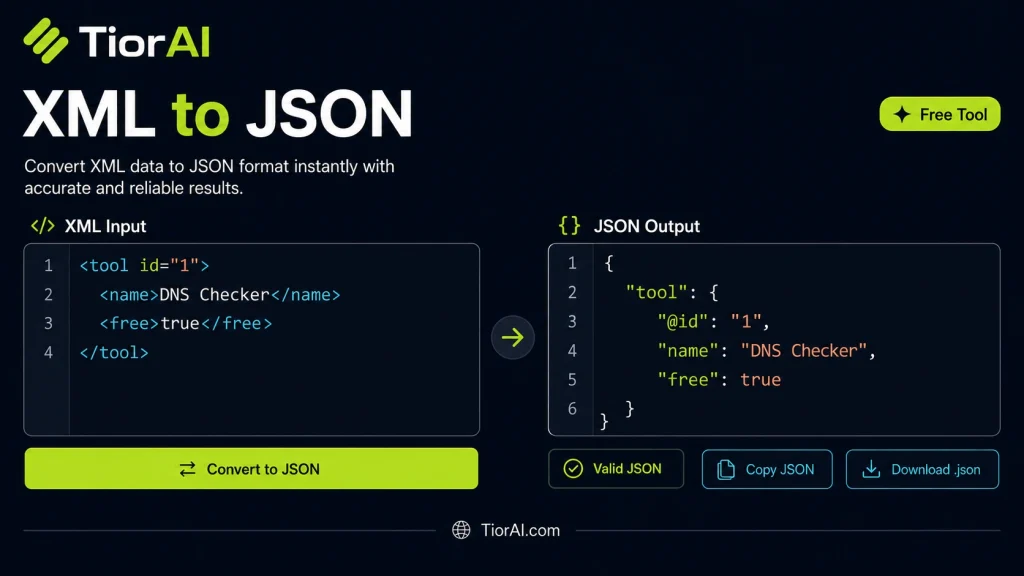
Transform your data effortlessly using this xml to json tool. It handles format conversion in seconds with no software to install — just paste, convert, and copy.
How to use it
- Enter Source Value Type or paste the value you want to convert into the Xml to Json. The tool accepts a wide range of input formats.
- Select Target Format Choose your desired output format or unit from the available options. The conversion starts automatically.
- Copy the Result Review the converted output and click copy to use it in your project, document, or workflow.
Tip Use the Xml to Json as part of your build pipeline — convert files before deploying to production.
About XML to JSON
XML (eXtensible Markup Language) and JSON (JavaScript Object Notation) are two widely used formats for structuring data. XML uses a tree-like structure with nested tags, attributes, and elements, making it verbose but highly descriptive. JSON, on the other hand, is a lightweight, text-based format that represents data as key-value pairs, arrays, and objects, making it easier to read and parse, especially in web applications.
Converting XML to JSON involves transforming the hierarchical XML data into JSON’s object and array structures. This conversion is essential because many modern APIs and web services prefer JSON due to its simplicity and compatibility with JavaScript environments. Developers often need to convert XML responses from legacy systems or third-party services into JSON to integrate with frontend applications or other JSON-based tools.
Why Convert XML to JSON?
- Interoperability: JSON is the standard for most web APIs and JavaScript frameworks.
- Data Processing: JSON is easier to parse and manipulate in many programming languages.
- Storage and Transmission: JSON is more compact, reducing bandwidth and storage needs.
Common scenarios include migrating data from XML-based databases, consuming SOAP or XML web services, and preparing data for frontend applications that expect JSON.
Understanding XML to JSON Conversion
XML and JSON are both formats used to represent structured data, but they differ significantly in syntax and usage. XML uses nested tags and attributes to describe data hierarchies, while JSON uses key-value pairs and arrays. Converting XML to JSON transforms the verbose XML structure into a more compact and easily parsed JSON format.
This conversion is crucial when working with modern web applications, which predominantly use JSON for data exchange. Many legacy systems and APIs still provide data in XML, so converting it to JSON allows developers to integrate these sources seamlessly with newer technologies.
When to Use XML to JSON Conversion
- Integrating legacy XML data with JSON-based APIs or frontend frameworks.
- Parsing XML responses from web services into JSON for easier manipulation.
- Reducing data size for transmission by converting verbose XML into compact JSON.
- Preparing data for JavaScript applications that natively support JSON.
Common Mistakes to Avoid
- Assuming a direct one-to-one mapping between XML attributes and JSON keys without considering structural differences.
- Overlooking XML namespaces, which can lead to incomplete or incorrect JSON output.
- Expecting XML comments or processing instructions to appear in JSON, which does not support these features.
Understanding these aspects ensures accurate and efficient data conversion, making your data workflows smoother and more compatible with modern development environments.
Frequently asked questions
Reviews and questions
Whether this tool gave people the answer they needed, and what they asked about it.
Sign in to review this tool.
Sign In to ReviewNo reviews yet
Be the first to say whether this tool gave you what you needed.
Ask how to read the result, or what the tool does with an edge case — or answer someone else.
Sign In to AskNo questions yet
Not sure how to read a result? Be the first to ask.
AI tools related to this topic
Tools from the TiorAI directory that work on the same kind of job.

Code to Flow: Visualize your code
Code to Flow is a web tool that automatically converts source code into flowcharts, helping developers visualize and understand code logic easily.