

CSV to TXT Converter
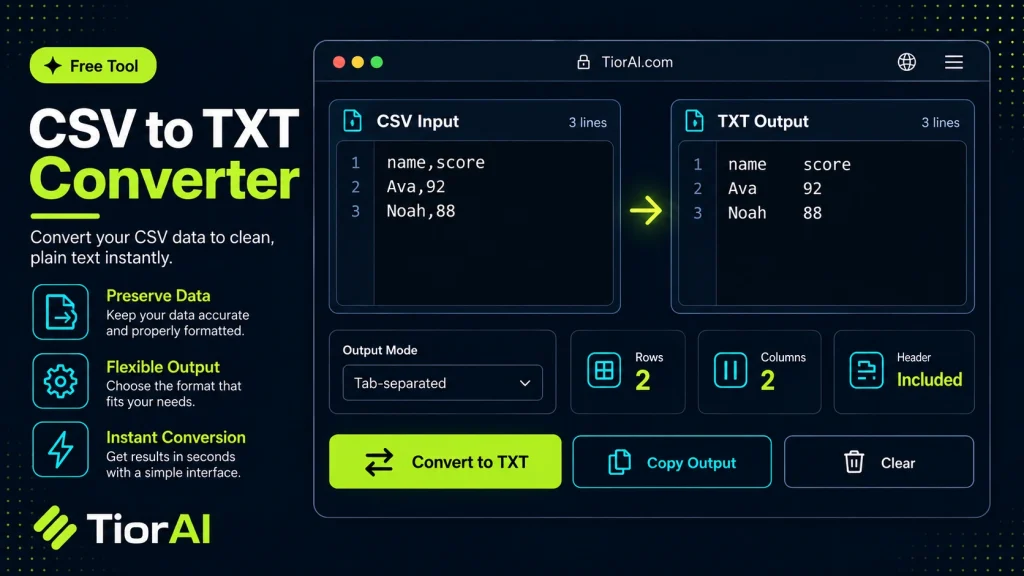
Convert comma-separated values into plain text using the separator you choose.
How to use it
- Enter Source Value Type or paste the value you want to convert into the Csv to Txt Converter. The tool accepts a wide range of input formats.
- Select Target Format Choose your desired output format or unit from the available options. The conversion starts automatically.
- Copy the Result Review the converted output and click copy to use it in your project, document, or workflow.
Tip Switch between source and target formats in the Csv to Txt Converter to quickly verify conversions in both directions.
Understanding CSV and TXT File Formats
CSV (Comma-Separated Values) files store tabular data in plain text, where each line represents a row and columns are separated by commas or other delimiters. This format is widely used for data exchange between applications like spreadsheets, databases, and statistical software.
TXT (Text) files are plain text files without a predefined structure. They can contain any text content, including formatted or unformatted data. Converting CSV to TXT typically involves changing the file extension or reformatting the data to a plain text layout that may use spaces, tabs, or other delimiters instead of commas.
This conversion is useful when you need to present CSV data in a simpler, more readable format or when a target system requires plain text input without CSV-specific formatting. For example, some legacy systems or text editors handle TXT files better than CSV files.
Common situations for CSV to TXT conversion include:
- Preparing data for import into software that only accepts TXT files.
- Creating human-readable reports from CSV data.
- Removing CSV delimiters for easier manual editing.
Understanding the difference between these formats helps ensure that data integrity is maintained during conversion and that the resulting TXT file meets the intended use case.
What is CSV to TXT Conversion?
CSV files store structured data using commas or other delimiters to separate values, making them ideal for spreadsheets and databases. TXT files, on the other hand, are plain text files without a fixed structure. Converting CSV to TXT involves changing the data format to plain text, often replacing commas with spaces, tabs, or other separators.
When to Use a CSV to TXT Converter
- When you need to import data into systems that only accept plain text files.
- To create a more readable version of CSV data for reports or documentation.
- When preparing data for manual editing in text editors that do not handle CSV formatting well.
- To remove CSV delimiters for compatibility with legacy software.
Common Mistakes to Avoid
- Assuming the TXT file will automatically preserve CSV delimiters without specifying them during conversion.
- Overlooking character encoding settings, which can cause text to display incorrectly.
- Confusing a simple file extension change with a proper format conversion, leading to unusable files.
Understanding these points ensures your data remains accurate and usable after conversion. Properly converting CSV to TXT helps maintain data integrity and compatibility across different applications and workflows.
Frequently asked questions
Reviews and questions
Whether this tool gave people the answer they needed, and what they asked about it.
Sign in to review this tool.
Sign In to ReviewNo reviews yet
Be the first to say whether this tool gave you what you needed.
Ask how to read the result, or what the tool does with an edge case — or answer someone else.
Sign In to AskNo questions yet
Not sure how to read a result? Be the first to ask.
AI tools related to this topic
Tools from the TiorAI directory that work on the same kind of job.

Any Video Converter
Any Video Converter is a multimedia software that converts video files between numerous formats, downloads online videos, and offers basic editing and DVD burning features.

Bank Statement Converter
Bank Statement Converter is an online tool that converts PDF bank statements into Excel and CSV formats, enabling easy data extraction and financial management.

Code Language Converter
Code Language Converter is a free web-based tool that translates code snippets between multiple programming languages, helping developers convert syntax quickly and learn language differences.