

3Dthis - Online 3D Modeling and Animation Creator for Visual Content
3Dthis is a web-based platform that allows users to create, animate, and customize 3D avatars and models from photos or templates without software installation.
- Best for
- 3D Avatar Creation
- Key capability
- Photo to 3D Conversion
Save 3Dthis, follow its updates and vote on it — everything stays in your account.
Sign in or create a free account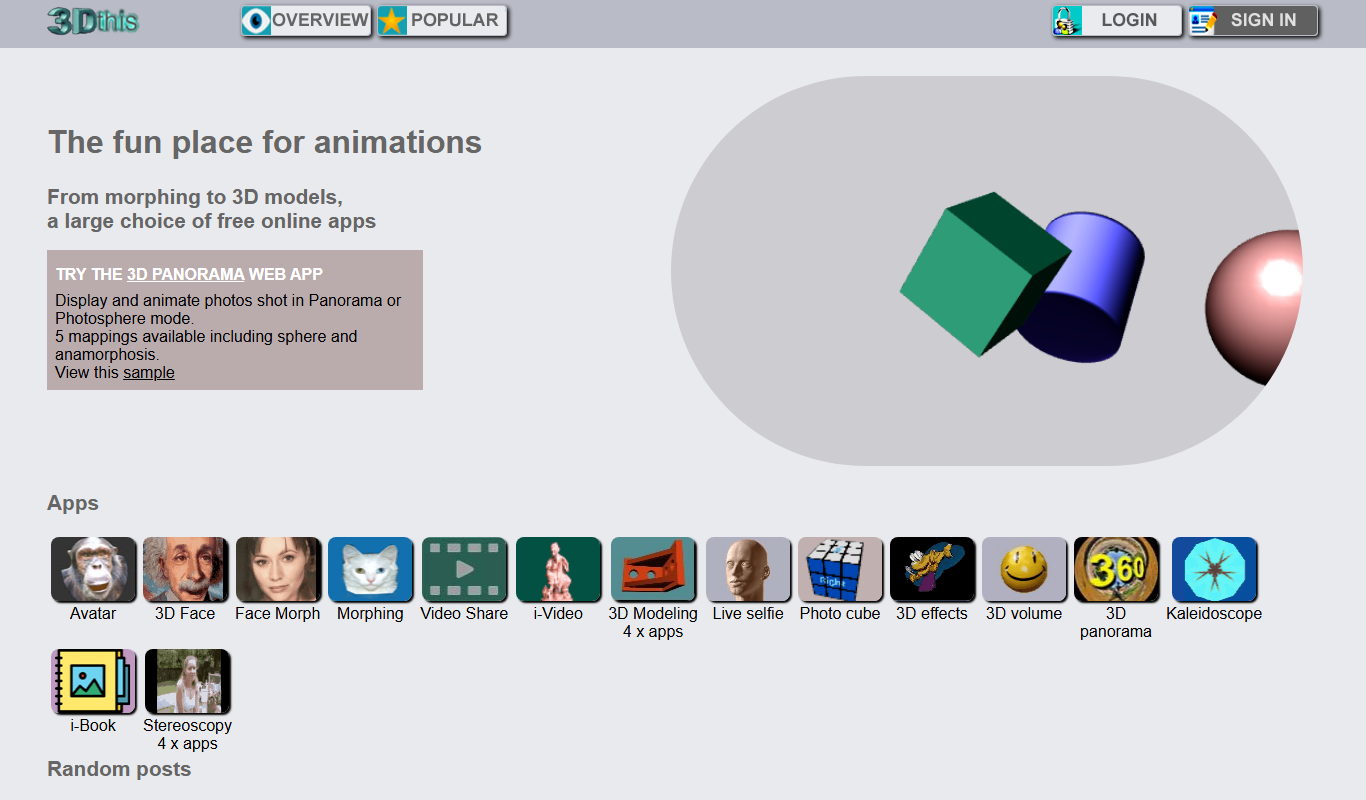
What is 3Dthis?
3Dthis is an online platform that enables users to create, animate, and customize 3D models and avatars directly in the browser. It offers tools to convert 2D photos into 3D images, generate animations, and design interactive 3D content without requiring advanced technical skills.
Key features of 3Dthis
The platform provides a suite of features including 3D avatar creation, photo-to-3D conversion, animation generation, and interactive 3D scene building. Users can customize models, apply motion effects, and export their creations for various uses.
Photo to 3D Conversion
Transforms flat images into 3D models with depth and perspective.
3D Avatar Maker
Create and customize avatars for personal or professional use.
Animation Tools
Add motion and effects to 3D models to produce dynamic animations.
Web-Based Interface
Accessible entirely online without software installation.
Export Options
Save creations in various formats suitable for sharing or further editing.
Pros and cons of 3Dthis
Pros
- User-friendly web interface with no installation needed
- Unique photo-to-3D conversion capabilities
- Affordable premium plan with enhanced features
- Good for beginners and creative professionals
Cons
- Limited advanced 3D modeling features compared to dedicated software
- Export options restricted in free plan
Key use cases for 3Dthis
3D Avatar Creation
Create personalized 3D avatars from photos for use in games, social media, or virtual environments.
3D Animation Generation
Generate animated 3D models and scenes for presentations, storytelling, or creative projects.
3D Photo Effects
Transform 2D photos into 3D images with depth and motion effects for enhanced visual impact.
Educational Content
Use 3D models and animations to illustrate concepts in education and training materials.
Creative Design Projects
Develop unique 3D art and designs for marketing, branding, or personal creative expression.
How 3Dthis works
- 1
Upload Photo or Choose Template
Start by uploading a 2D photo or selecting a pre-designed 3D template to customize.
- 2
Customize 3D Model
Use the intuitive tools to adjust facial features, add animations, or modify the 3D avatar.
- 3
Generate Animation
Apply motion effects or create custom animations to bring the 3D model to life.
- 4
Export and Share
Download your 3D creations or share them directly on social media or other platforms.
Who is using 3Dthis
3Dthis pricing
Free
$0/month
3Dthis presents its apps as free online apps.
Premium
$9.99/month
Unlocks advanced features, higher resolution exports, and priority support.
Plans and prices are as published by the vendor and can change. Check the official site before you buy. Open the pricing page (opens in a new tab)
Frequently asked questions about 3Dthis
No, 3Dthis is fully web-based and works directly in your browser.
Yes, you can upload photos and convert them into animated 3D models.
Exports are available in common image and video formats depending on the plan.
The site does not describe a Premium plan or trial; 3Dthis presents its tools as free online apps and accounts can be created for free.
It depends on your specific needs and how you plan to use the tool. The official website and documentation are the best sources for the latest details.
Yes, it can help with that use case depending on how you configure it and what features are available. You’ll get the best results with clear inputs and a defined goal.
Some tools offer a free plan or trial with limited features. Availability can vary, so confirm on the official website.
Yes, it can help with that use case depending on how you configure it and what features are available. You’ll get the best results with clear inputs and a defined goal.
Conclusion
Everything runs in the browser, so no software is needed to create 3D models, avatars or animations. A project begins with an uploaded 2D photo or a pre-designed 3D template. Tools then adjust facial features, add animations or modify the 3D avatar. Finished creations can be downloaded or shared directly on social media.
Photo-to-3D conversion turns flat images into models with depth and perspective, so uploaded photos can become animated 3D models. Suggested uses include personalized avatars for games and social media, animated scenes for presentations or storytelling, and 3D material for education and training. The tool is designed with digital artists, social media content creators and educators in mind.
The site presents its apps as free online apps. Its modeling features are more limited than those of dedicated 3D software.
Sources
Sign in to review this tool.
Sign In to ReviewNo reviews yet
Be the first to share how this tool worked for you.
Ask about pricing, limits, or how it compares — or answer someone else.
Sign In to AskNo questions yet
Have a question about using or paying for this tool? Be the first to ask.
Featured on TiorAI



More AI Animation Generator tools
Other tools in the same category, for when this one is not quite the fit.

8i
8i is a platform that creates photorealistic 3D holograms and avatars using volumetric video technology for VR and AR experiences.

Santa Tracker
Google Santa Tracker is a free web platform by Google that lets users track Santa Claus's journey around the world on Christmas Eve, featuring interactive games and holiday activities.

Decentraland
Decentraland is a blockchain-based virtual reality platform that allows users to own virtual land as NFTs, create 3D environments, and interact socially in a decentralized metaverse.
ImgPlay
ImgPlay is a mobile and web app that converts videos and photos into animated GIFs with editing tools like text, stickers, and filters for social media sharing.
Flowframes
Flowframes is a free Windows desktop software that uses AI to interpolate video frames, creating smooth slow motion and enhancing video frame rates without internet connection.

OpenShot
OpenShot is a free, open-source video editing software that supports Windows, macOS, and Linux. It offers features like unlimited tracks, video transitions, 3D animated titles, and a drag-and-drop interface, making it ideal for beginners and intermediate users.

Faceware
Faceware is a markerless facial motion capture software that tracks and translates human facial expressions into digital animations in real time, widely used in gaming, film, and virtual production.
SketchAR
SketchAR is an augmented reality app that projects virtual sketches onto physical surfaces, enabling users to trace and learn drawing interactively on mobile devices.